EVAC-500 Voice Alarm & Evacuation System Operation Manual
30 / 42
6.2. Computer Configuration:
AMD/Inter CPU 2.0G,Window XP SP3/Window 7/8/8.1/10.
Run the management software as Administrator ONLY!
Find the correct version of management software from www.cmxaudio.com or ask it directly from your sales manager,
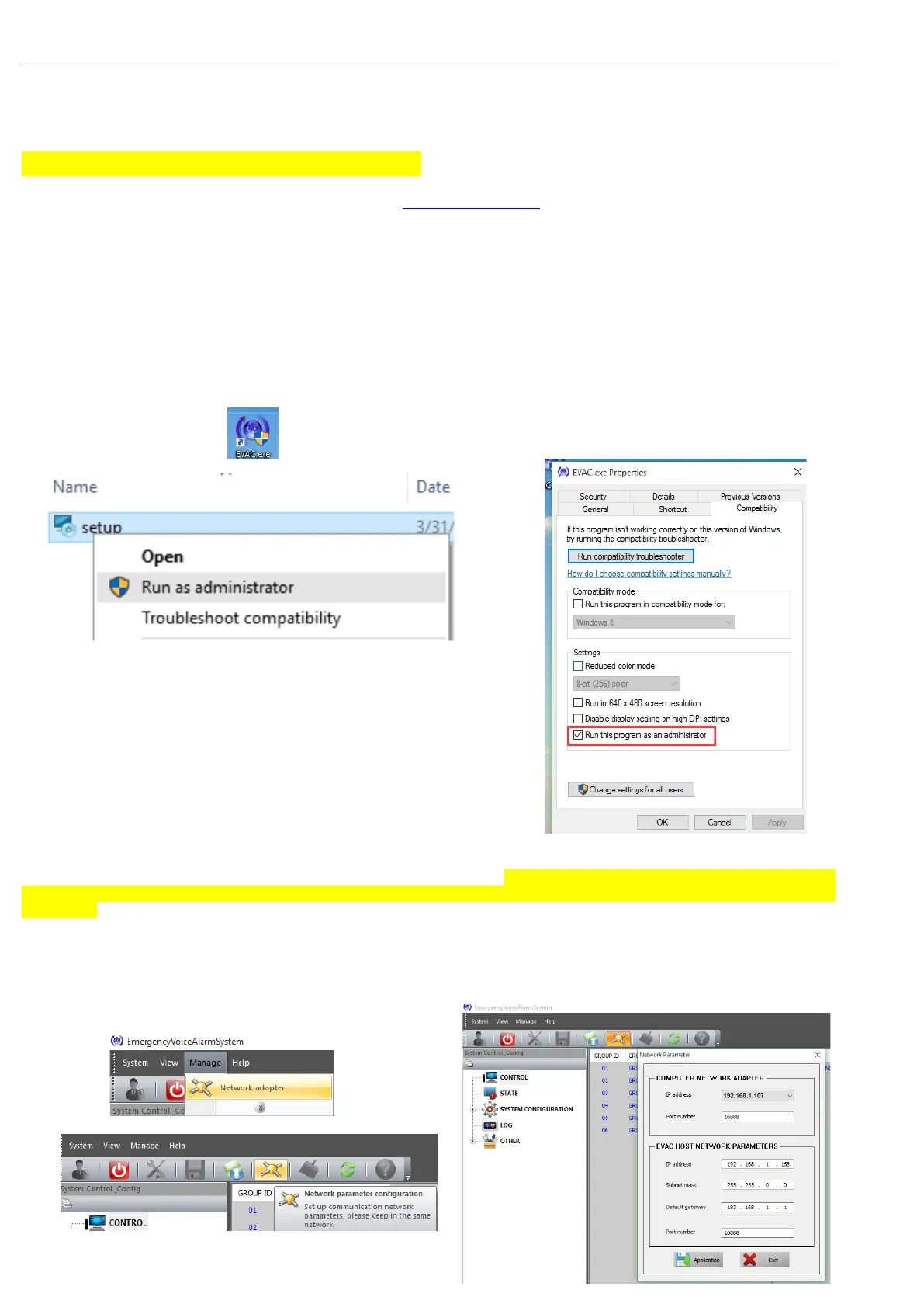
double-click or select “Run as administrator” by right mouse button, and then continue to
click “YES” and “Next”.
Note: Since the operating system of WIN7 or above has comprehensively enhanced its security
performance, please ensure to log in the operating system only with an identity of administrator;
otherwise it may lead to the error during the software installation and during the running after
installation. Please check whether the administrator authority is obtained before running by below method:
Click on the icon “EVAC.exe” by right mouse to select the properties to run as administrator.
Keep the PC and Host EVAC-500 in the same network Gateway. Only after change the PC’s IP address same
gateway as the voice alarm controller default IP address, then the software can communicate with the
controller.
(Host default IP address: 192.168.1.168, Sub Mask: 255.255.0.0, gateway: 192.168.1.1).
Up the 5
th
PIN of configuration dipswitch on the rear panel of host to have dynamic IP address allocation or DHPC.
Please refer to below pictures to help the DHCP once IP allocation is rather slow.


 To Next Page