EVAC-500 Voice Alarm & Evacuation System Operation Manual
40 / 42
Description:
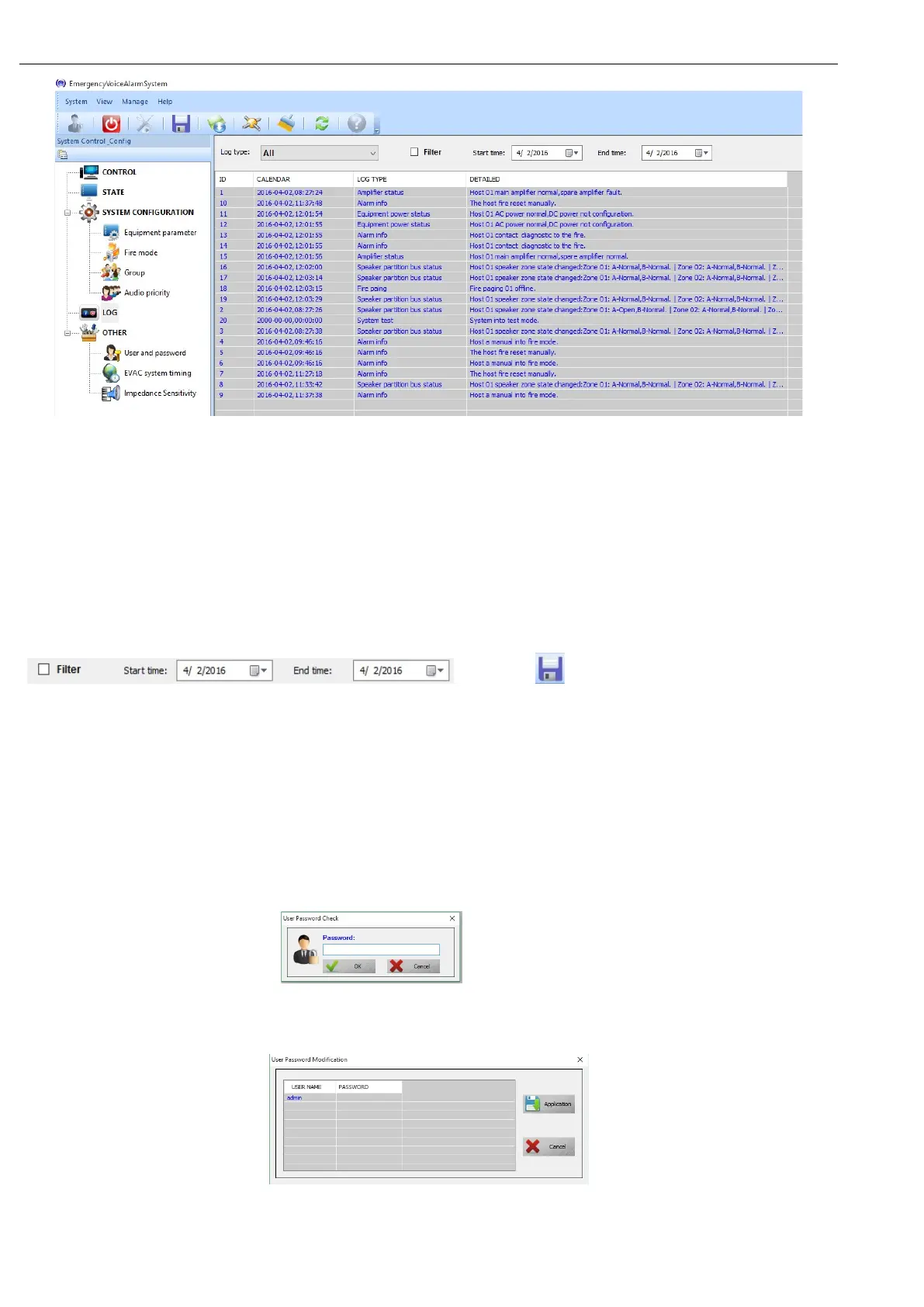
① “ID” no sense;
② “CALENDAR” Means data of the module;
③ “LOG TYPE” means LOG type( use for search when there are many record, can have quick checking);
④ “DETAILED” Means details of current log;
Description:
User can check designated time recording though “Log type” and
“ and click “ ” on tooling bar to save the log as excel
sheet.
6.3.9. OTHER
1. Change password;
2. Correct system time;
3. Adjust speaker zone impedance;
6.3.9.1. Change user password:
① Click “User and password”: ,user input password(If wrong, system will quit
automatically);
② Password correct will show as below:
Description
① “USER NAME”—— Means name of the current login user. Double click to enter edit state.


 To Next Page