EVAC-500 Voice Alarm & Evacuation System Operation Manual
28 / 42
prevent the accident, please do not place in the SD card and EVAC has nothing to do with the file
“4”——When the selected group is selected (including through "5"), click the corresponding line audio to output the
audio of the host to the corresponding partition.
“5”——function keys:
“ALL ZONES”——Represents the selection of all groups, if you have chosen to cancel the group selection,
“OFF”——This operation will close the audio of the current output of the partition, for example, the partition output
is the built-in BGM audio, and the BGM playback will be stopped while the partition is closed.
5.6.2. Via Software EVAC-500SFT Microphone Announcement
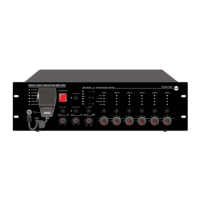
Emergency microphone on the front panel of the host is monitored, it is mainly used for all zone emergency
announcement, select the zone all keys, then there is chime for reminding, after that push the clip of the emergency
microphone to initiate the announcement and push the clip again with one chime to terminate the announcement.
Operation on EVAC-500RM is as follows
Select the currently required zone (the selected zone corresponds to the LED green indicators) - either in single
zone or all zones;
Press the green "CALL" button and wait for the gooseneck round indicator to light up. (if you work in PTT mode,
shall always keeping on the "CALL" button.);
Terminate the announcement, press the "CALL" button again (for PTT mode only release the call button).
Note: group call is different from the zone call on the panel.


 To Next Page