EVAC-500 Voice Alarm & Evacuation System Operation Manual
27 / 42
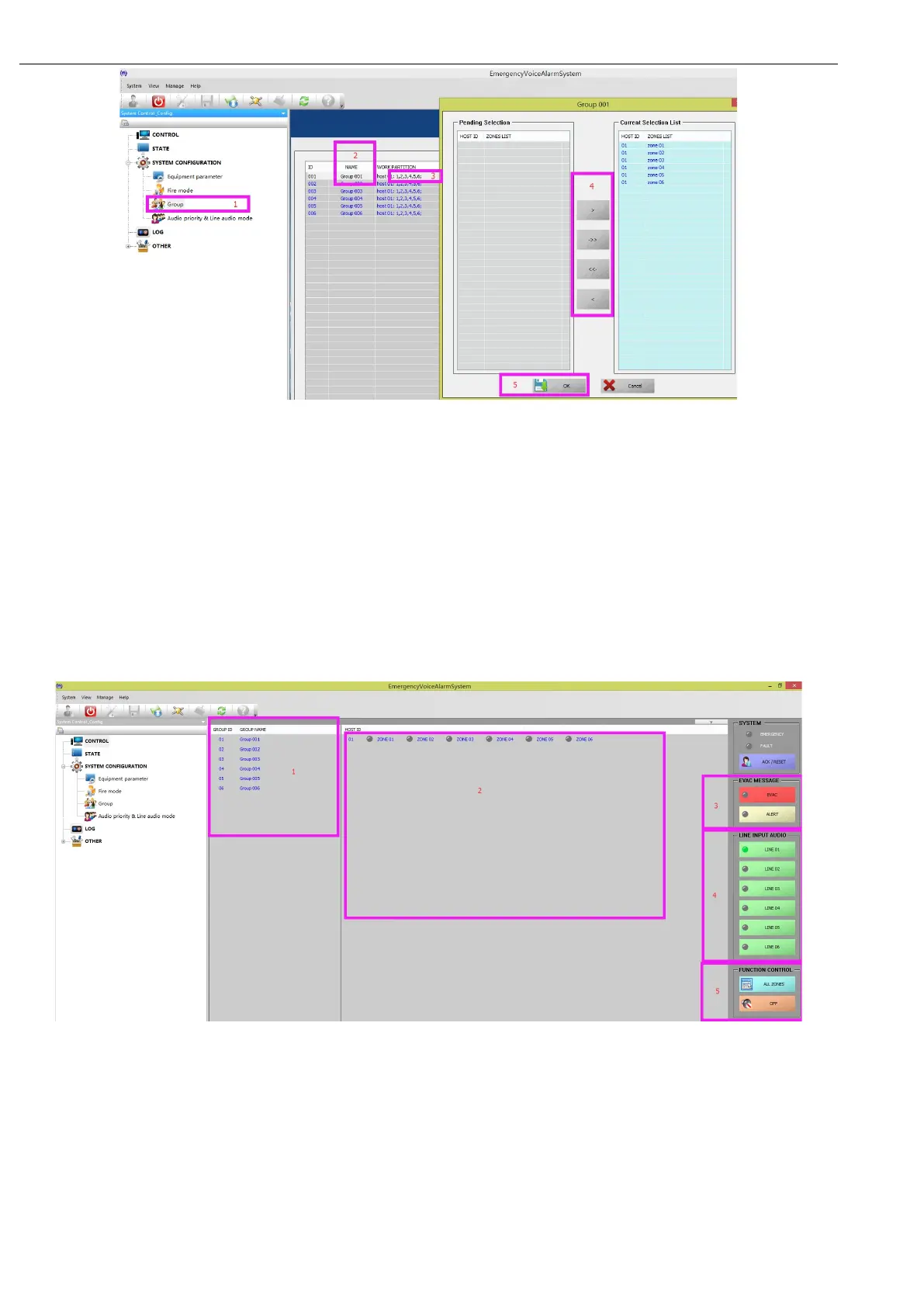
In this picture:
“1”——select the hierarchical configuration,
“2”——Give the grouping an alias, "double click the corresponding group name, and you can enter -- up to 12
characters."
“3”——set the partition that is currently included in the grouping, double-click will pop up the window on the
right, that is, select grouping by the function key in "4", and the grouping of the same device can exist in
different partitions simultaneously.
“5”——determine the current setting, please note that any new Settings for the user need to be effectively
required to synchronize the system host, that is, click "Application"
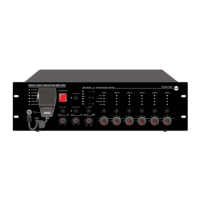
ii. When you complete the configuration above, you can control it by following the image below:
The diagram above shows and operates:
“1”——To configure all groups by "I", click on the corresponding grouping name, and the "2" on the right shows the
partitions contained in the current grouping;
“2”——The partitions currently included in the "1" section show all the partitions of the system if there is no
corresponding grouping;
“3”——For the host EVAC voice information state and control, the corresponding indicator color is indicated:
extinguish --- normal;
green --- working;
Yellow --- If the user changes their own SD, please use the FAT32 file system format SD card, and in order to


 To Next Page