C32 (Rev. 5) User Manual
___________________________________________________________________________
User’s Manual Page 14
For additional wiring diagrams, check the bottom of this product’s page:
http://www.cnc4pc.com/Store/osc/product_info.php?products_id=255
Configuring the Control Software:
For configuring Mach X follow these steps:
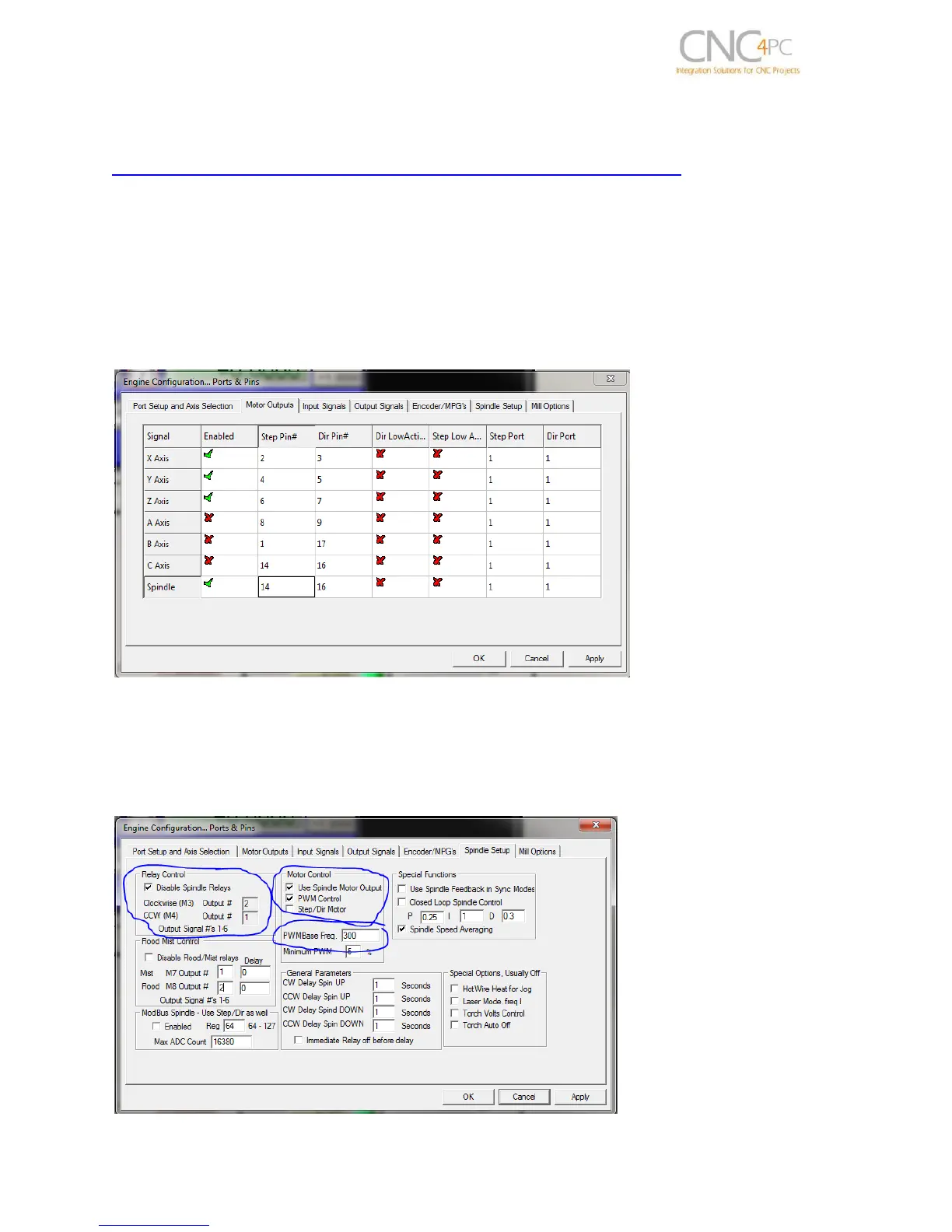
Go to Config / Ports&Pins / Motor Outputs. Enable the spindle and select the port and
pins you wired for step and direction.
Ports&Pins configuration screenshot
Go to Config / Ports&Pins / Spindle Setup. In the motor control box, check Use Spindle
Motor Output and PWM Control with a frequency of 300Hz. If using an external motion
controller, like the Smooth Stepper, this needs to be configured in the plugin too.



 To Next Page