Refrigerator operation
77
Owners handbook 2022
Operating the refrigerator
(RM 10.5T, RMS 10.5T, RMS 10.5XT)
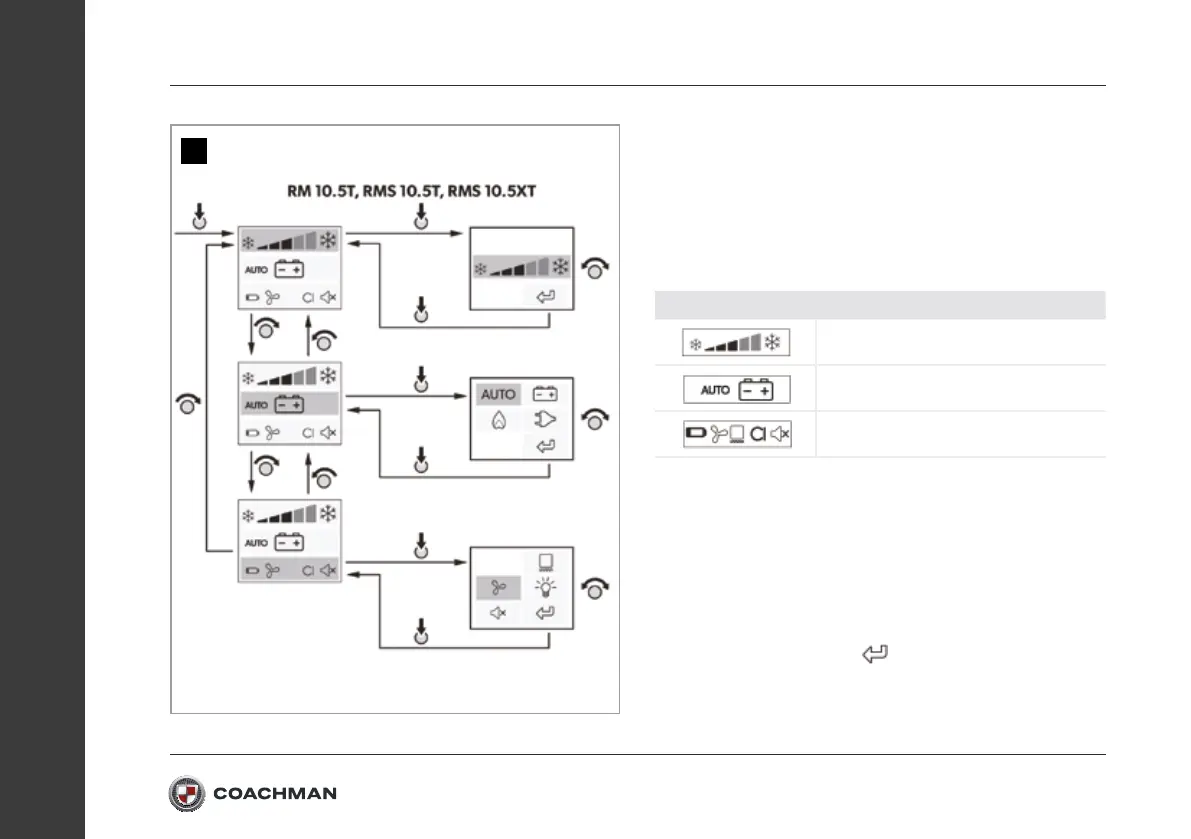
Menu navigation: fig.2
• The TFT display features the following operating and display
elements (fig.1 A):
Main menu Detail menu
Cooling capacity menu
Operating mode menu
Settings menu
• Turn the control knob to select the desired detail menu.
• Press the control knob to open the selected detail menu.
• Turn the control knob to navigate through the detail menu.
• Selected settings are displayed in blue.
• Press the control knob to choose the selected setting.
• Confirm the selection using
2


 To Next Page