EDGE Installation Manual
www.cobantech.com Page 23 of 40
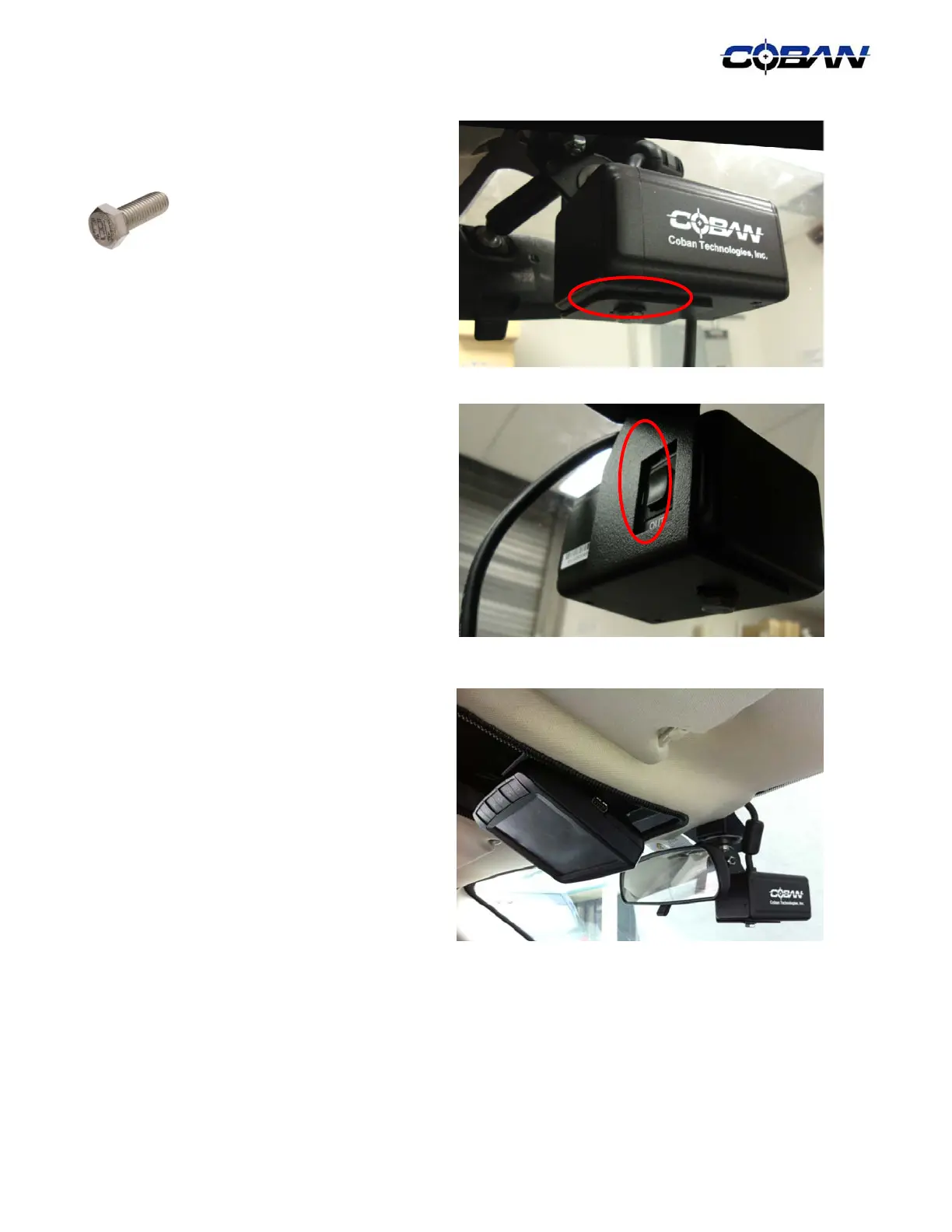
14. Secure the Camera to the Camera Mount, which
is attached to the Charger adapter plate, with
the supplied ¼ - 20 x ½” bolt and washer.
15. Ensure that the zoom switch is correctly situated
in the Camera Mount Arm so it can be activated
by the driver.
16. Ensure there are enough slack on the cable to
allow camera rotation.
17. Once completed, utilize ¼” split loom to dress
the opening of the liner. The monitor should
stow in the cavity that is left by the dome light.
The camera should tuck right behind the rear
view mirror.



 To Next Page