EDGE Installation Manual
www.cobantech.com Page 38 of 40
Optional COBAN Accessories
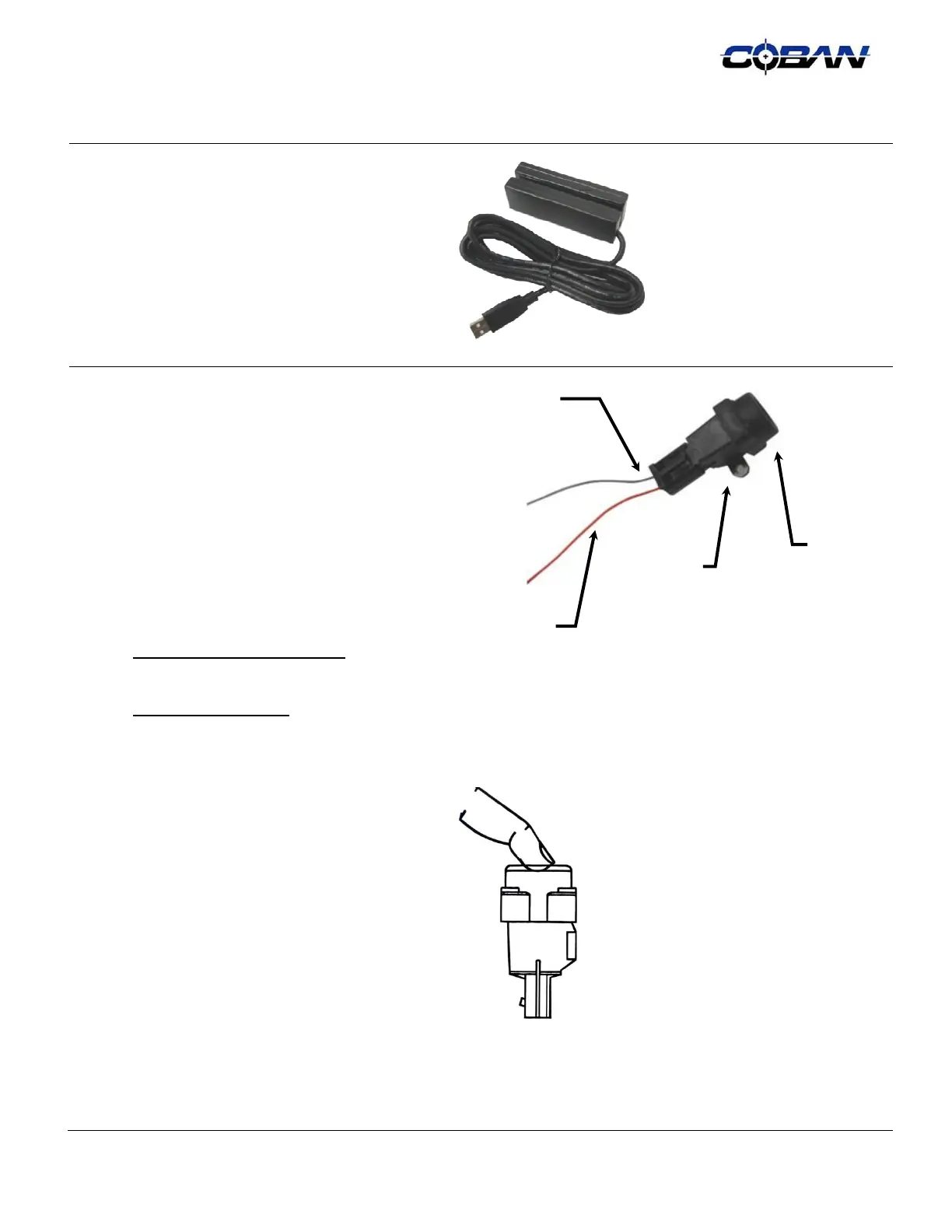
Drivers License Card Reader
COBAN recommends ‘Dual-Lock’ or ‘Double
Sided Adhesive Tape’ (by 3M™ Products) for
mounting this Accessory.
The Card Reader will be plugged into the USB
Port on the back of the Monitor, or in some
cases, it may be plugged into the USB Port on
the face of the CPU.
Crash Sensor
This Accessory is best mounted in the Trunk of
the Vehicle, preferably near the ‘Emergency
Fuel Cut-Off Switch’ (in Crown Vic’s) or in the
corresponding location on the passenger side.
This Component must be mounted in a vertical
position, as level as possible, to the framework
of the Vehicle Chassis, and be easily located by
the Vehicle Operator in the event that it needs to
be reset.
The Crash Sensor will be wired into the COBAN
Power Distribution Wire Harness.
12v Power Sensor – Blue Wire
Splices to Blue ‘Spare’ wire on
Power Distribution Wire Harness
12v Power – Red Wire
Splices into Red wire on Power Distribution
Wire Harness
Depress the Plunger at the top of the Crash
Sensor after installation; before testing the
System; and before the vehicle is released into
service.
12VPower
Sensor
12VPower
Mounting
Tabs
Plunger



 To Next Page