EDGE Installation Manual
www.cobantech.com Page 28 of 40
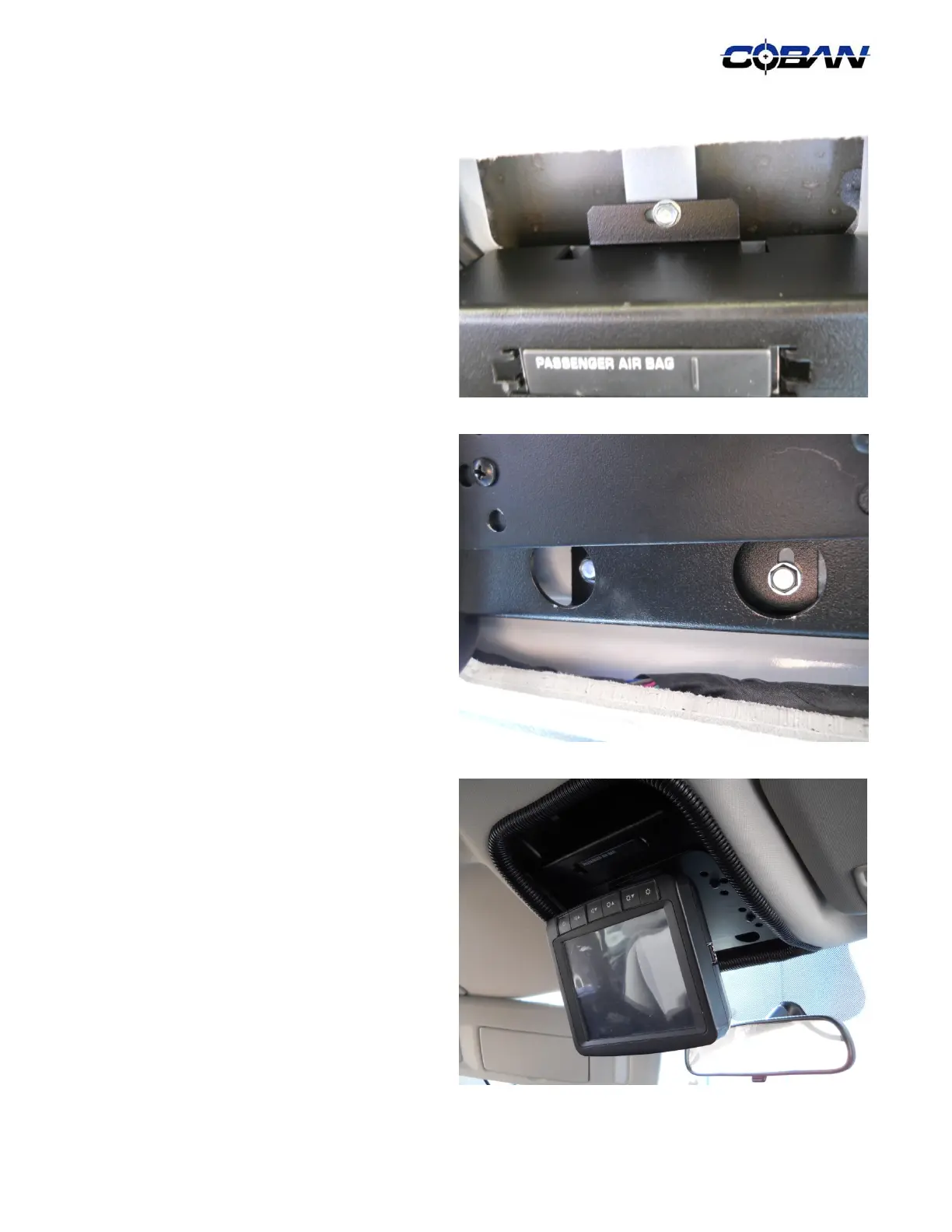
11. Secure the mount by using the one (1)
provided # 10-16x ¾ ” self tapping screws to
the front of the mount.
12. Secure the rest of the mount by using two (2)
provided # 10-16 x ¾ ” self tapping screws to
the round cutout on the front of the mount.
13. Dress the dome light cutout with split loom.
14. Secure and zip ties the cable to the mount.
Please ensure there are enough slack on the
cable to allow rotation of the monitor.



 To Next Page