Chapter 2: To install the system
98-169085-B To install the terminal 9
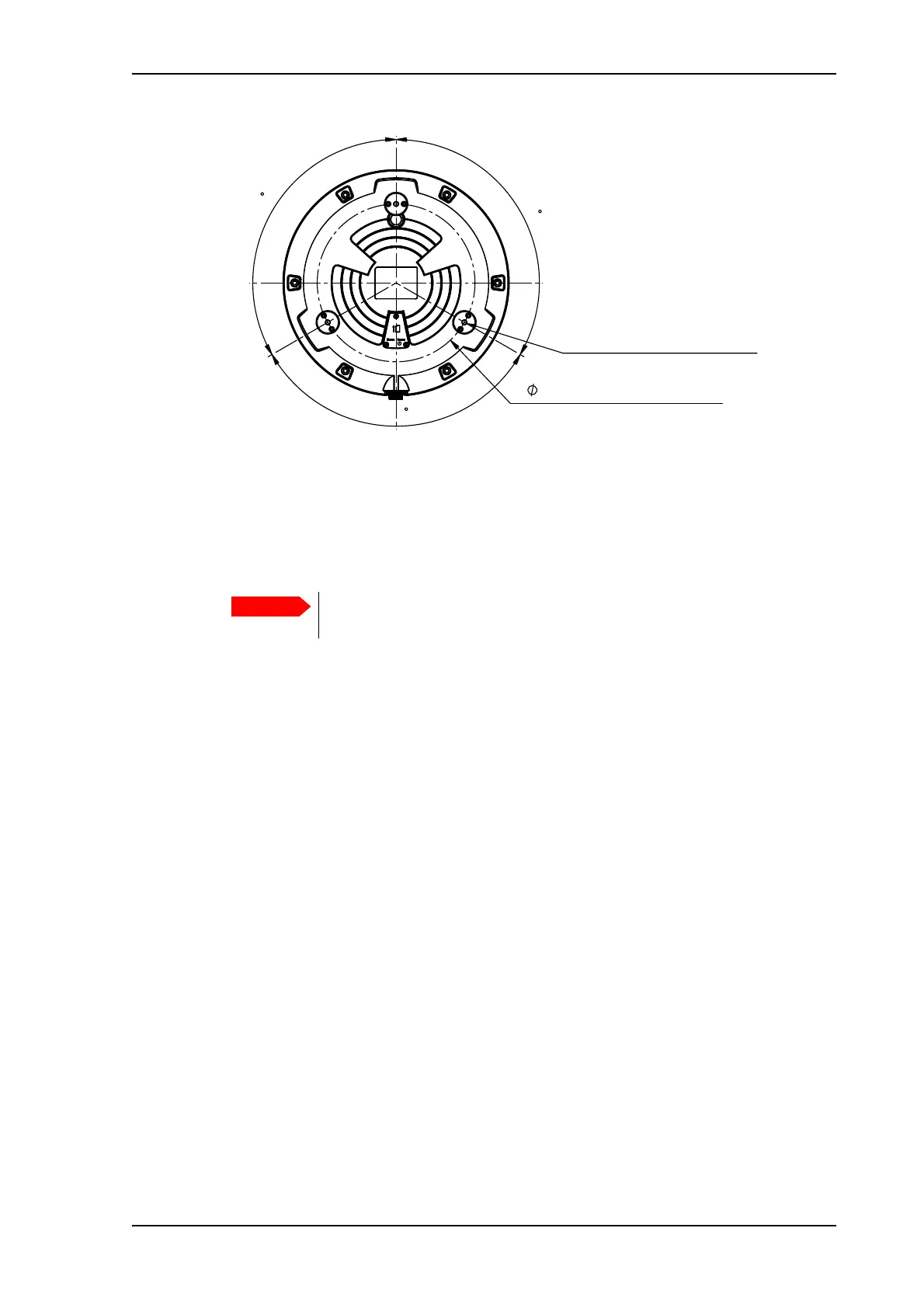
3. Drill the 3 holes in the roof according to the previous step.
4. Mount the terminal with the spacers/mounting plates using the 3 included M6 bolts and
washers. If the mounting plates are less than 10 mm thick, use spacers to obtain a distance
of 10 mm between the roof and the terminal bottom. This is to ensure that the ventilation
hole in the bottom of the terminal is not blocked, and to ensure free airflow under the
terminal to prevent over-heating.
5. Connect the cable from the terminal to power and LAN equipment (if used).
Refer to To connect cables on page 11.
The bolts must never penetrate more than 10 mm into the bushings in the
terminal!
224 mm (Mounting holes)
120
120
120
3 pcs. M6 x 25 mm
This length suits a panel
thickness of 2-6 mm



 To Next Page