Chapter 2: Operation
16 Make a telex call
Make a telex call
When you have set up telex mode, frequency/channel and recipient as
described in the previous section, you are ready to make a call. Do as
follows:
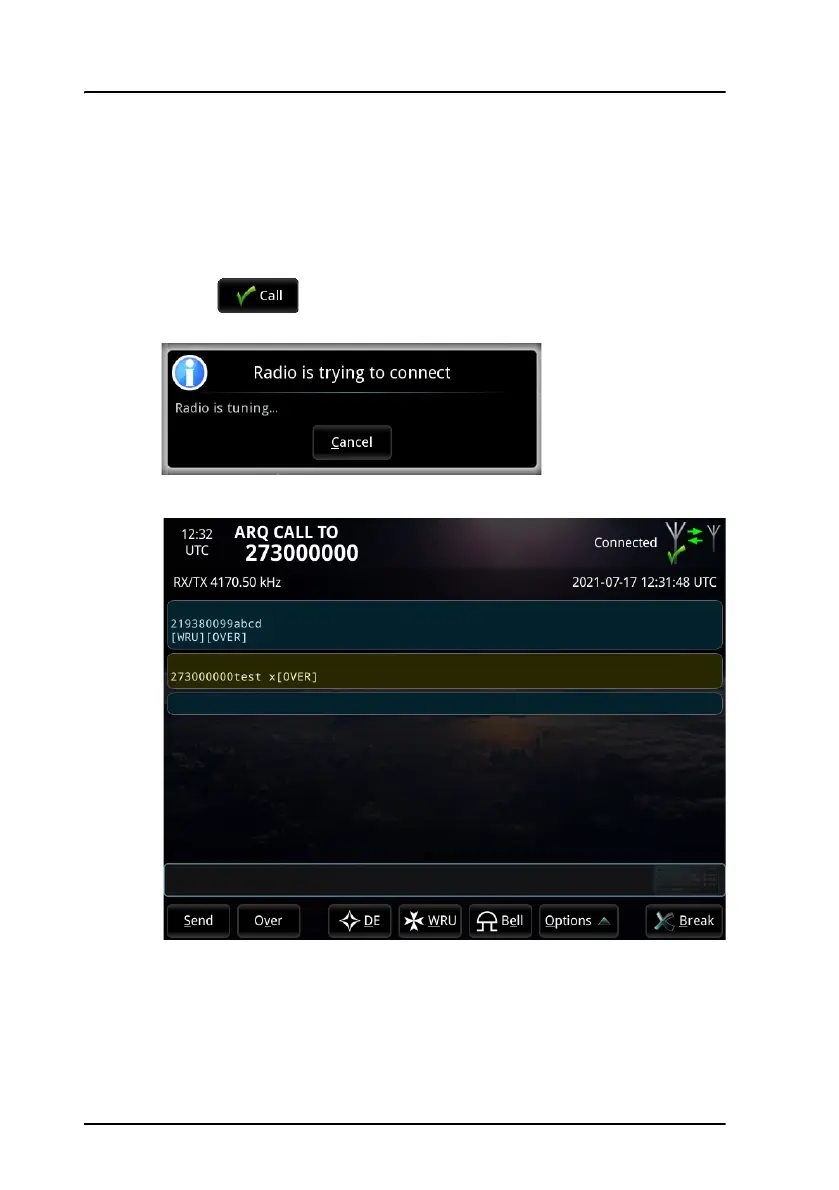
1. Select at the bottom of the Call setup window to start
your telex session. A popup window shows the progress.
2. When the connection is established, the telex page opens.
If you have selected Automatic identification (DE/WRU) under System
> Settings > Call settings, your answer back string is automatically
sent. For ARQ calls, the answer back string is followed by a WRU
command requesting the recipient’s answer back string. When the



 To Next Page