Chapter 2: Operation
48 System settings
System settings
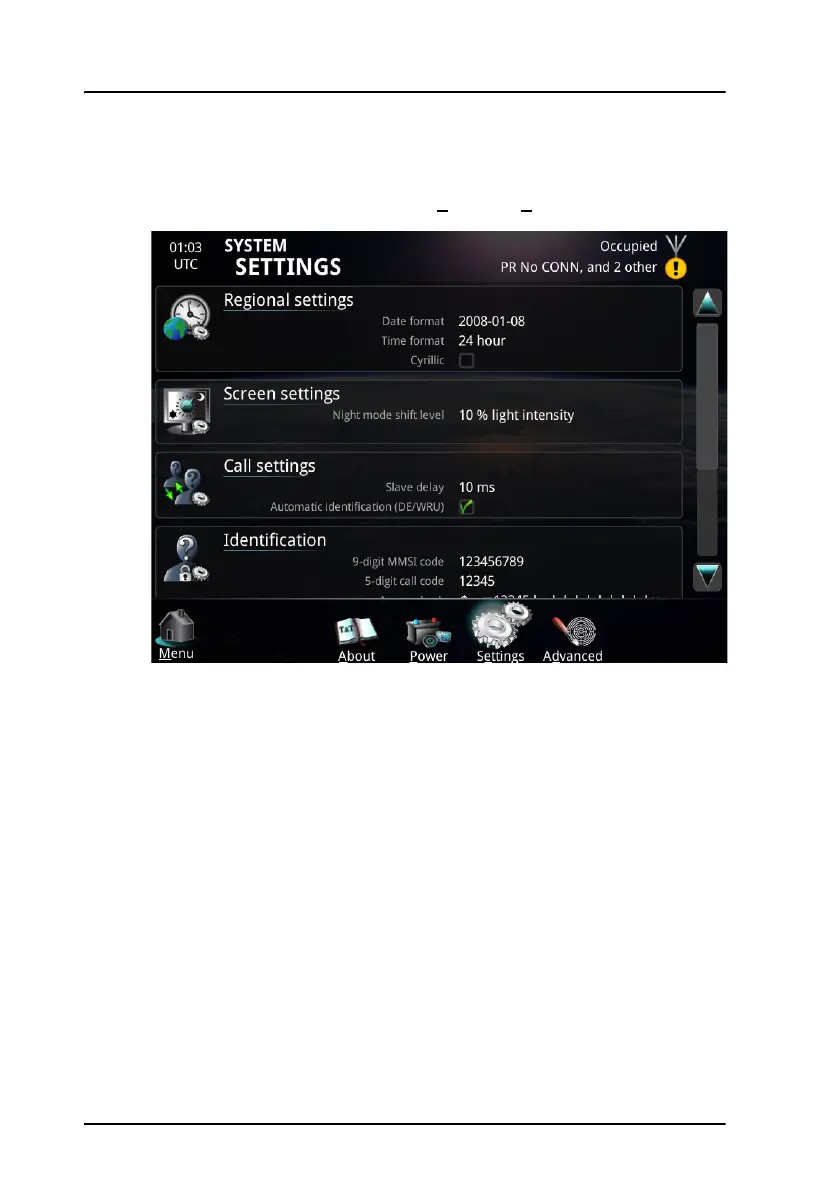
To access the system settings, select System > Settings.
Select the settings you want to change in the SYSTEM SETTINGS page:
• Date and time format. Set up how date and time are displayed.
• Cyrillic. Enable or disable the possibility of using a Cyrillic keyboard on
screen. After selecting Cyrillic, you must change the setting as described
in To use Cyrillic characters on page 26.
• Screen settings. Set the ambient light level for switching to night mode.
• Call settings. Automatic DE/WRU and slave delay (the slave delay of 10
ms is adequate for almost all scenarios).
• Identification. Configure call code and answer back string (DE). These
settings require password and are normally set up during installation.



 To Next Page