Chapter 2: Operation
18 Basic MF/HF radio communication
4. Suggest a frequency pair by saying: “Frequencies [suggested
frequencies]” and “Over.” and release the PTT button to allow the caller
to confirm the suggested new frequencies.
5. Switch to the new frequencies using the RX/TX button and the keypad
and begin your conversation.
Making an SSB telephony call
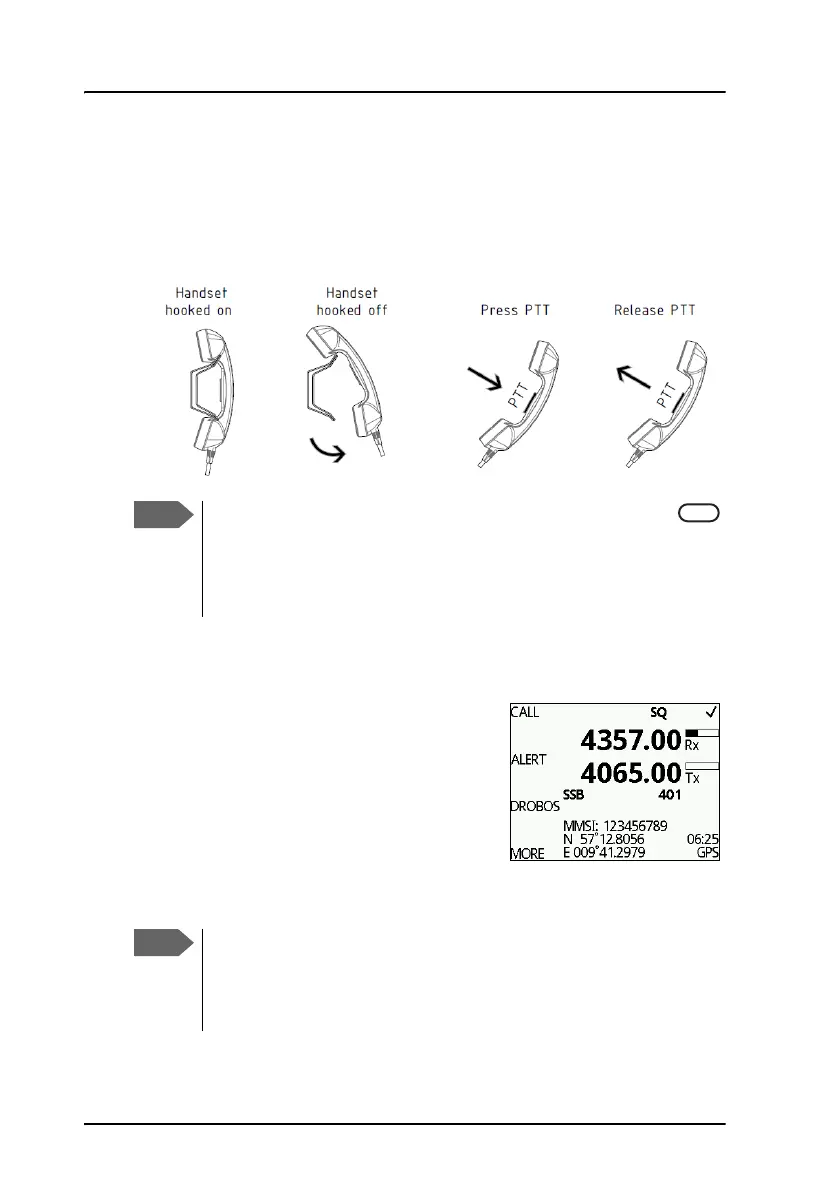
1. Enter RX and TX frequencies or select an
ITU channel.
2. Lift the Handset or take a speaker device
and push the PTT button, then wait until
the tune icon has disappeared. The
symbol TX shows that the radio is
transmitting on the frequency displayed.
The transmission power bar shows output
power,
3. Say the name of the station you are calling three times.
The radio tunes first time you push the PTT
button on a new frequency. As long as the tuning
symbol is in the display, the radio is not transmitting. Wait until
the tuning symbol has disappeared before talking. Tuning may
take from 0.1 s to 8 s.
If a popup window with the information TX inhibit is
displayed when you want to make a radio call, your MF/HF
radio is temporarily blocked for sending. Consult your radio
responsible for information when you can start transmitting.



 To Next Page