www.cobyusa.com Page 19
English
Connections
You must set the unit’s video output to either YUV or P-YUV when
using the component video output. Use YUV for 480i output; use
P-YUV for 480p output. See the Setup section of this manual for
more information.
You may also press <V-MODE> on the remote until you see
“YUV” or “P-YUV” on the TV screen to set the unit to the compo-
nent video mode.
The maximum output resolution for the component video con-
nection is 480p.
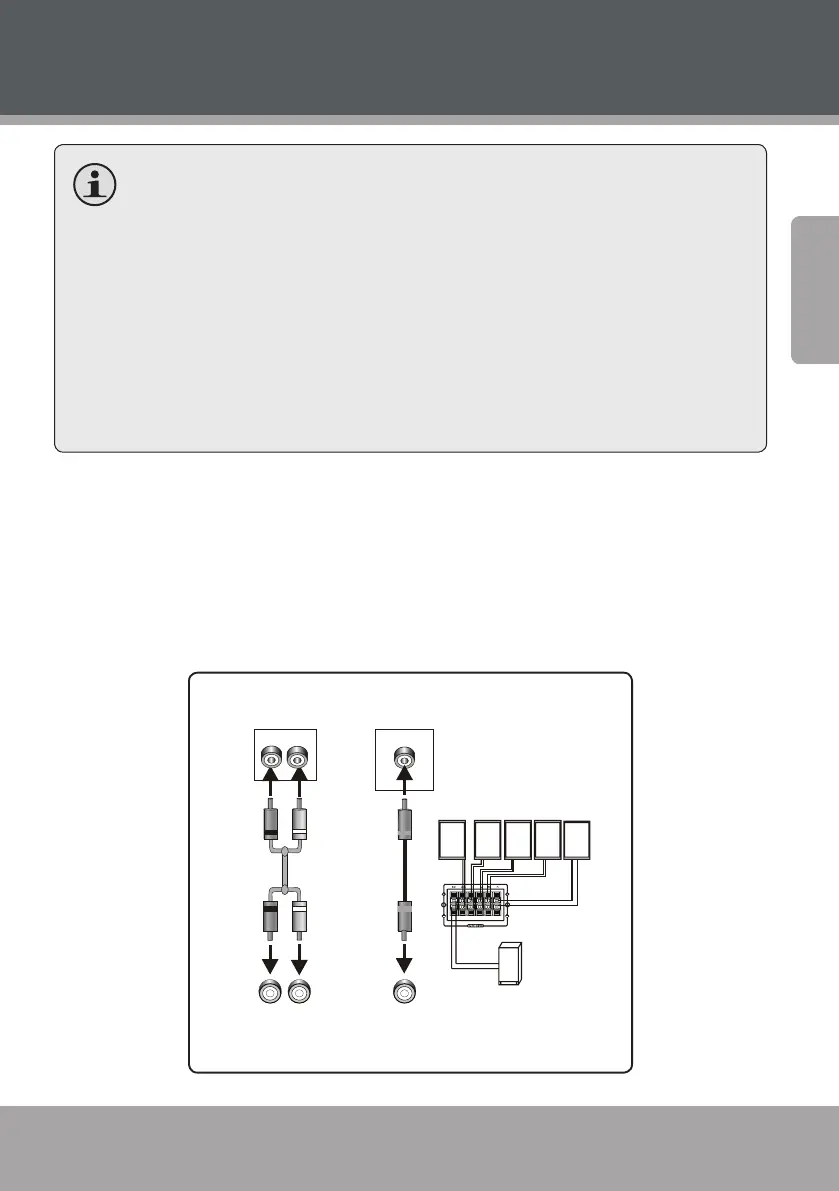
Audio System
Choose the best available audio connection. Avoid using more than one
connection at the same time to prevent signal interference. The audio
settings of the unit must match the audio connection used. Change the
audio settings in the System Setup menu (please refer to the System
Setup section of this manual for more information).
TV/Monitor/Amplier Audio Input
DVD Audio Output
SUBWOOFER
F R S P E A K E R
S L S P E A K E R
S R S P E A K E R
C E N T E R S P E A K E R
Speaker Output
F L S P E AK E R
&2$;,$/
&2$;,$/
'LJLWDO$XGLR2XWSXW
'LJLWDO$XGLR,QSXW
5
/
/
5
&+$XGLR2XWSXW
&+$XGLR,QSXW



 To Next Page