www.cobyusa.com Page 51
English
Troubleshooting
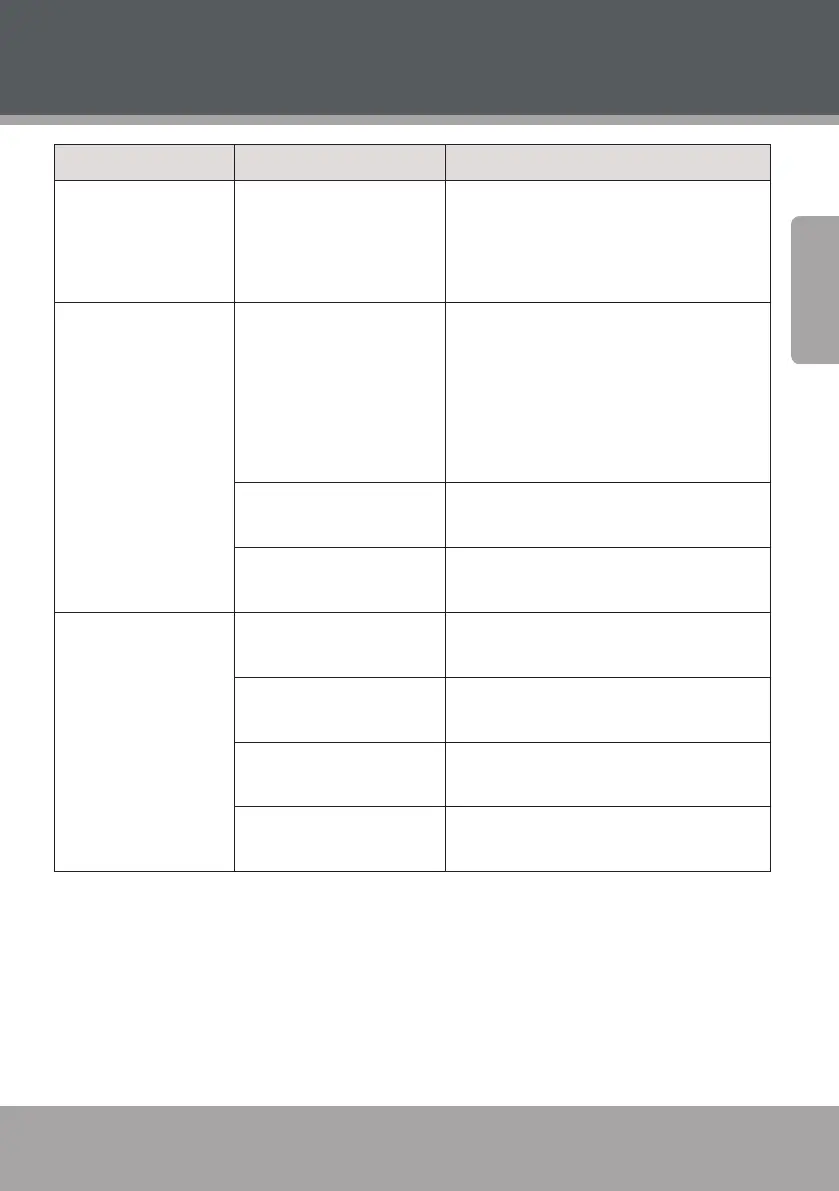
Symptom Cause Remedy
No Power The AC power cord is not
connected to the power
supply or is not connected
securely
Please check that the AC power cord is
connected securely.
There is no picture
or the picture is
distorted
The Video Input mode of
the connected TV is set
incorrectly.
Set the TV to the correct source mode.
Most TVs have a “Source” or “TV/Video”
button that changes the source mode.
Please refer to the documentation pro-
vided by the TV manufacturer for further
assistance.
The Video Output mode is
set incorrectly.
Press <V-MODE> repeatedly until the
picture becomes normal again.
The video cable connec-
tion is loose.
Connect the video cable securely.
There is no sound or
the sound is distorted
The audio cable connec-
tions are loose.
Connect the audio cables securely.
The volume is set at the
lowest level.
Turn up the volume.
The sound is switched o
(MUTE is active).
Press [MUTE] on the remote control to
re-enable the sound.
The disc is in fast forward/
rewind playback.
Press [PLAY/PAUSE].



 To Next Page