CES-128 voice encryptor option
NGT Transceiver Getting Started Guide 25
Using a PIN for private communications
within an organisation
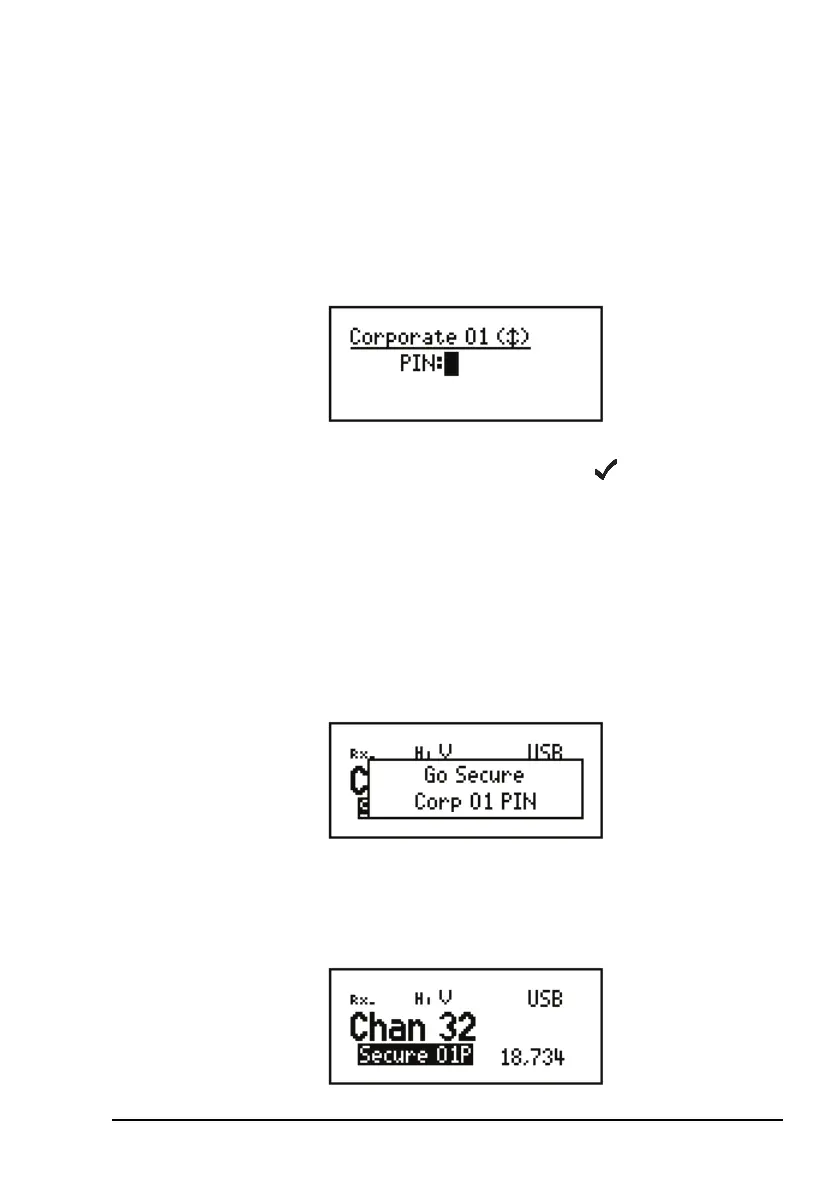
To use the CES-128 voice encryptor with a PIN:
1 Start a call (see page 14, Making a selective call).
1 Hold SEC to enter a PIN for the session.
1 Enter the 4-digit PIN that you have agreed to use with
others for this session, then press .
The transceiver responds with two high short beeps, and
displays Go Secure with the secure mode and
Corporate secure index used, and PIN to indicate that a
PIN is in use. For example:
If you are in the Channel List, the active CES-128 voice
encryptor is indicated by the text Secure
<index>P
highlighted at the bottom left of the channel screen. For
example:
CAUTION
The PIN must be a number that both parties
know and agree upon without mentioning
it over the air.



 To Next Page