Code Blue
•
259 Hedcor Street
•
Holland, MI 49423 USA
•
800.205.7186
•
www.codeblue.com
GU-149-AApage 44 of 63
CB 2 Series
Administrator Guide
24 S-1000/S-1050/S-2000 Installation Instructions
CAUTION: REMOVE ALL POWER FROM UNIT BEFORE SERVICING.
OPERATION
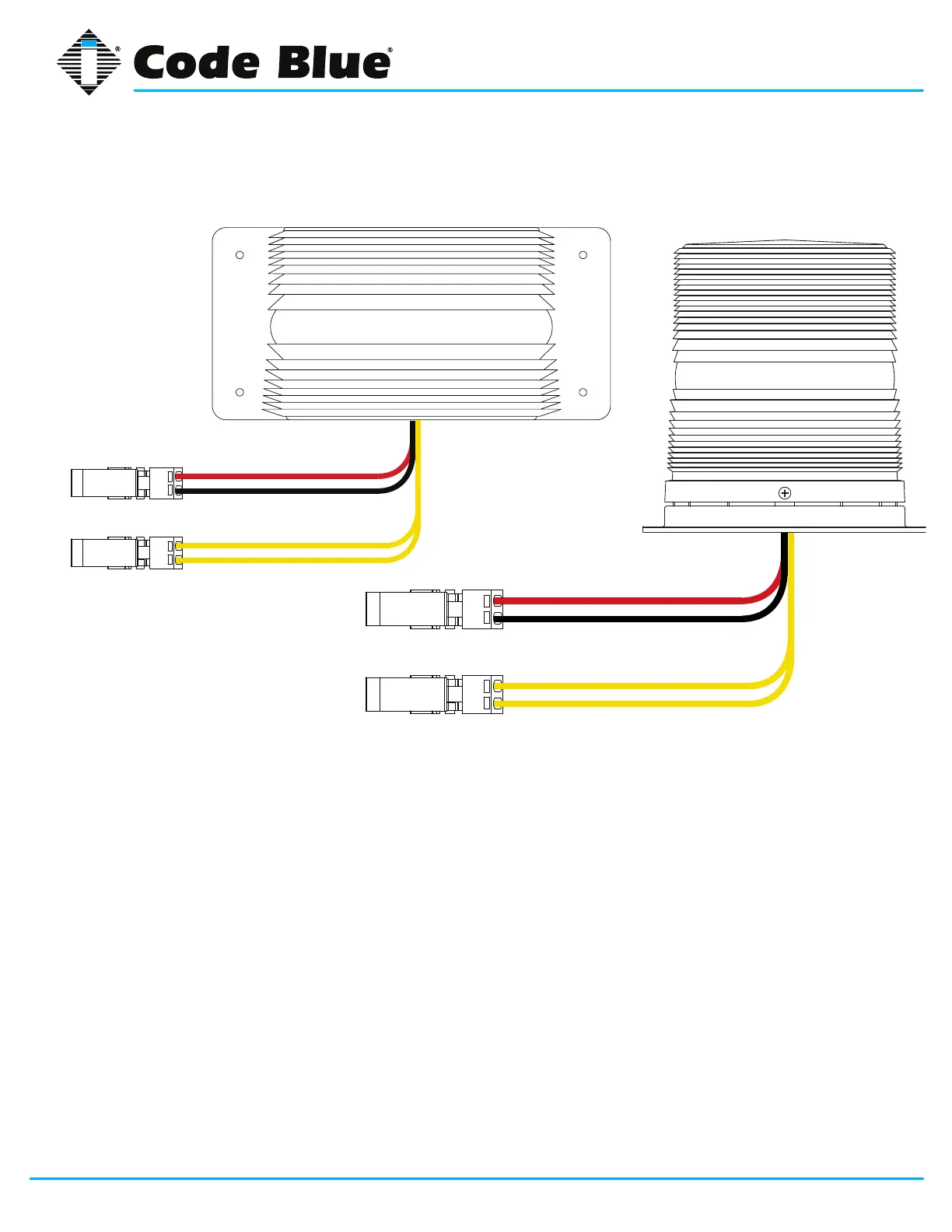
To activate the LEDs in the PRIMARY-STEADYBURN MODE, connect the BLACK and RED
wires to 12-24 volts AC or DC.
When in PRIMARY-STEADYBURN MODE, to change the LEDs to SECONDARY-FLASH MODE,
connect both YELLOW control wires together (i.e., CLOSED = ON).
PHOTOCELL FEATURE (S-1050 MODEL)
The Steadyburn Mode will be ON in dark or night ambient environments and OFF in bright or
daylight ambient environments. The S-1050 LED Beacon/Strobe has two built-in photo response
features: (a) dawn/dusk transition delay of 15-30 minutes and (b) transient light acknowledgement
delay of at least 3 minutes.
NOTE: Instructions pertain to Model S-1000 LED Beacon/Strobe, Model S-1050 LED Beacon/Strobe and Model S-2000 LED Beacon/Strobe only.
S-1000
RED
BLACK
POSITIVE (12-24V DC or AC)
COMMON (GROUND)
YELLOW (FLASH MODE)
DRY CONTACT
CLOSED = "ON"
YELLOW (FLASH MODE)
S-2000 (for CB 2-a & CB 2-e ONLY)
RED
BLACK
POSITIVE (12-24V DC or AC)
COMMON (GROUND)
YELLOW (FLASH MODE)
DRY CONTACT
CLOSED = "ON"
YELLOW (FLASH MODE)



 To Next Page