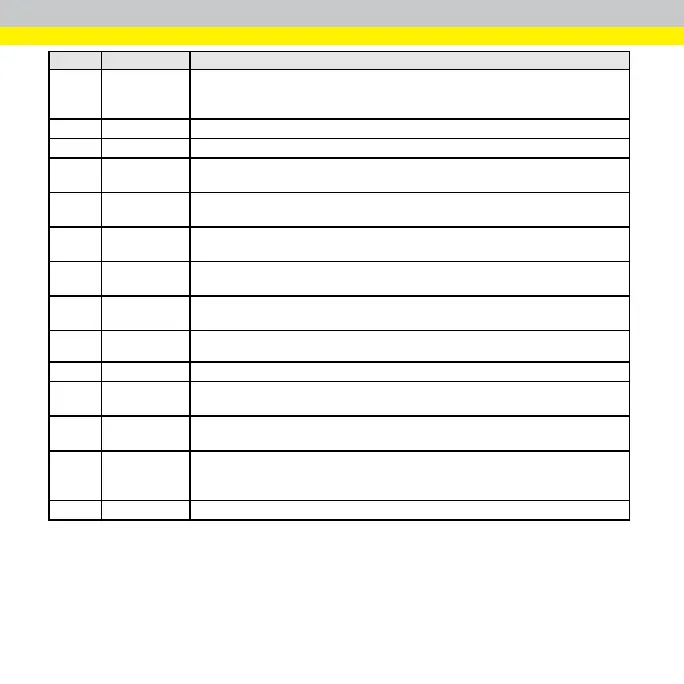
Number Element Description
2 Setup
Navigation
Pane
Builds an AS200 Alignment Sensor.
3 Exit Button Close the AS200 Alignment Sensor software.
4 Information Bar Displays the sensor and recipe currently in use.
5 Image Viewer
Controls
Zooms in, zooms out, or fits image to the display.
6 Live Mode
Toggle
Displays a live video image to use when you adjust the cameras lens and the field of
view.
7 Rotate Image
Controls
Rotates the image 90 degrees clockwise or counterclockwise.
8 Save Image
Button
Saves images.
9 Language
Selection
Selects the language to use in the AS200 Alignment Sensor user interface.
10 Access Control
You can log on to the AS200 Alignment Sensor as the Admin or Operator. After you log
off, you can still use the AS200 Alignment Sensor as the Monitor.
11 Help Opens the
AS200 Alignment Sensor Quick Start Guide
.
12 Camera Image
View
Displays the sensor's view.
13 Message
Window
Displays the sensor's log.
14 Calibration
Quality
Indicators
Displays the calibration quality of the sensor's camera(s).
15 Status Bar Displays the user, version, and date, and time information.
18



 To Next Page