Set Up a Recipe
After you create a sensor, you can create a recipe, set up the image, and train the
feature on a part. Each recipe corresponds with a trained target.
You can set up a recipe for one or two cameras. The following document explains
how to set up a recipe for one camera.
Create a Recipe
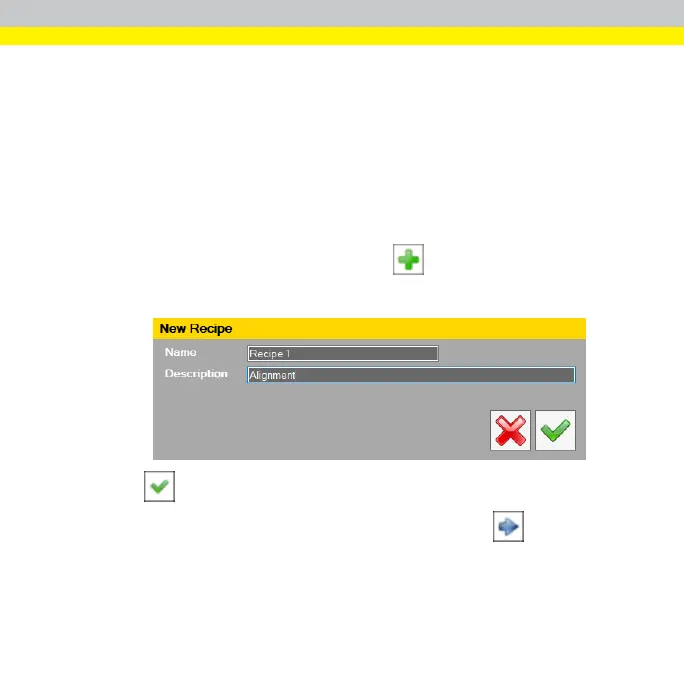
1. Click Recipe in the Setup Navigation pane.
2.
To open the New Recipe dialog box, click .
3. Type the Name and Description of the recipe.
4.
Click , to save the new recipe and exit the New Recipe dialog box.
5.
To open the Image Setup and Train Feature page, click at the bottom
of the page.
26



 To Next Page