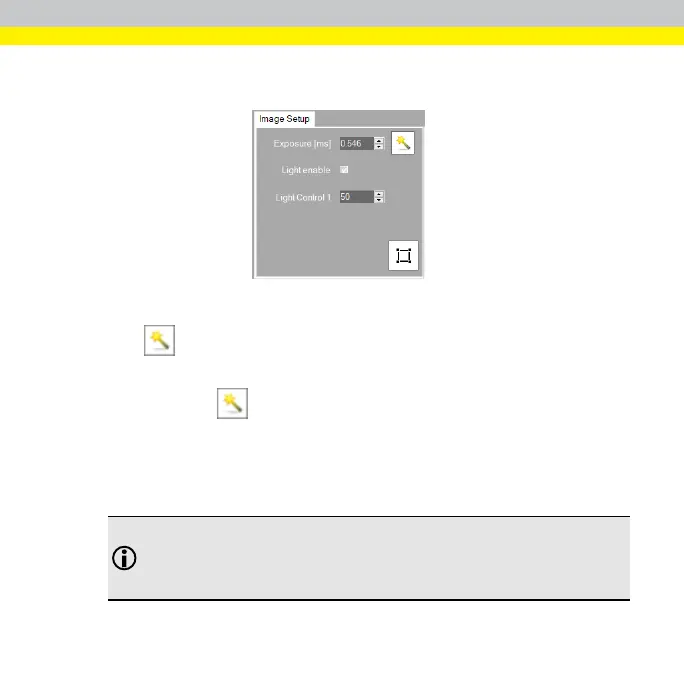
Set Up Image
You can use the Image Setup tab to adjust the lens focus and image brightness.
Adjust Brightness
1.
Click to trigger an image acquisition and automatically determine the
exposure setting.
By pressing the button, the exposure time is adjusted automatically to
get the best image. Also, if you type a fixed value in the Exposure (ms) text
box, you can set the exposure time (in milliseconds) for your image
acquisition.
2. If needed, use the Light Control 1 text box to adjust the LED light intensity.
Note: By default, the Light Enable check box is selected. If you clear
the Light Enable check box, you disable the Light Control 1
option. The camera's LED light is turned off, and the camera is
dependent on ambient (room) lighting.
27



 To Next Page