14 DataMan 200 Quick Reference Guide DataMan 200 Quick Reference Guide 15
Start the Setup Tool
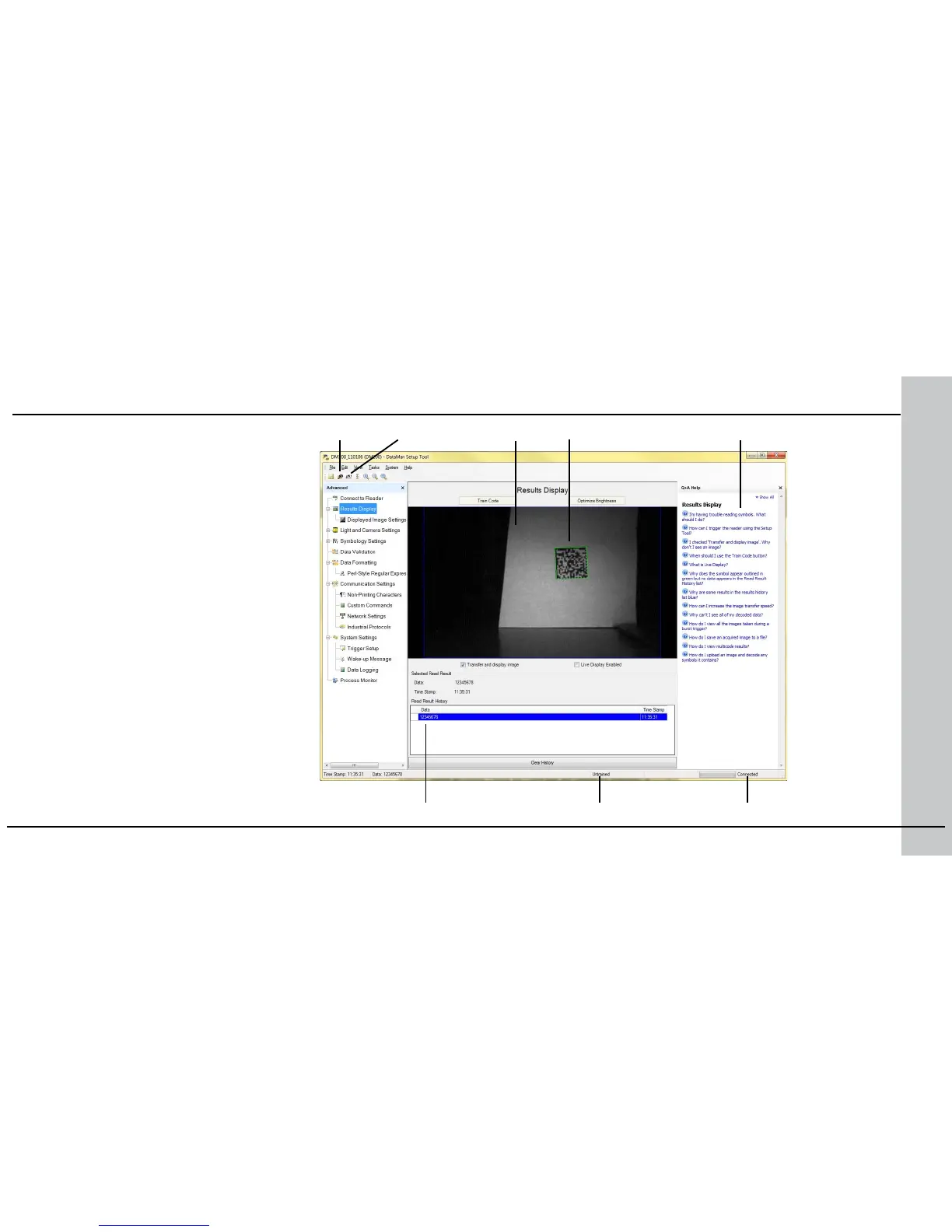
Connect to Reader
Establish a connection to the reader
Results Display
View results
Light and Camera Settings
Choose a trigger type and other acquisition
parameters
System Settings
Congure input and output signals
Trigger button Latest image Context based help
Read history Train status Connection status
Connect the reader to the Setup Tool to
congure it with the type of symbologies
it will decode as well as other parameters,
such as the type of trigger it will use and the
format of the results it will generate.
Region of interest
In1 button









 To Next Page