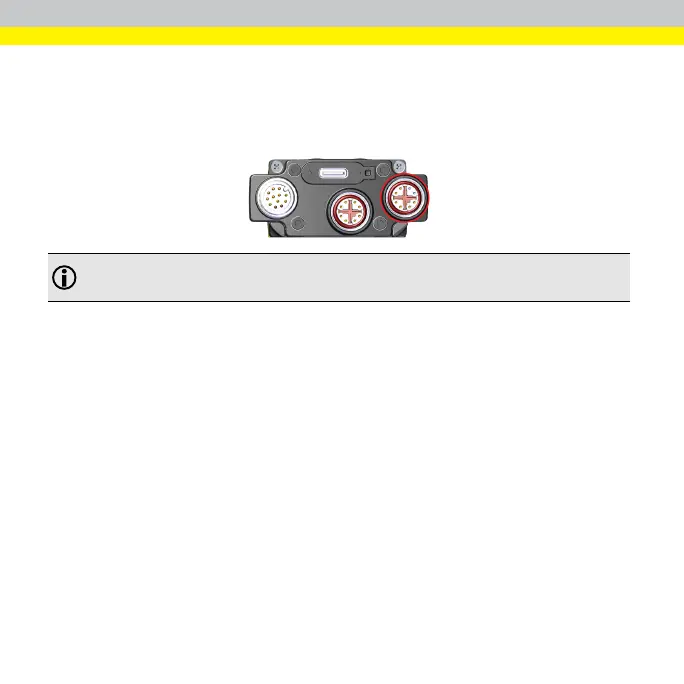
Connecting the EtherCAT Cable to the DataMan
280 EtherCAT Reader
Connect the EtherCAT cable to the EtherCAT connector of the DataMan 280
EtherCAT Reader:
Note: Do not plug the EtherCAT cable into an Ethernet network. You could
damage your Ethernet network and disable your EtherCAT set.
The DataMan 280 EtherCAT reader provides two 100 MBit EtherCAT ports in a
single physical connector. One of the ports acts as input, and the other one as
output:
l
If you connect an M12 to RJ-45 Ethernet cable to the EtherCAT connector,
you connect to the IN port.
l
If you connect with the EtherCAT adapter cable, both the IN and OUT ports
are available
31









 To Next Page