PR120H
User’s manual
Version: 1
Page: 14 of 14
Date: 2023.01.19
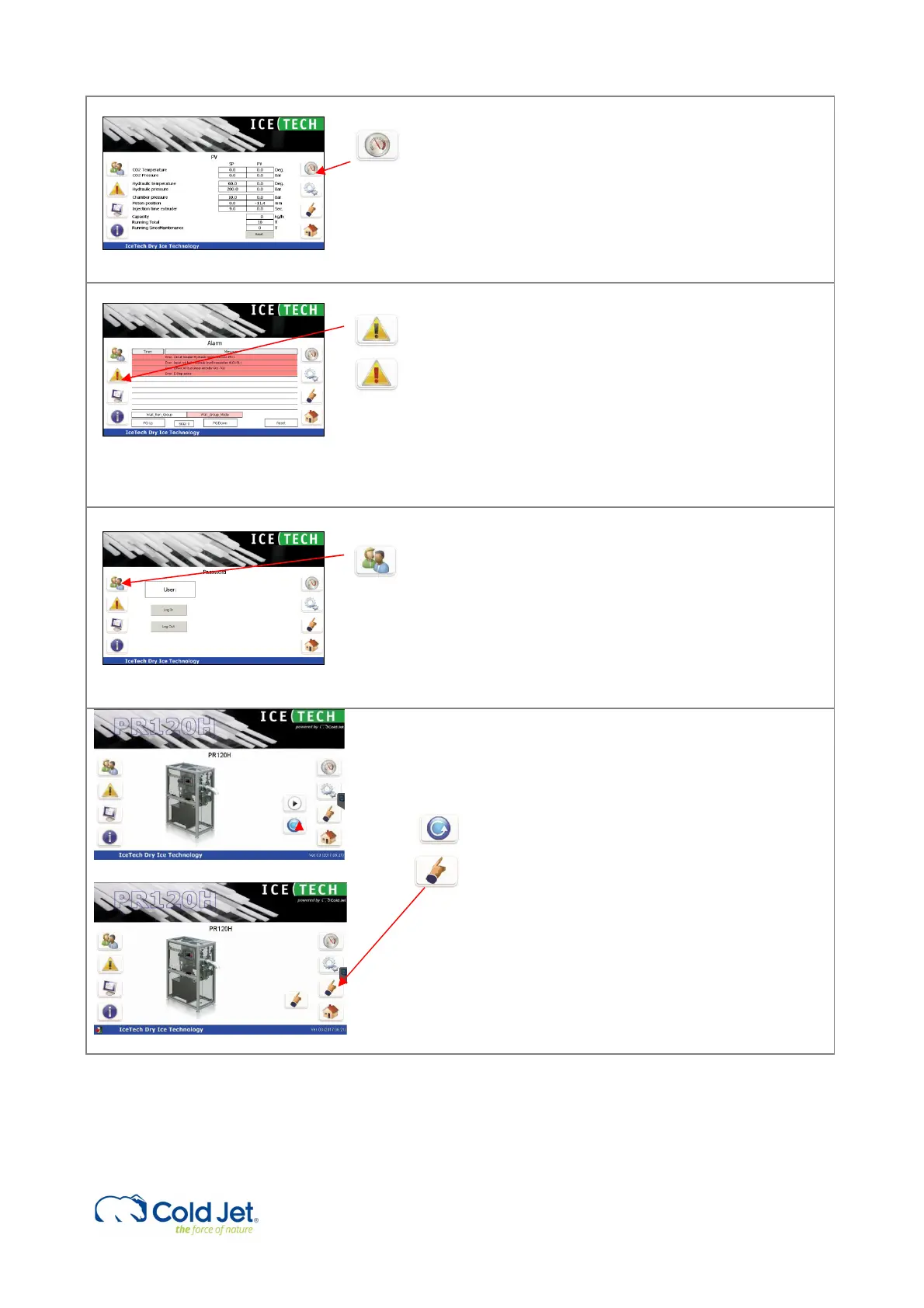
6 Process values
By pressing the “gauge” button, the “process values”
page is activated. The page contains a 2-column
display of real time process values (PV). The
corresponding “Set Values” (SV) are displayed next to
the PV for comparison. During production, the PV will
vary inside the given SV window.
The operating hours, time to service calculated
capacity is also displayed on this page.
7 Alarm
The Alarm page displays alarms for PR120H. By
pushing the “Alarm” button, the active alarms are
shown on the screen. The alarm text will be written in
red.
Alarms must be reset before the production can
continue.
To reset an alarm, press the reset button. If the error
is corrected, the alarm text will be removed.
8 Password protection
Some functions are password protected, ie. setpoints.
To change these values, the operator must login.
By activating the “User” button, a login window and a
keyboard appears on the screen.
Select the user level and enter the corresponding
password.
Press OK to proceed and cancel to exit.
9 Shutdown before turning power off.
When machine have finished production and there is a
need for shutting down machine and turn power off it
is needed to follow this procedure.
Press mode select icon once and it changes into single
mode.
In the bottom left on the screen there is now an active
icon (exit door), press this icon once.
Now the HMI program will shut down and after this the
Windows program will shut down. The screen will turn
black with the text – It is now safe to turn off.
The power can now be turned off on the main switch
on the electrical cabinet.
Note
In general, it is recommended leaving the machine with the main power on and avoiding turning the power off direct on
the main power switch.
This is for protecting the PLC computer not wearing out, due to sudden power cut off.



 To Next Page