-
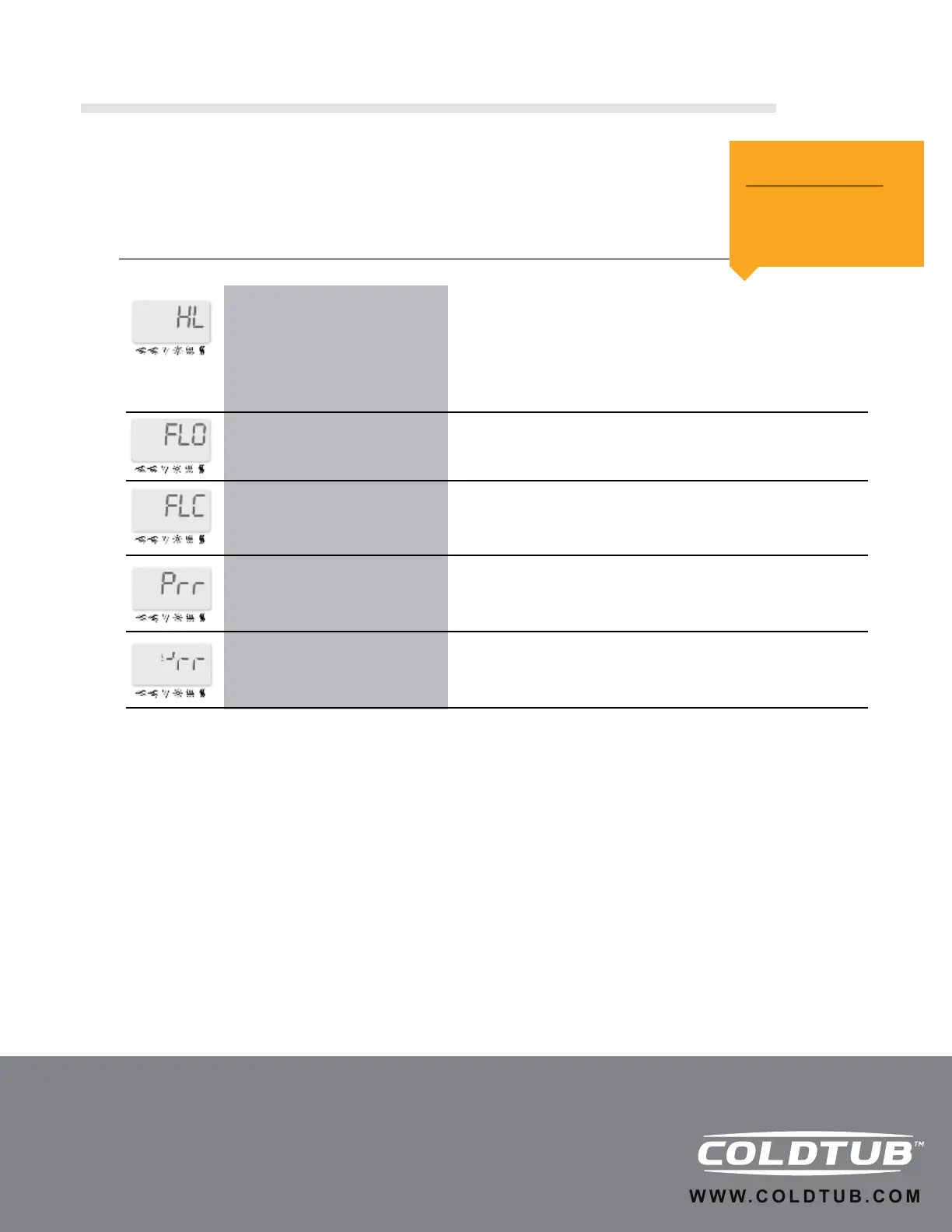
“HL” error message is displayed.
The system has shut the heater down because the temperature at the
heater has reached 119ºF (48ºC). Do not enter the water! Remove
COLDTUB™ cover and allow the water to cool down, then reset the
breaker to reset the system.
The system has shut down because the water temperature in the
COLDTUB™ has reached 112ºF (44ºC). Do not enter the water!
Remove spa cover and allow the water to cool down to 109ºF (43ºC).
Call your dealer or service supplier if problem persists.
The system detects no water pressure while a pump is running.
Check and open water valves. Check water level. Clean lter or
replace. Contact tech support if problem persists.
A problem has been detected with the pressure switch. Contact tech
support.
A problem has been detected with the temperature probe. Contact
tech support.
The Processor has been damaged…DO NOT ENTER THE WATER…
this is usually caused by abnormal power uctuations, Contact tech
support.
“HL” error message is ashing.
“FLO” error message is displayed.
“FLC” error message is displayed.
“Prr” error message is displayed.
4 dashes are displayed.
TROUBLE SHOOTING
IMPORTANT!
Possible air lock, if not
clear in 2 minutes,
contact service.
1.16 Quick Reference Guide
(Continued)
21



 To Next Page