HANGZHOU LIFESMART TECHNOLOGY CO.,LTD. www.cololight.com
③ The shortcut keys configured in Super Saiyan mode also have system
setting functions, such as one click to enter sleep mode, one click to
open the system Settings.
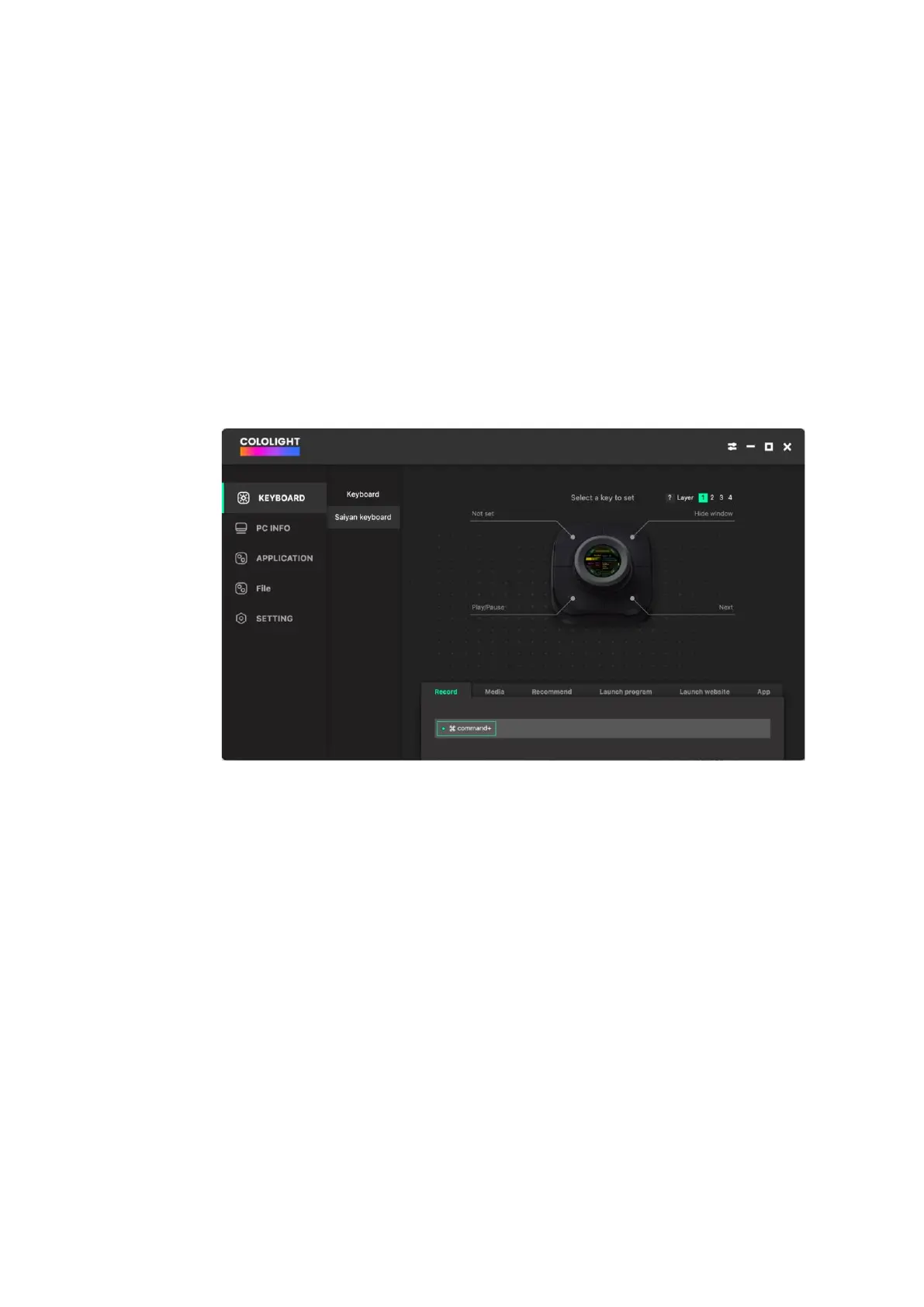
PC configuration is as follows:
① [COLO PLAY Desktop >>KEYBOARD>> Saiyan Keyboard] Shortcut
keys setting include key recording, media keys, recommended shortcuts,
program launch, web page launch, and local application editing
functions.
② Layer switching allows for switching within levels (1/2/3/4), and you
can set shortcuts at different levels.
If a level doesn't have any shortcuts configured, COLO PLAY will
automatically hide and skip that level during operation.。



 To Next Page