www.colorlightinside.com
8
5.2.1 Sending Device Setting
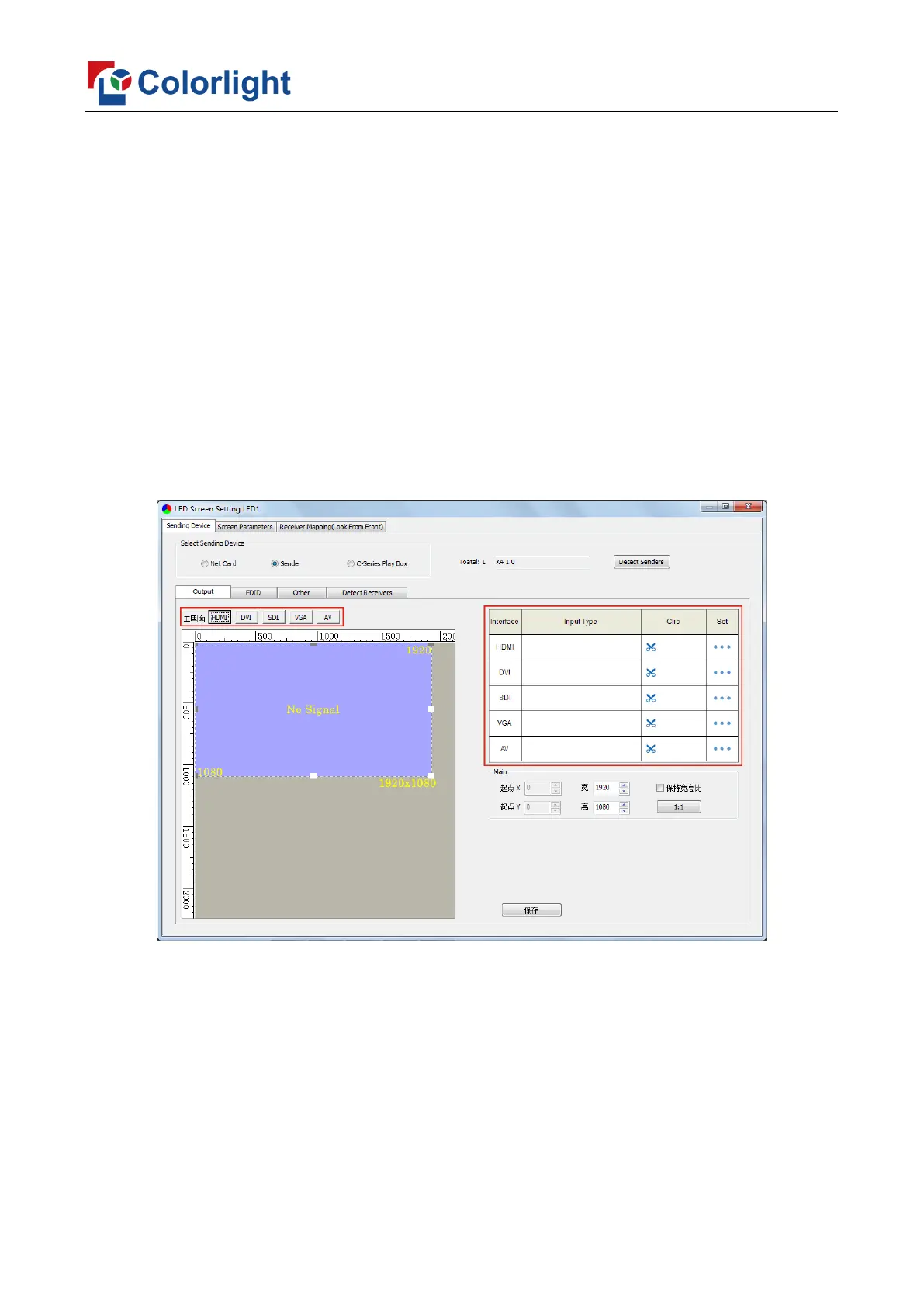
[Select Sending Device] for [Sender], and detect senders. Sending Device Setting
includes 4 parts: Output, EDID, Other, Detect Receivers.
1, Output
① Signal Source
When the input signal source of X4 is normal, the upper right of the software interface
will display the input signal information auto acquired via the software. Users can select
specific signal source (HDMI/DVI/SDI/VGA/AV) according to needs in [Main], at the
moment, the image of selected signal source will display in the Image View Area on the left
of the software interface.
② Scaling
In Image View Area, select the image that needs to be scaled, set X, Y, width and
height of it in [Main Image], or you can click the white box in the bottom right corner of the
image and drag it with the mouse, finally click [Save].



 To Next Page