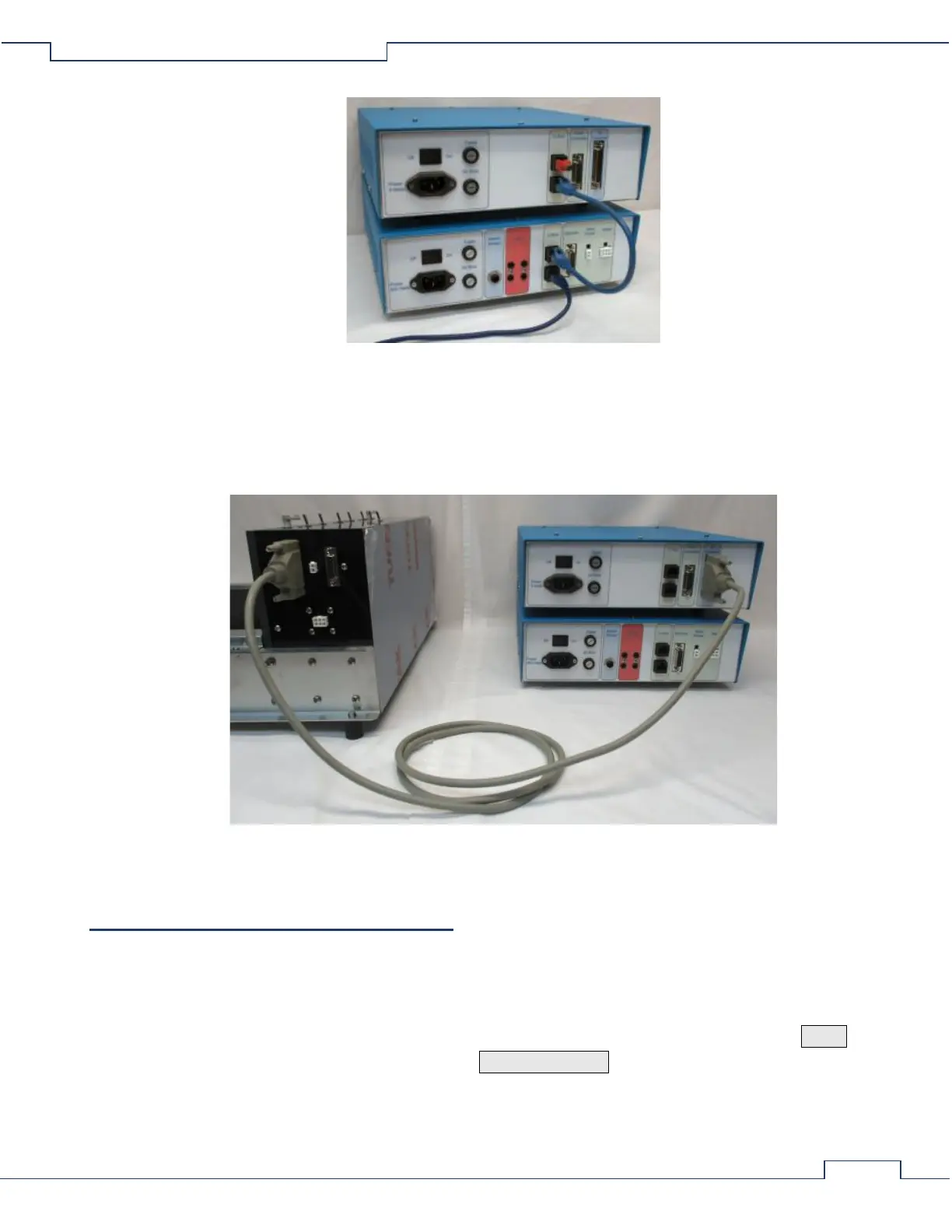
(other cables removed for clarity)
• Connect the Treadmill Stimulus Detection to the same source of AC power as the Treadmill Controller.
To Connect the Treadmill Stimulus Detection to the Exer 3/6 Treadmill:
• Using a detection cable, connect the “To Treadmill” port of the Treadmill Stimulus Detection to the 25-
pin male D-SUB port on the back side of the treadmill.
(other cables removed for clarity)
3 – Treadmill Controller User Menu
The User Menu is used to set and view various parameters which are saved within the Treadmill Controller.
Access to the menu is provided by unique button presses when the treadmill belt mode is set to STOP and not
under computer control.
If under computer control (indicated by the speed setting displayed with “C” instead of “S”), press the MODE
button to set the treadmill belt to STOP. Then press the ODOMETER RESET button to restore control back to
the user.


 To Next Page
 Loading...

