BROWSING THE COMMAND DISPLAY MENU
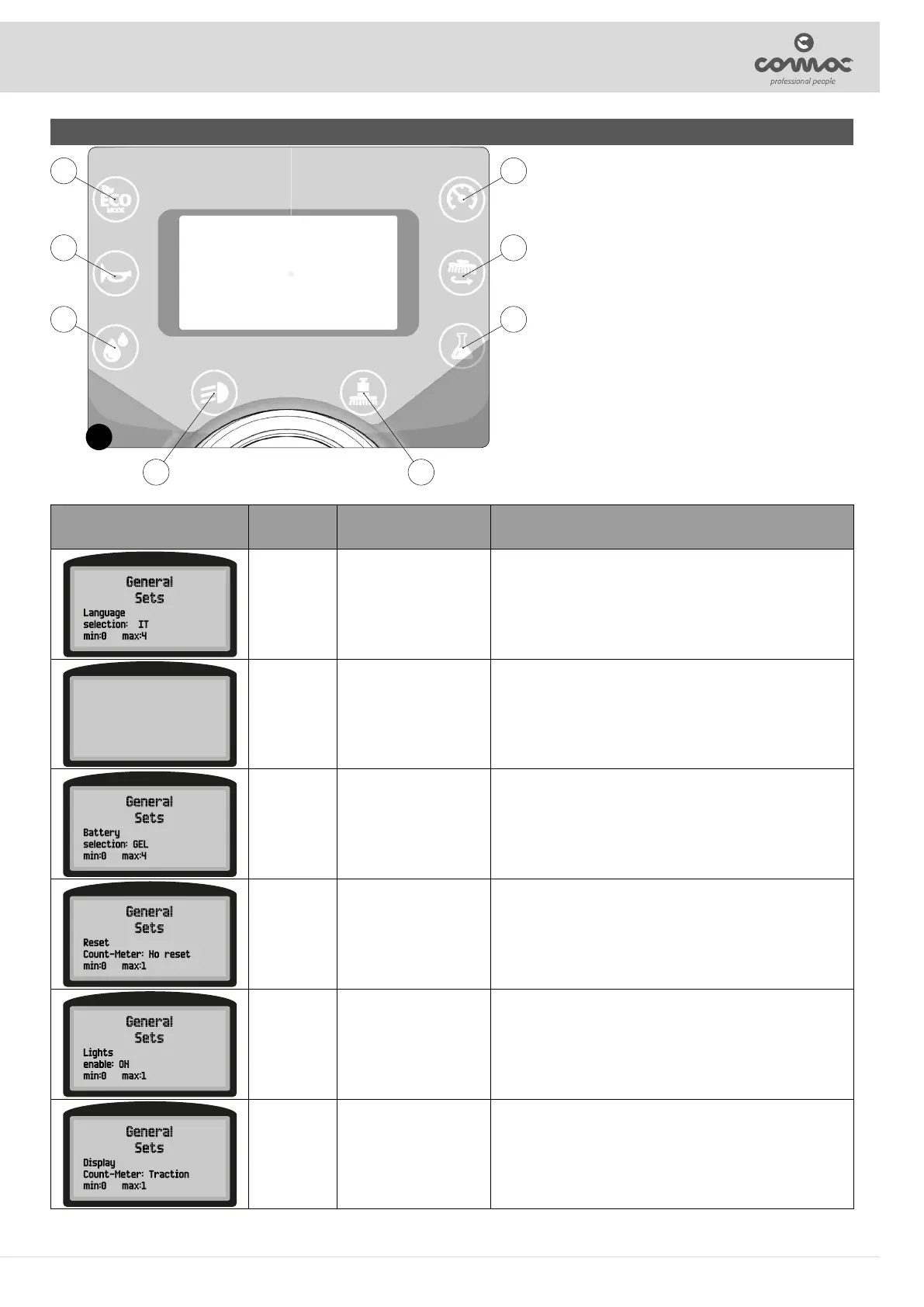
To access the programming pages it is necessary to turn on the machine keeping
buttons (4) and (6) pressed (Fig. 1).
The rst general menu item will appear after the rst screens.
The active keys within the programming procedures are:
1. Scroll: access to the next parameter.
2. Conrm parameter value.
3. Scroll. Access to the previous parameter.
4. Point value increase.
5. Not used.
6. Point value decrease.
7. Not used.
8. Not used.
9. Not used.
1
1 4
2 5
3 6
7 9
MENU DEFAULT
SETTABLE
VALUES
DESCRIPTION
EN IT – EN – DE – FR - SP Allows to select the language of the control display.
General
Sets
Model selection:
min:0 max:3
OPTIMA B
OPTIMA
OPTIMA B – B DS – BS
– BS DS
Allows to select the name of the machine that will appear
written in the second start-up screen, with all the parameters
dedicated to it.
WET WET – GEL – XFC
Allows to select which type of batteries are being used to power
the machine.
N NO RESET - RESET
Allows to reset the partial hour meter displayed in the thirst
screen after the machine has been started.
ON ON/OFF
Allows to choose whether to have the sidelights on when the
machine is operating.
Tr Tr - Key
Allows to choose whether the hour meter starts counting when
the machine is turned on (key) or when the traction motor is
started (Tr).
29



 To Next Page