L
L CFP1
CFP2
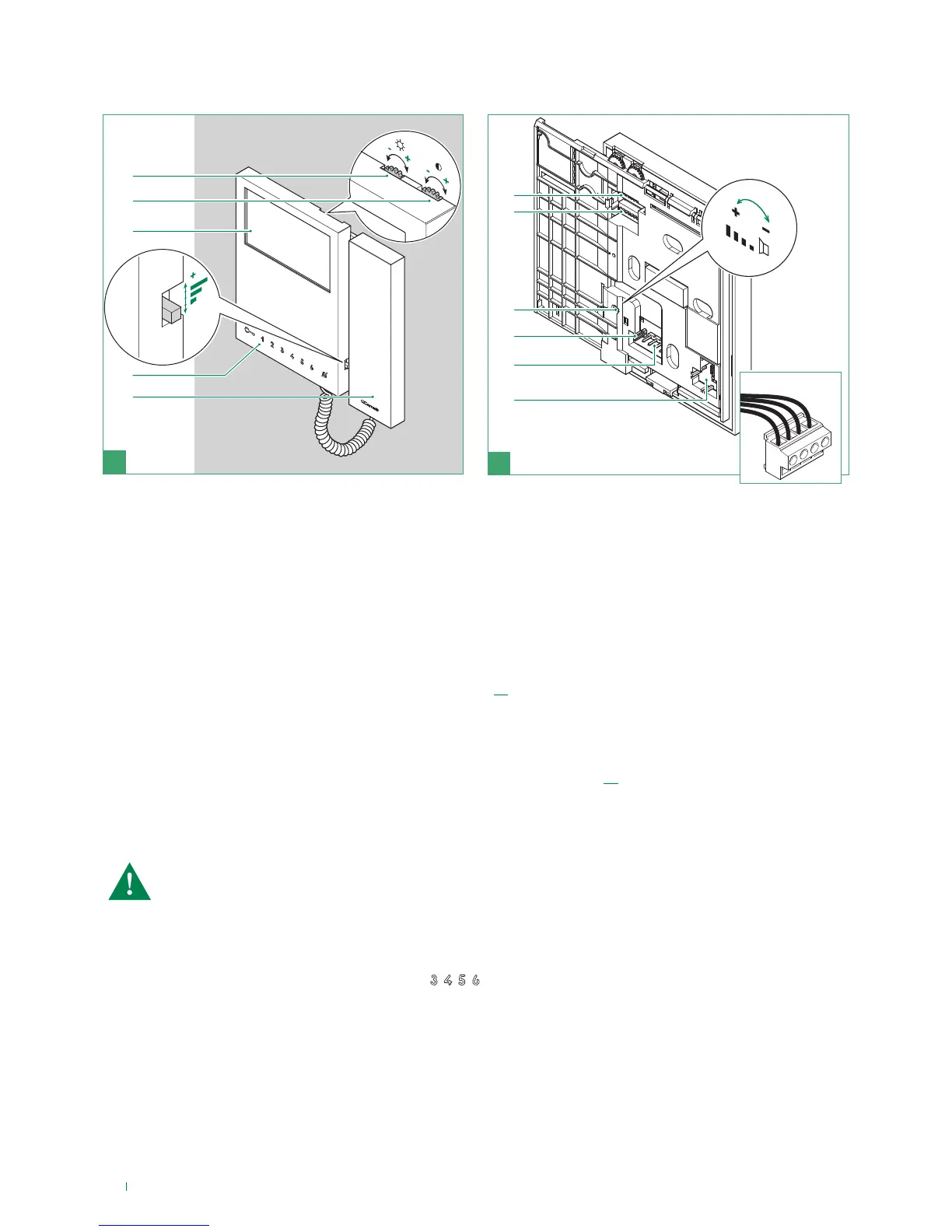
1. Brightness control
f To increase the value, turn clockwise
2. Colour intensity adjustment for Art. 6701W
Contrast adjustment for B/W monitor Art. 6700W
f To increase the value, turn clockwise
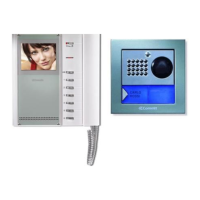
3. 4.3’’ LCD screen (in colour for Art. 6701W, B/W for Art. 6700W)
4. Call volume adjustment (high - medium - low)
5. Soft-touch keys
6. Monitor handset (lift handset to start communication)
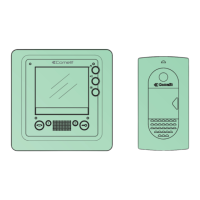
7. S1 User code programming microswitches (see table on page. 13)
8. S2 Button and function programming microswitches (marked with a red corner)
DIP 1-2-3-4 for button function programming
DIP 5-6 access to programming
DIP 7 for power supply voltage management (see diagrams and variants on page 29), default = ON
DIP 8:
ON secondary monitor
OFF main monitor (default)
9. Loudspeaker volume adjustment (for setting intercom audio only)
10. CV5 Video closing jumper
11. Pin for securing terminal block
12. Space for housing the operation accessory for keys
(standard on all black monitors, available to purchase
separately for white monitors Art. 6733W)
Terminal block for system connection
LL Bus line connection terminals
CFP1 CFP2 Floor door call input
A maximum of 1 main monitor can be set


 To Next Page