20
DIP S2
Art. (6700W / 6700W/BM / 6701W / 6701W/BM ) +
Art. 6733W
DIP S1
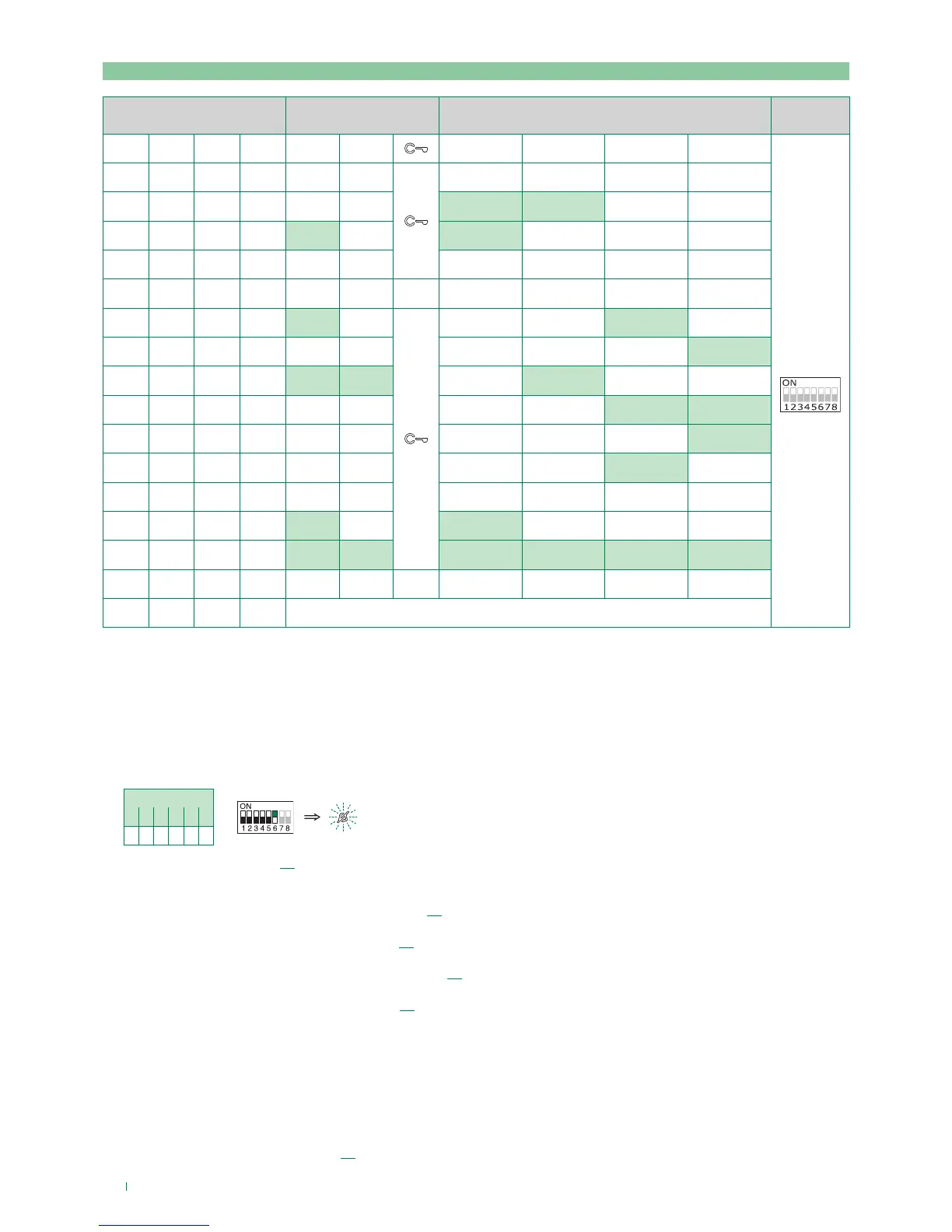
DIP 1 DIP 2 DIP 3 DIP 4 P1 P2
P3 P4 P5 P6
ADDRESS
0 0 0 0
1 0 0 0 INT INTb
0 1 0 0 INT INTb
1 1 0 0
0 0 1 0
1 0 1 0 INT
INTb
0 1 1 0 INTb
1 1 1 0 INTb INT INT
0 0 0 1 INT INTb
1 0 0 1 INT
0 1 0 1 INT
1 1 0 1
0 0 1 1 INTb INT
1 0 1 1 INT INT INT INT INT INT
0 1 1 1
1 1 1 1 PROG
Example 1 - General intercom
on a monitor with user code 5, P3 programming = general internal call, P4 = general intercom with address 9
Example 2 - Selective intercom
on a monitor with user code 1 and intercom address 1, P3 programming = selective intercom with address 2, P4 = selective
intercom with address 3
1. Set S2 DIP switch 6 to the combination 01.
» the privacy LED flashes.
S2 DIP
1 2 3 4 5 6
0 0 0 0 0 1
S2
2. Refer to the table on page 20 and select a combination in which the intercom function (either INT or INTb) is listed for the
keys you wish to program.
E.g. 1: for P3= general internal call, set S2 DIP switches 1-2-3-4 to the combination 1000 or 0011 or 1011 (P3=INT), set S1
with address 5 in accordance with table A on page 13, go to point 3.
E.g. 1: for P4= general intercom, set S2 DIP switches 1-2-3-4 to the combination 1110 or 1011 (P4=INT), set S1 with
address 9 in accordance with table A on page 13, go to point 3.
E.g. 2: for P3= single-family intercom, set S2 DIP switches 1-2-3-4 to the combination 1000 or 0011 or 1011 (P3=INT), set
S1 with address 2 in accordance with table B on page 19, go to point 3.
E.g. 2: for P4= selective intercom, set S2 DIP switches 1-2-3-4 to the combination 1110 or 1011 (P4=INT), set S1 with
address 3 in accordance with table B on page 19, go to point 3.
3. Press and release the key to be associated with the function
» the lock-release LED lights up.
» a confirmation tone will sound.
4. To exit programming mode, set S2 DIP switches 5-6 to the combination 00
f the privacy LED switches o
5. When programming is complete, set S2 DIP switches 1-2-3-4 to the combination 1111. Restore the user code
setting on S1, see table A on page 13.
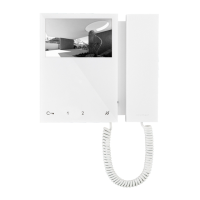
Programming buttons for intercom call


 To Next Page