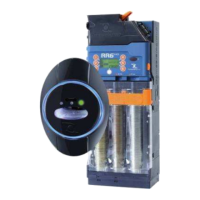
World Key/World Key Lite/World Key Move - operating manual
12
5.2.4 Installing the Sky reading head ......................................................................................................... 28
5.3. Installation of display........................................................................................................................................... 29
5.4. Installation of accessories...................................................................................................................................29
5.4. Installation of accessories...................................................................................................................................30
5.4.1 Installing KPM board..................................................................................................................... 30
5.4.2 Installing KPD board..................................................................................................................... 31
5.4.3 Installing RM 925 board................................................................................................................ 32
5.5 Boards .................................................................................................................................................................... 33
5.5.1 World Key and World Key Move CPU connections ................................................................... 33
5.5.2 World Key Lite CPU connections ................................................................................................ 37
5.5.3 KPD board connections................................................................................................................ 37
5.5.3 KPD board connections................................................................................................................ 38
5.5.4 KPM board connections ............................................................................................................... 39
5.5.5 RM925 board connections............................................................................................................ 41
6. LED Signals.............................................................................................................................. 42
7. Programming and data collection .......................................................................................... 44
7.1 Programming ......................................................................................................................................................... 44
7.1.1 Safety codes .................................................................................................................................... 44
7.1.2 Programming with UNICO software.................................................................................................. 44
7.1.3 Programming Key............................................................................................................................. 45
7.1.4 Clone Programming Key................................................................................................................... 45
7.1.5 Firmware update .............................................................................................................................. 45
7.2 Data collection ....................................................................................................................................................... 45
7.2.1 Audit Key.......................................................................................................................................... 45
7.2.2 PC with UNICO & UNICO AUDIT Program........................................................................................ 46
7.2.3 IrDa Interface .................................................................................................................................... 46
8. Care and Maintenance ............................................................................................................ 47
8.1 External maintenance and cleaning..................................................................................................................... 47
9. Technical Assistance .............................................................................................................. 47
10. Technical Data....................................................................................................................... 48
10.1 Technical Specifications – CPU ......................................................................................................................... 48
10.2 Technical specifications - reading heads.......................................................................................................... 49
11. Annexes ................................................................................................................................. 50
11.1 Putting device out of service and waste disposal ............................................................................................ 50


 To Next Page