Compact Scaler Switcher
Comm-Tec S.r.l. 16 www.comm-tec.it
4.1.3 Volume Adjusting
Press Volume Knob to choose MIC/Source audio needed to be adjusted, the
corresponding LED will turn green and keep on.
▪ Adjusting the Volume Knob in clockwise direction to increase sound volume.
▪ Adjusting the Volume Knob in anti-clockwise direction to decrease sound volume.
4.2 IR Control
4.2.1 IR Remote
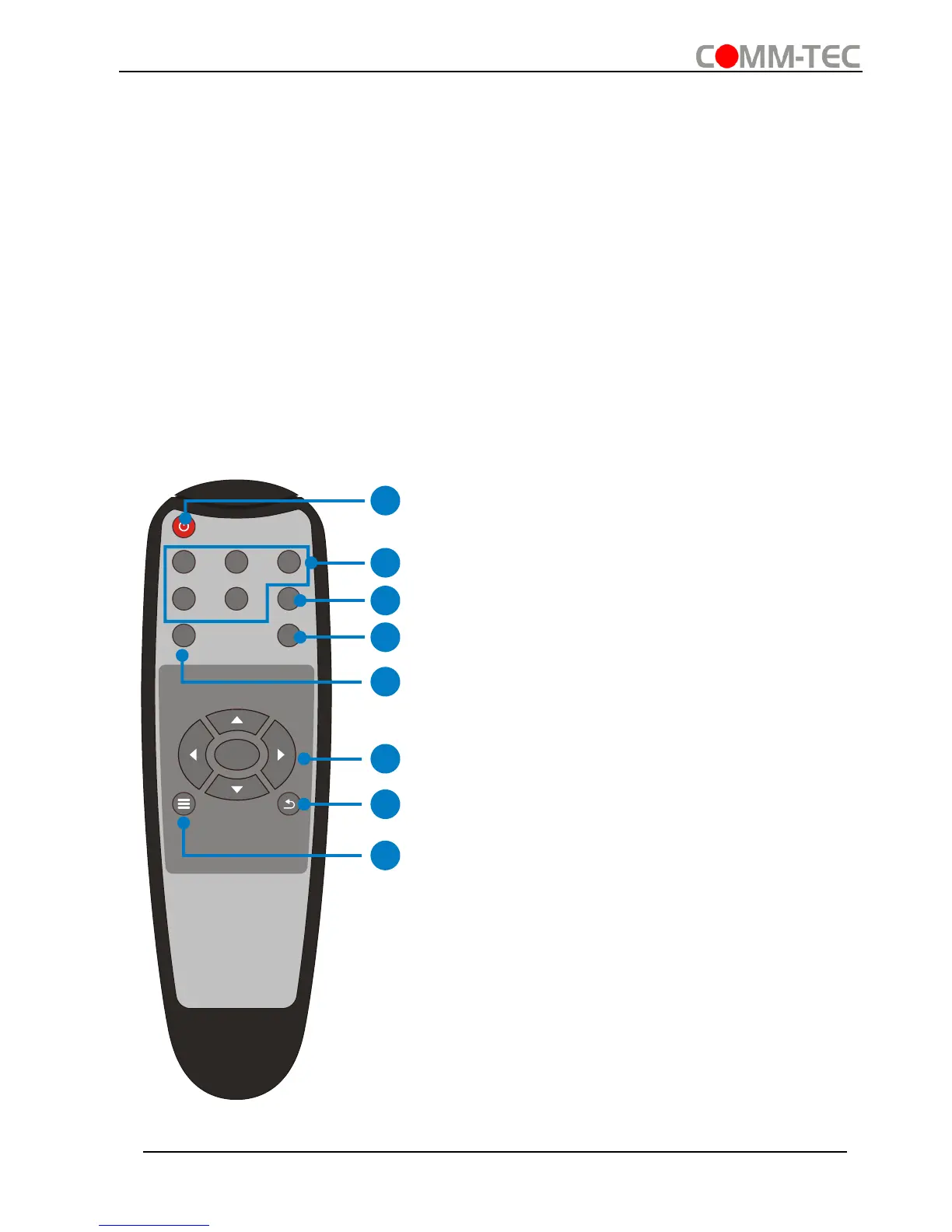
Connect IR receiver to IR EYE port, the Scaler Switcher cans be controlled by using IR
remote. As CEC function, it is able to use the IR remote to turn on/off the HDMI source
or Display.
① Enter/ exit standby mode
② Input channel selection buttons(1~5):
Select video source via pressing corresponding
button (audio switched following the
corresponding DP/VGA )
③ Auto button: Enter/Exit auto-switching
mode.
④ Mute/ unmute audio
⑤ VOL: Volume adjusting button. After
pressing this button, the volume adjusting menu
will be showed on Display, and then press
UP/DOWON button to increase/decrease
volume.
⑥ OK: confirm button; Navigation buttons:
UP/DWON/LEFT/ RIGHT button, for value
setting or page-turn.
⑦ Exit button: Exit OSD menu or current
operation.
⑧ Enter OSD menu or used to return to
previous menu.



 To Next Page