Compact Scaler Switcher
Comm-Tec S.r.l. 36 www.comm-tec.it
4.5.2 Configuration Menu
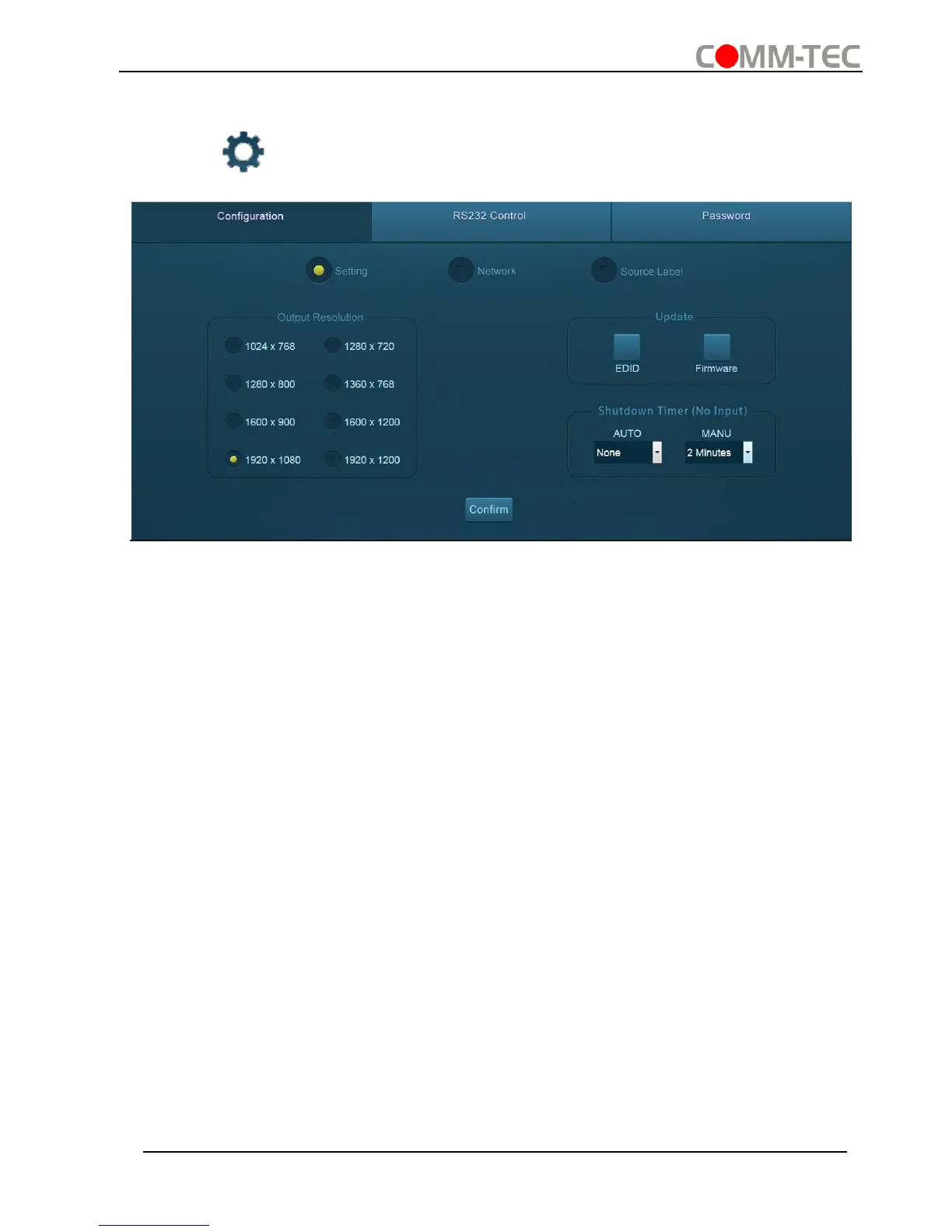
① Click on control menu to enter setting menu shown as below:
▪ Output Resolution: Select the output resolution that you need and then click
Confirm.
▪ Update: Insert the USB flash disk with EDID file/software updating file to
FIRMWARE port, and then click EDID/Firmware to start update procedure.
▪ Shutdown Timer(NO Input):Set the shutdown time under manual-switching mode
or auto-switching mode, including none, 1 minute, 2minutes, 5minutes and 10
Minutes. If the Scaler Switcher can’t detect video source input, it will automatically
shut down after a preset interval.



 To Next Page