Compact Scaler Switcher
Comm-Tec S.r.l. 39 www.comm-tec.it
4.5.4 Password Menu
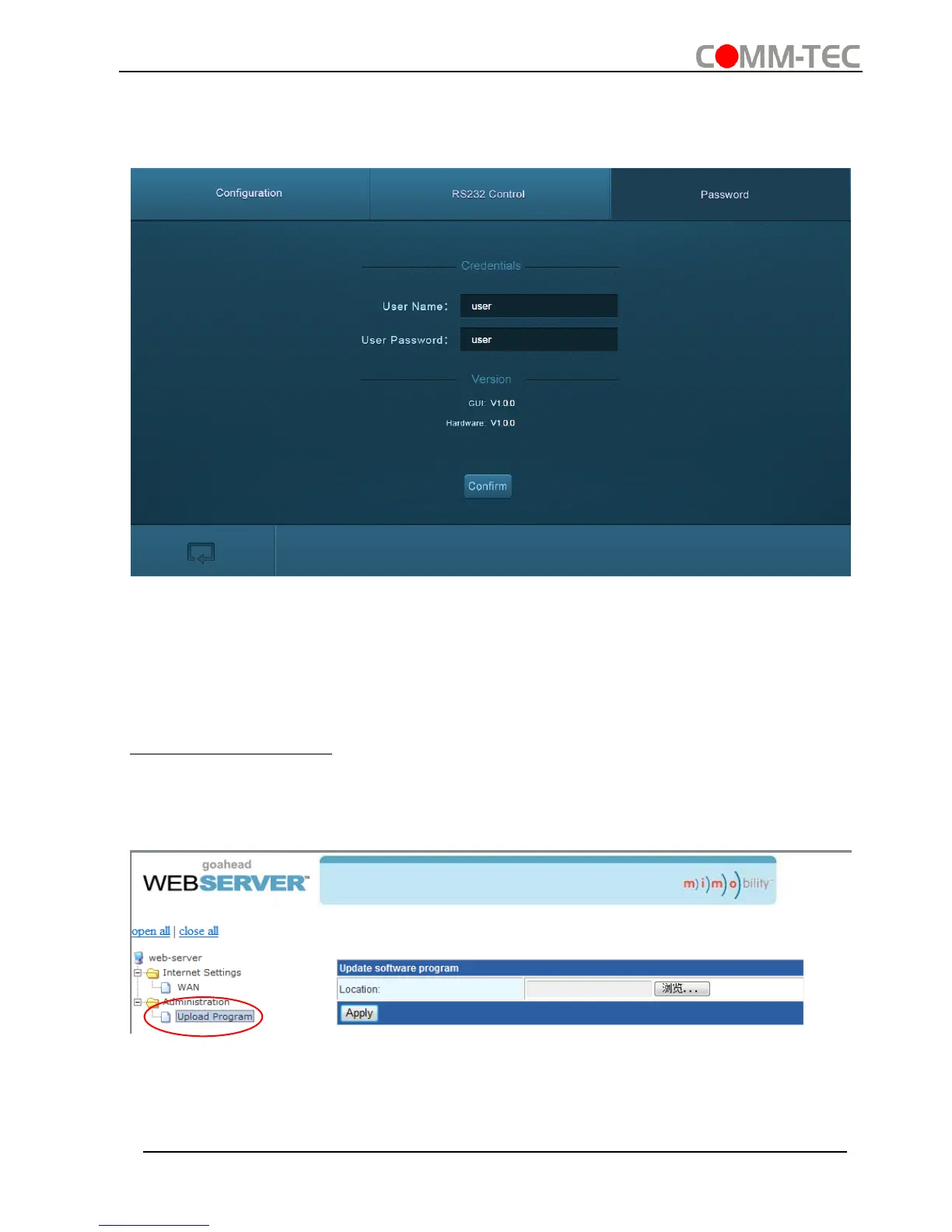
Click Password on the top of interface to enter password menu shown as below:
In this interface, the user name and password can be modified as you need.
4.5.5 Web-based GUI Update
Web-based GUI for the Scaler Switcher supports online update in
http://192.168.0.178:100. Type the username and password (the same as the GUI log-
in settings, modified password will be available only after rebooting) to log in the
configuration interface. After that, click Administration at the source menu to get to
Upload Program as shown below:
Select the desired update file and press Apply, it will start upgrading then.



 To Next Page