Compact Scaler Switcher
Comm-Tec S.r.l. 29 www.comm-tec.it
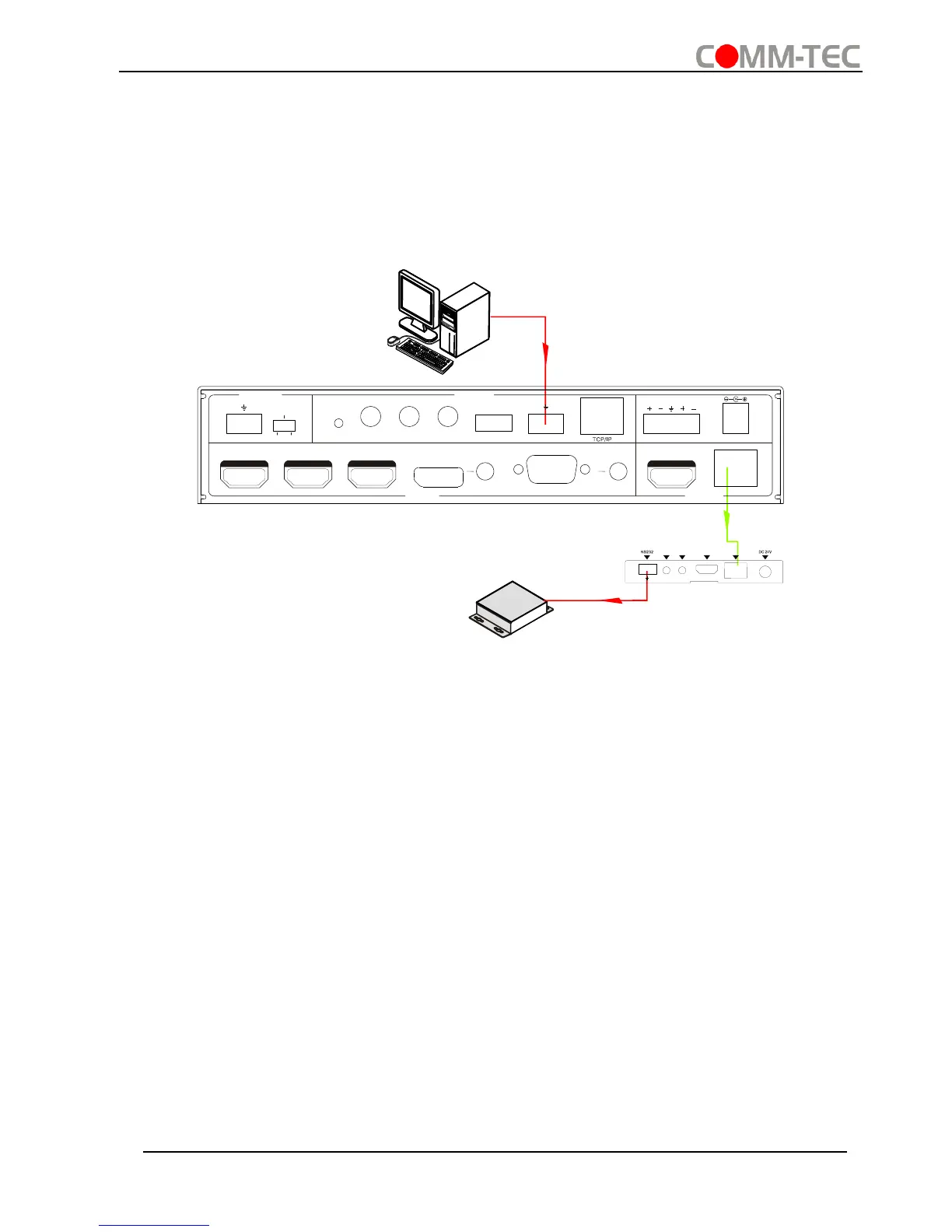
4.3.4 Control Compact Scaler Switcher or 3rd Party Device from Local
Firstly, according the following connection diagram to connect all devices as needed.
Secondly, send command 50787% (serial control mode 1, factory default) via RS232
communication software.
Lastly, send the right command of the Scaler Switcher or other remote RS232 device
connected in present system. Connect as below:
Control Compact Scaler Switcher or 3rd party device from local
4.3.5 Control Compact Scaler Switcher or 3rd party device form Remote
Firstly, according the following connection diagram to connect all devices as needed.
Secondly, send command 50788% via RS232 communication software.
Lastly, send the right command to control the Scaler Switcher. Connect as below:



 To Next Page