Compact Scaler Switcher
Comm-Tec S.r.l. 35 www.comm-tec.it
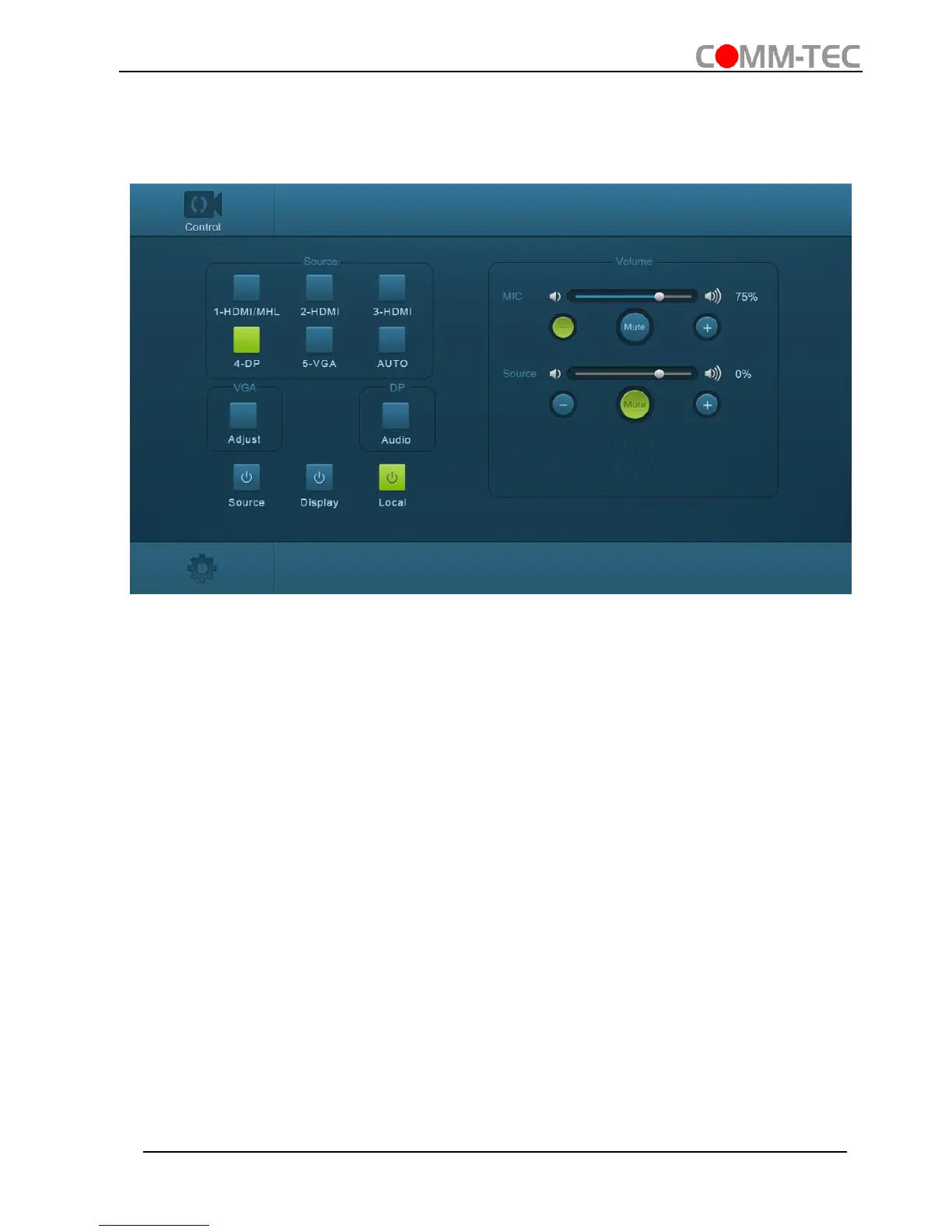
4.5.1 Control Menu
Type user name: user and password: user (default setting) on the log-in interface, and
then click Login to enter Control menu shown as below:
▪ Sources: Click the corresponding button (1-HDMI/MHL, 2-HDMI, 3-HDMI, 4-DP,
and 5-VGA) to select video input source.
▪ VGA: Click Adjust to adjust the position of VGA video output image to make sure
the best visual effect.
▪ DP: Click Audio to turn on/off the DP external audio input.
▪ Volume: Click the corresponding positive/negative button to increase/decrease the
volume of microphone audio or source audio input. Click the corresponding Mute
button to mute/unmute microphone audio or source audio input.
▪ Click Source to turn on/off input source device.
▪ Click Display to turn on/off output display device.
▪ Click Local to let the Scaler Switcher r into standby mode.



 To Next Page