Compact Scaler Switcher
Comm-Tec S.r.l. 18 www.comm-tec.it
4.2.4 CEC Function
The Scaler Switcher supports CEC, it can be turned on/ off by sending RS232
commands or OSD menu operations. The default setting is ON.
Commands pertaining to CEC: “50686%” (enable CEC) and “50687%” (disable CEC)
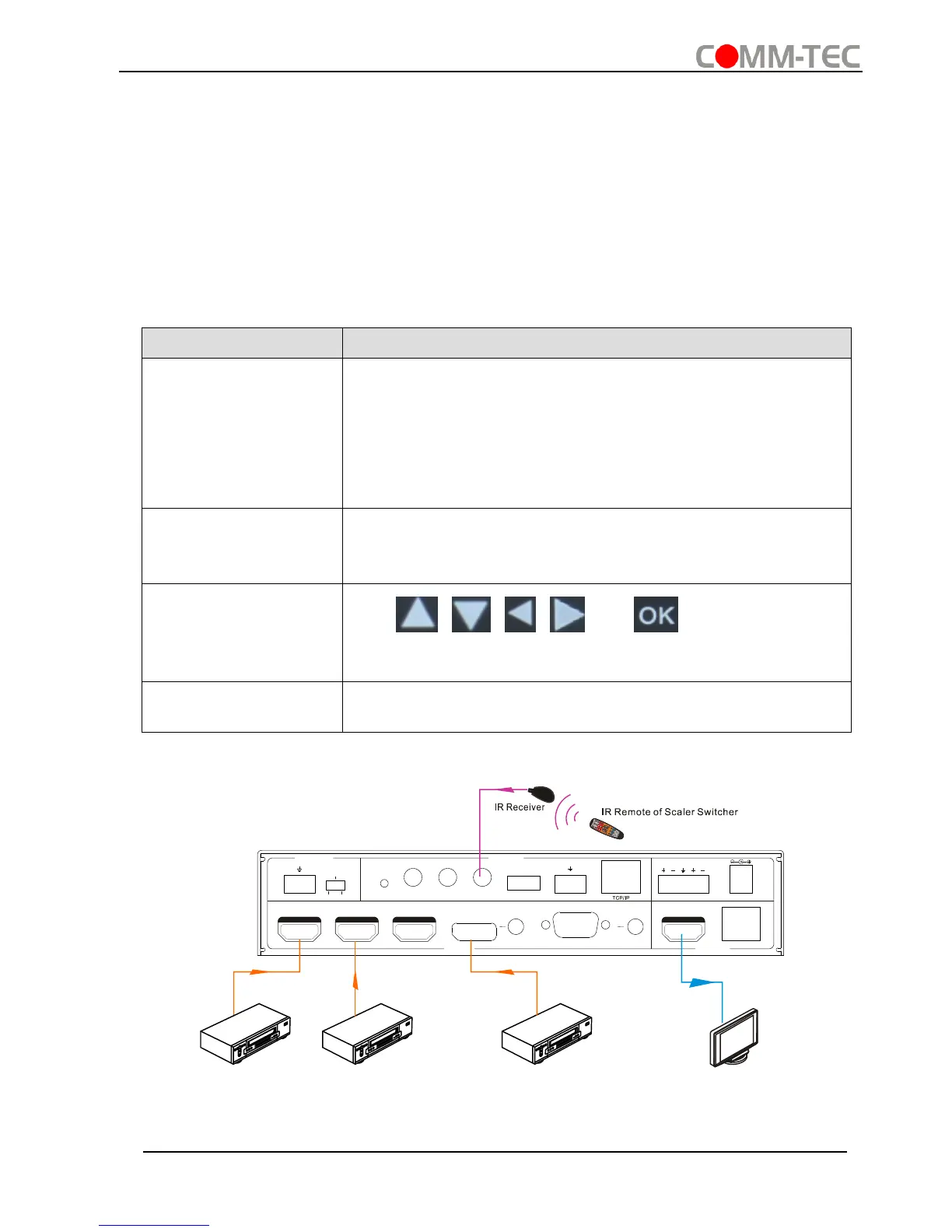
HDMI INPUT ports 1~3 support CEC, if the connected source devices also support
CEC and their CEC are on, users can control the source device and display via the IR
remote of the Scaler Switcher.
The working status related to CEC and STANDBY is showed as below:
Press STANDBY button on IR remote, the Scaler Switcher
enters in standby mode, so do all HDMI source devices
and display.
Press STANDBY button again on IR remote, the Scaler
Switcher exits standby mode, the previous selected HDMI
input source device and display start working too.
Press STANDBY button on IR remote, the Scaler Switcher
enters in standby mode, HDMI 1~3 source devices and
display keep on.
Use , , , and buttons on IR
remote to control HDMI source device.
Unable to control HDMI source device and display through
IR remote
48V LINE IR EYEIR IN IR OUT
MIC INPUT
MIC
FIRMWARE AUDIO OUT
L R
RES RESET
RS232
Tx
Rx
L R
INPUTS OUTPUTS
3-HDMI2-HDMI1-HDMI / MHL 4-DP 5-VGA HDMI
HDBT
CONTROL
DC 24V
DVD(Signal Source)
O
K
Z
O
O
M
S
.
M
M
E
N
U
E
X
I
T
I
N
P
U
T
1
P
.
M
1
0
8
0
P
7
2
0
P
M
E
N
U
I
N
P
U
T
5
I
N
P
U
T
2
I
N
P
U
T
3
I
N
P
U
T
4
A
U
T
O
S
c
a
l
e
r
S
w
i
t
c
h
e
r
A
U
T
O
P
L
A
Y
/
P
A
U
S
E
S
T
O
P
R
E
V
F
W
D
I
N
P
U
T
S
O
U
R
C
E
C
E
C
C
O
N
T
R
O
L
M
I
C
M
U
T
E
M
I
C
L
I
N
E
L
I
N
E
M
U
T
E
DVD(Signal Source) DVD(Signal Source)
HDTV



 To Next Page