- 18-
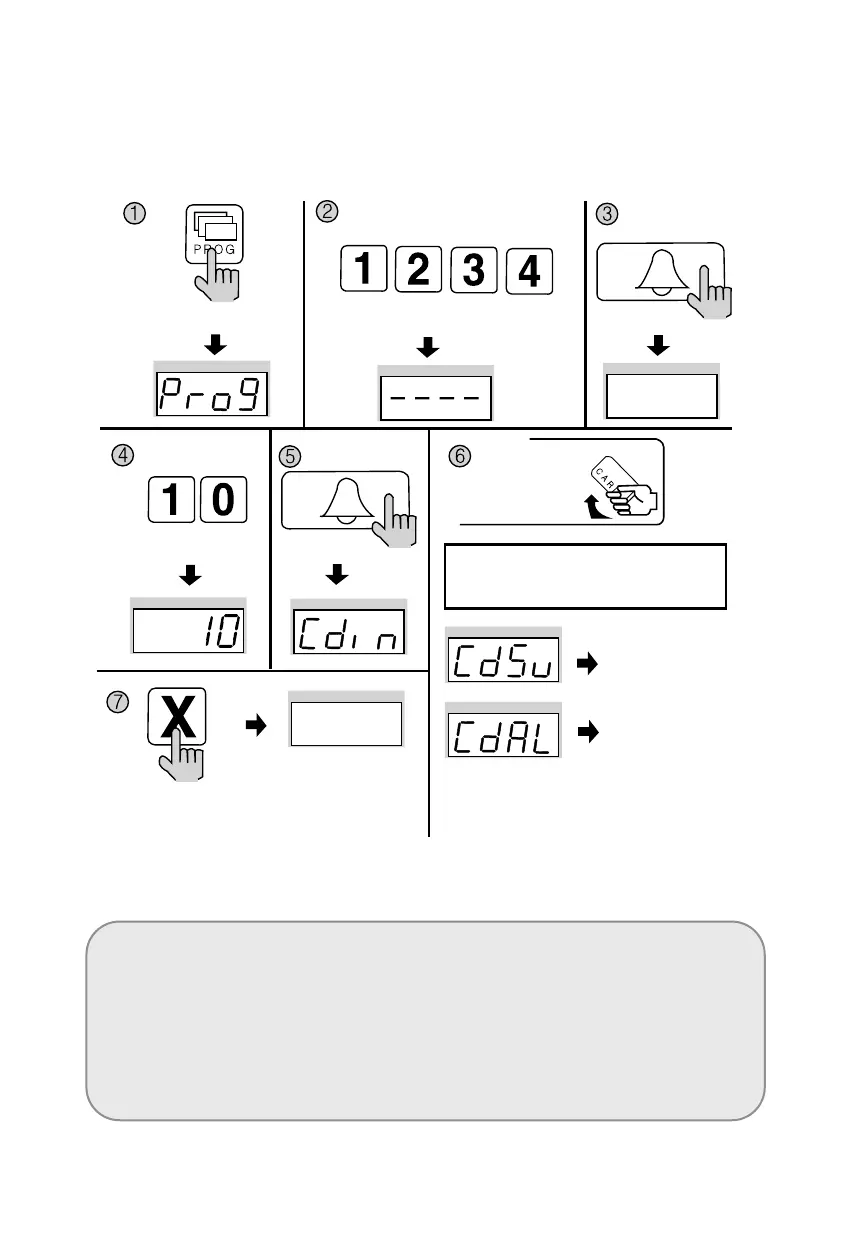
8-2. Remote Cardkey Registration
✽ P - Building (Management) PIN - E - 10 - E - Card Registration - X (Cancel)
<Note>
CdSv: Newly Registered Card (Successful registration is indicated by a beep)
CdAl: Previously Registered Card (Rejected registration is indicated by two beeps)
✽ Up to 2048 Remote Cardkeys can be registered. (Without a computer connected)
✽ Please record registered Remote Cardkey’s serial number for future reference.
Press the Program button (P).
Enter the Building (Management) PIN.
ex) Building PIN
Press the
Call button (E).
Press the
Program Number (10).
Press the
Call button (E).
Press the Cancel button
(X) to end Remote
Cardkey testing
✽
To confirm others cardkey, place continuedly the
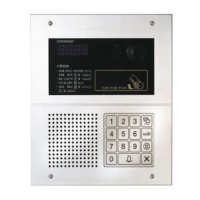
Remote Cardkey to the RF/ID Recepter
Newly
Registered Card
Previously
Registered Card
Press the Card Here
Place the Remote Cardkey to the RF/ID
Receptor, and ‘Cdsv’ or ‘CdAL’ will appear


 To Next Page