EasyManua.ls Logo

Commodore 64C - Understanding the Initial Screen Display

Commodore 64C
40 pages
Print Icon
To Next Page IconTo Next Page
To Previous Page IconTo Previous Page
Loading...
initial
screen
display
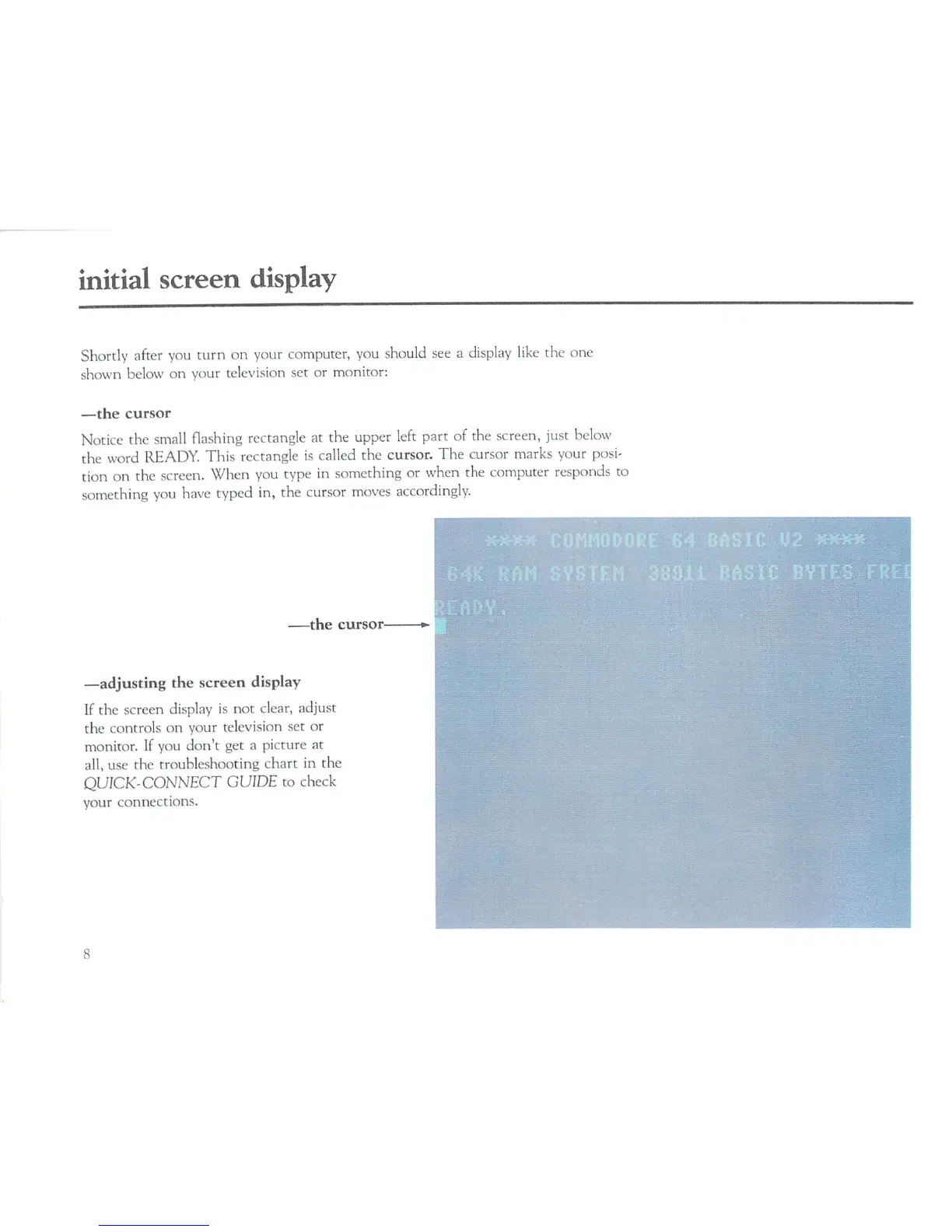
Shortly
after
you
turn
on
your
computer,
you
should
see
a
display
like
the
one
shown
below
on
your
television
set
or
monitor:
—the
cursor
Notice
the
small
flashing
rectangle
at
the
upper
left
part
of
the
screen,
just
below
the
word
READY.
This
rectangle
is
called
the
cursor.
The
cursor
marks
your
posi
tion
on
the
screen.
When
you
type
in
something
or
when
the
computer
responds
to
something
you
have
typed
in,
the
cursor
moves
accordingly.
the
cursor
—adjusting
the
screen
display
If
the
screen
display
is
not
clear,
adjust
the
controls
on
your
television
set
or
monitor.
If
you
don't
get
a
picture
at
all,
use the
troubleshooting
chart
in
the
QUICK-CONNECT
GUIDE
to
check
your
connections.

Related product manuals