EasyManua.ls Logo

Commodore 64C - Hands-On Program Execution

Commodore 64C
40 pages
Print Icon
To Next Page IconTo Next Page
To Previous Page IconTo Previous Page
Loading...
trying
out
your
new
commodore
64C
Here's
a
simple
program
to
show
you
that
you can
get
your
64C
to
do
things
with
out
knowing
all
about
programming
or
BASIC
or
machine
language.
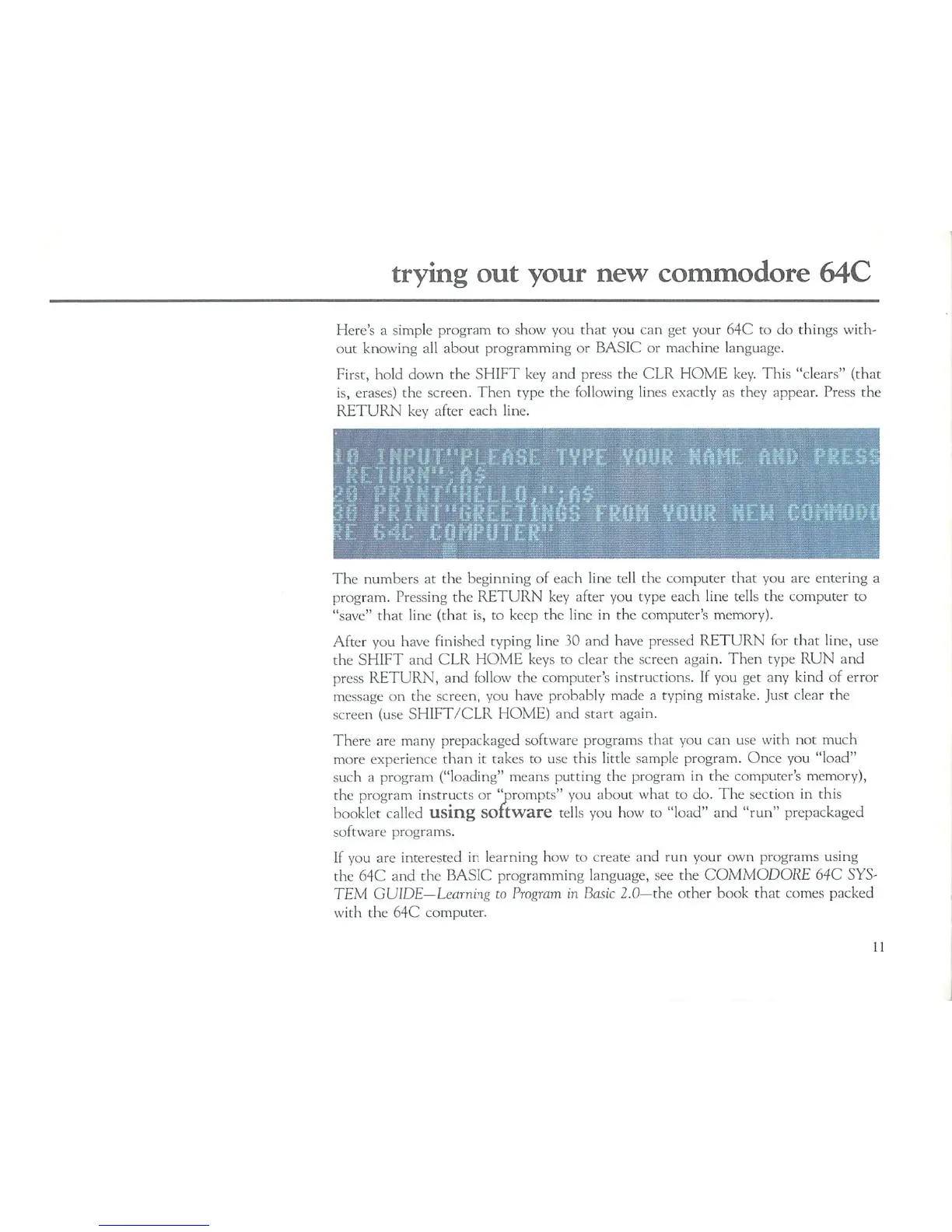
First,
hold
down
the
SHIFT
key
and
press
the
CLR
HOME
key.
This
"clears"
(that
is,
erases)
the
screen.
Then
type
the
following
lines
exactly
as
they
appear.
Press
the
RETURN
key
after
each
line.
The
numbers
at
the
beginning
of
each
line
tell
the
computer
that
you
are
entering
a
program.
Pressing
the
RETURN
key
after
you
type
each
line
tells
the
computer
to
"save"
that
line
(that
is,
to
keep
the
line in
the
computer's
memory).
After
you
have
finished
typing
line
30
and
have
pressed
RETURN
for
that
line,
use
the
SHIFT
and
CLR
HOME
keys
to
clear
the
screen
again.
Then
type
RUN
and
press
RETURN,
and
follow
the
computer's
instructions.
If
you
get
any
kind
of
error
message
on
the
screen,
you
have
probably
made
a
typing
mistake.
Just
clear
the
screen
(use
SHIFT/CLR
HOME)
and
start
again.
There
are
many
prepackaged
software
programs
that
you can
use
with
not
much
more
experience
than
it
takes
to
use
this
little
sample
program.
Once
you
"load"
such
a
program
("loading"
means
putting
the
program
in
the
computer's
memory),
the
program
instructs
or
'prompts"
you
about
what
to
do.
The
section
in
this
booklet
called
using
software
tells
you
how
to
"load"
and
"run"
prepackaged
software
programs.
If
you
are
interested
in
learning
how
to
create
and
run
your
own
programs
using
the
64C
and
the
BASIC
programming
language,
see
the
COMMODORE
64C
SYS
TEM
GUIDE—Learning
to
Program
in
Basic
2.0—the
other
book
that
comes
packed
with
the
64C
computer.
11

Related product manuals