3.
I.
2.
4.
Interface
Connector
I
Pin No.
Signal
I
1
SEH
IAL
SRQ
2
(;ND
I
3
SEH
IAL
ATN
I
4
i
SEK
IAL
eLK
5
SER
IAL
!lATA
6
RES
Interface
---
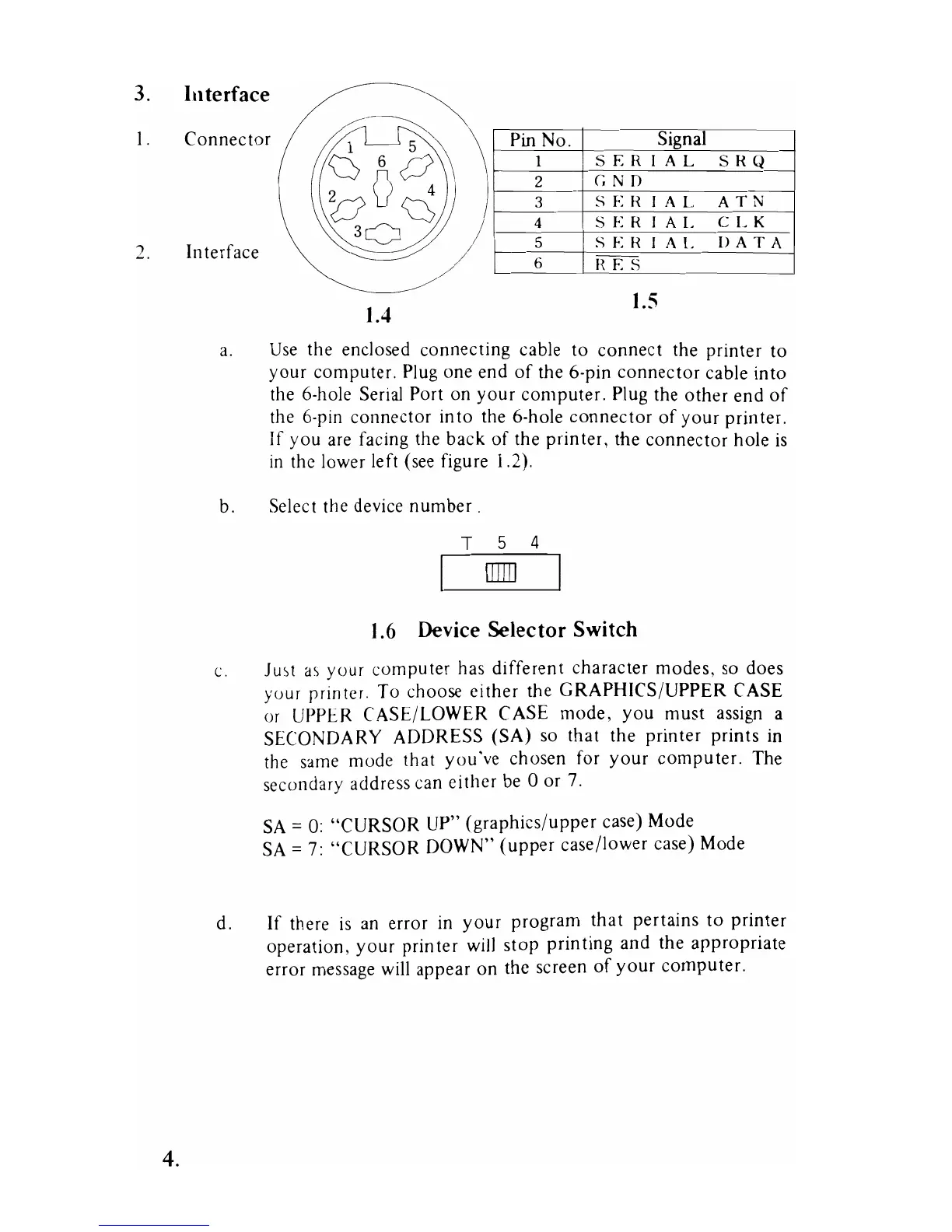
1.4
1.5
a.
Use
the enclosed connecting cable to connect the printer to
your computer.
Plug
one end
of
the 6-pin connector cable into
the 6-hole Serial Port on your computer. Plug the other end
of
the 6-pin connector into the 6-hole connector
of
your printer.
If you
are
facing the back of the printer, the connector hole
is
in
the lower left (see figure 1.2).
b. Select the device number.
T 5 4
OJ]]
1.6
Device Selector Switch
c.
Ju'>t
a)
your computer
haS
different character modes,
so
does
your prm
teL
To
choose
ei
ther the GRAPHICS/UPPER CASE
or
UPPER CASE/LOWER CASE mode, you must assign a
SECONDARY ADDRESS (SA)
so
that the printer prints
in
the same mode that you've chosen for your computer. The
secondary address can either
be
0 or
7.
SA
=
0:
"CURSOR UP" (graphics/upper case) Mode
SA
=
7:
"CURSOR DOWN" (upper case/lower case) Mode
d.
If
there
is
an
error
in
your program that pertains to printer
operation, your printer
will
stop printing and the appropriate
error message
will
appear on the screen
of
your computer.



 To Next Page