.ilE2iiil..~.fl'F.I..r.mrmaliiM
.IM.~nil.l:iJ
...
;l:iJ1'it:r:ml
10
c,PE'n9"
4,,'?
20 P
r'
i
nt#9"
chr'$
( 1
:::::0"
P~?r'SC'n,3,
1
Cc,ro"lP
I),
tE't-,
"
::':0
P
r'
i
nt#9"
chr'$ (
1:::::0"
Dc,t
t'1-3,
b-'
i
::<
Pr'
i
ntE'r'
"
4(1
,:r"10::I9:
1.
i:;:,
t
r'€',3,0::1~
•
3,23
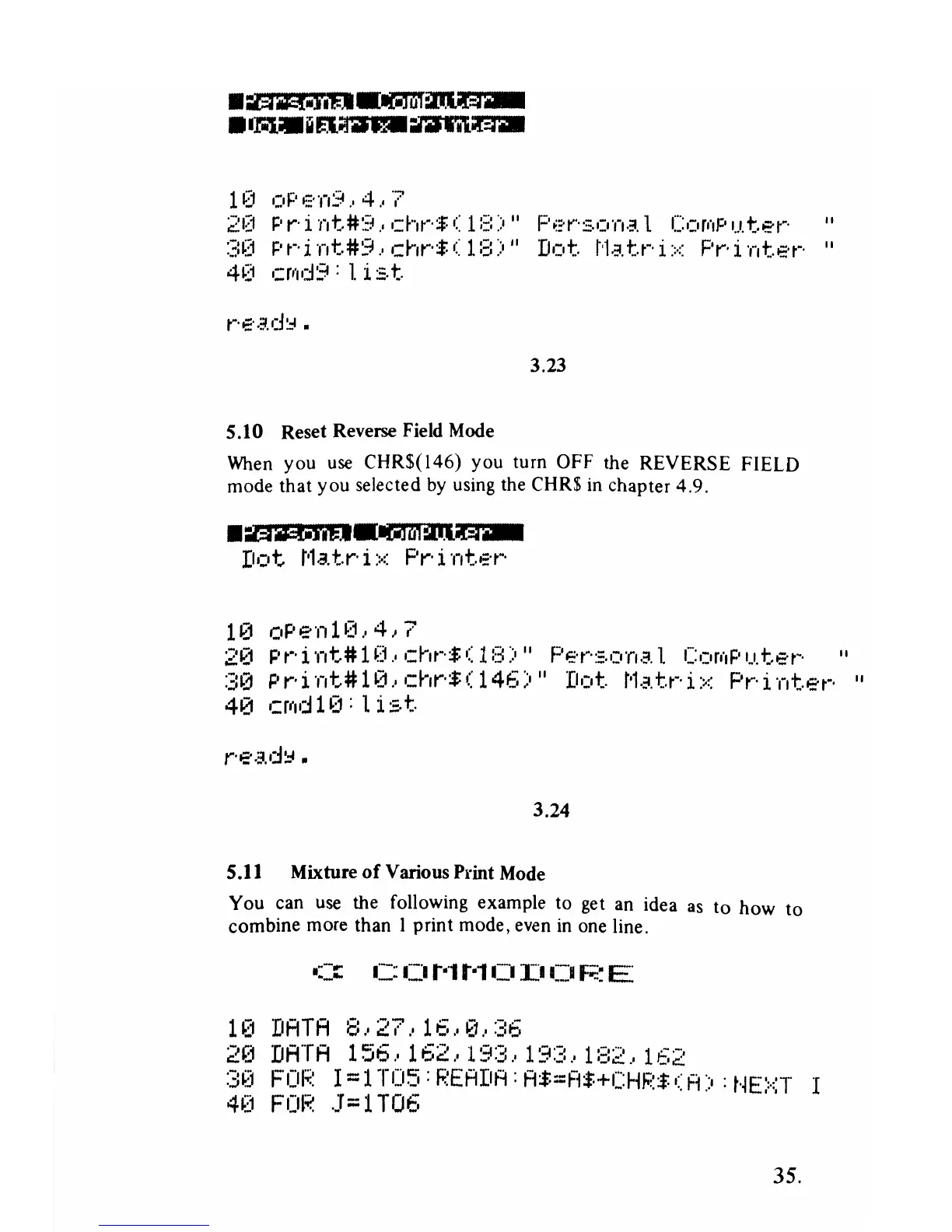
5.10 Reset Reverse Field Mode
When
you
use
CHR$(l46)
you turn OFF the REVERSE FIELD
mode that
you
selected by using the CHR$
in
chapter 4,9,
•
.aa:::MIiE
.••
lGllii:tllla1iiM
Dot
Matrix
Printer
1~1
OPE"f11~:1,,4)7
2121
P r' i
nt#
1 0 "
,:hr'$
0::
1
f:3::O"
Po:;:'r's,on,3.1.
Co:or(IP
u.
tE't"' "
:3121
Pr'int#H3"chr'$(146)"
D':ot
t'htr'i::<
Pr'int.er'
"
4121
c:rtld
1 (1: 1 i
s,t
3.24
5.11 Mixture
of
Various Print Mode
You can use the following example to get an idea
as
to
how
to
combine more than I print mode, even
in
one line.
-::::::::
C:
C)
t·l t·l CI
rl
Ci
F;:::
E
1121
DATA
8,27,16,0,36
2121
DATA
156,162,193,193,182,162
30
FOR
I=lT05:READA:A$=A'+CHR$(A)
:NEXT
I
4~J
FOI;;::
J=
1 T06
35,



 To Next Page