Section
2:
PREPARING TO
USE
YOUR PRINTER
1.
Installation
Please follow the precautions listed below when setting up
your
printer.
These measures are designed to help you keep your printer functioning at
its best.
*
*
*
*
*
Place
your
printer
on a flat and level surface.
Avoid placing
your
printer
in
rooms with high
humidity.
Keep
your
printer
as
dust·free
as
possible.
Keep
your
printer
out
of
direct sunlight.
Avoid placing
your
printer through extreme
temperature
changes.
2. Installing and Removing the Ribbon Cassette
2.1
Installing the Ribbon Cassette
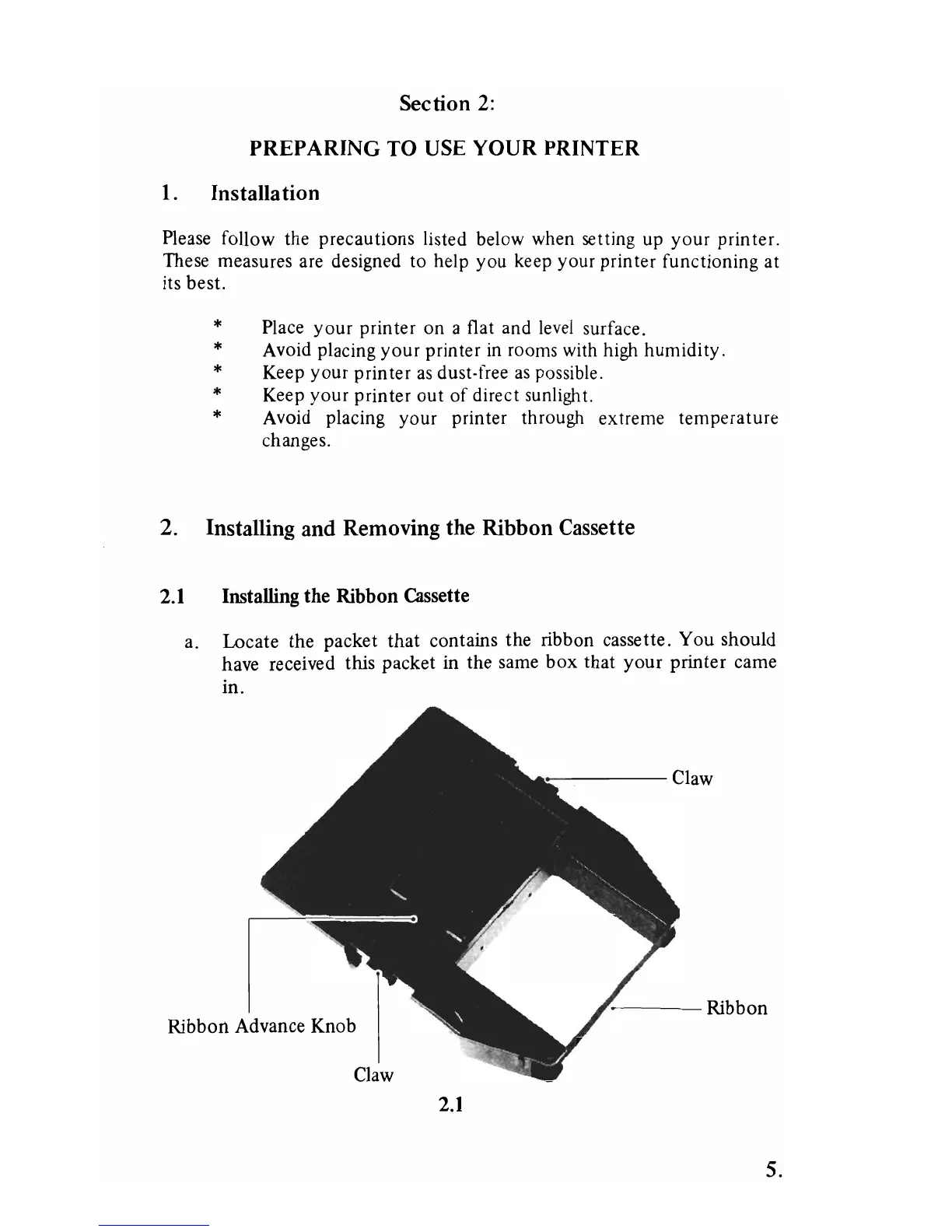
a. Locate
the
packet
that
contains
the
ribbon cassette.
You
should
have received this packet in the same
box
that
your
printer
came
in.
:--
----
Claw
,-
~--
Ribbon
Ribbon
Advance Knob
Claw
2.1
5.



 To Next Page