34.
100PEN7,4,7CU$=CHPS(145):CDS=CHPS(17)
2~1
PRHH#7"
CUS/I'ft
/lCD:1::/I~3Pf=tDE"
3(1
P~:ItH#?,CUS".
"CDS"HEAF.:T"
40
PR
I
tH#7,
CUS
/1+
"CDS"
II
I At'10t'm"
::;0
PF.:
I t-n#?
..
CUt/l'1'
"CD1::"
CLUB"
60
CUY3E7
:::;.P.3.0::I0::-
ho:::'
,3,
t",+,:,
0:::1
i
.::I,
r"l':)'n
oj
0:
ll.l,l::o
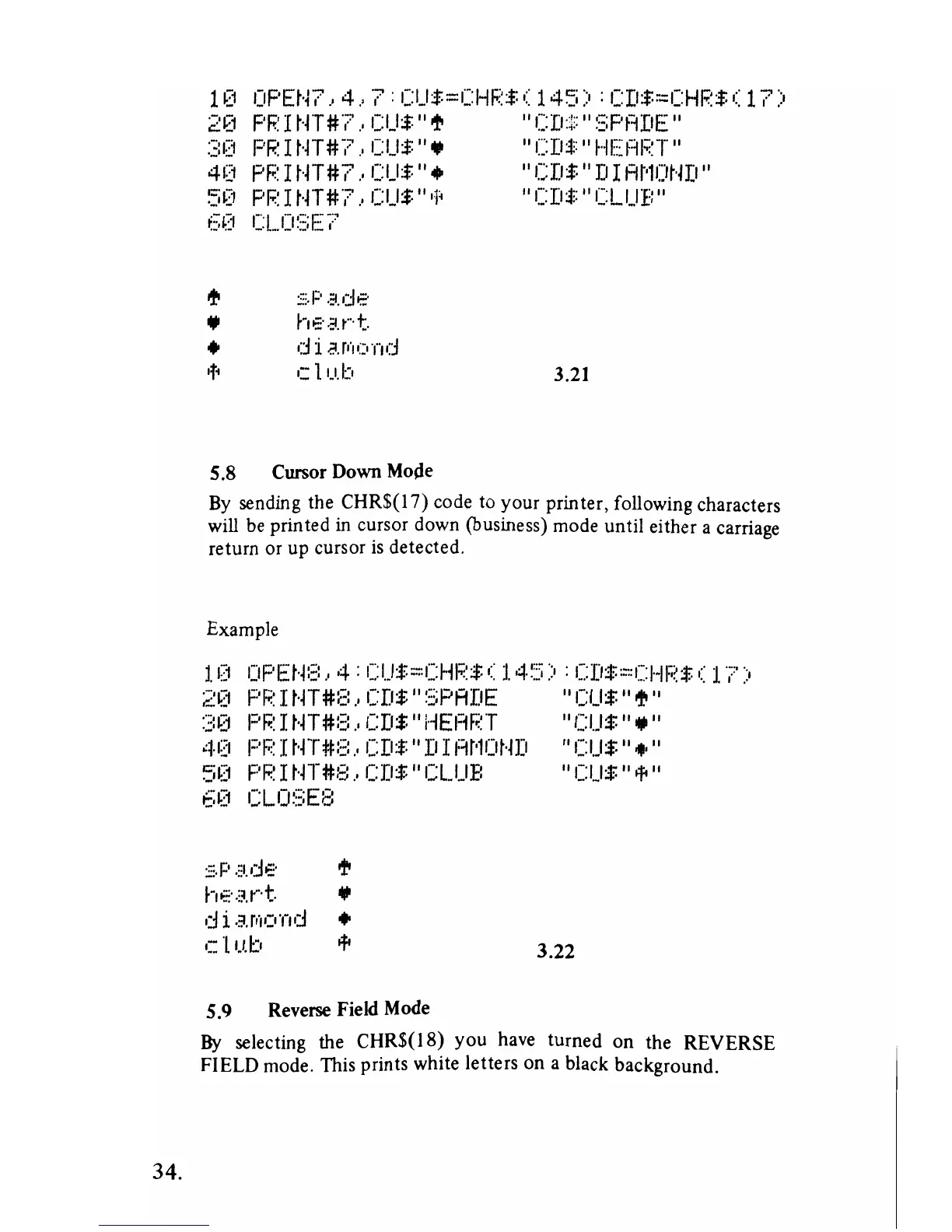
5.8 Cursor Down Mojle
3.21
By
sending the CHR$(17) code
to
your printer, following characters
will be printed
in cursor down (business) mode until either a carriage
return or up cursor
is
detected.
Example
100PENS,4:CUS=CHP$(145):CDS=CHRS(17)
2~1
pr.;::
I
t-n#(~:
..
CD$"
~:;;PADE
"CUS"
If!
"
:;:0
PF.:
I t-n
#::::"
CDS
/I
HEi=iRT
"CUS
/I,,"
40
PR
I
tH
t~:::
"
CD:*:"
D I m'lOt·m
"[US"
,*,,,
50
PR
I
tH
#:3"
CDS
10
CL.UE:
10
[US"
ofo
10
60
CLOSE8
:::;.p
.::v::!e·
If!
hE'.lr·t. •
0::1
i
.3.r"I':''I"Io::I
•
cll.1.l::0
ofo
3.22
5.9 Reverse Field Mode
By selecting the
CHR$(I8)
you
have turned
on
the REVERSE
FIELD mode. This prints white letters
on
a black background.



 To Next Page