2.
Printing in the Direct Mode
Now that you
have
gone through
the various printing commands and
what
they
do, let's put them
to
use in
practical
applications. The DIRECT
mode
allows you to communicate with your
printer
by
entering printing com-
mands DIRECTly from the keyboard of your
computer.
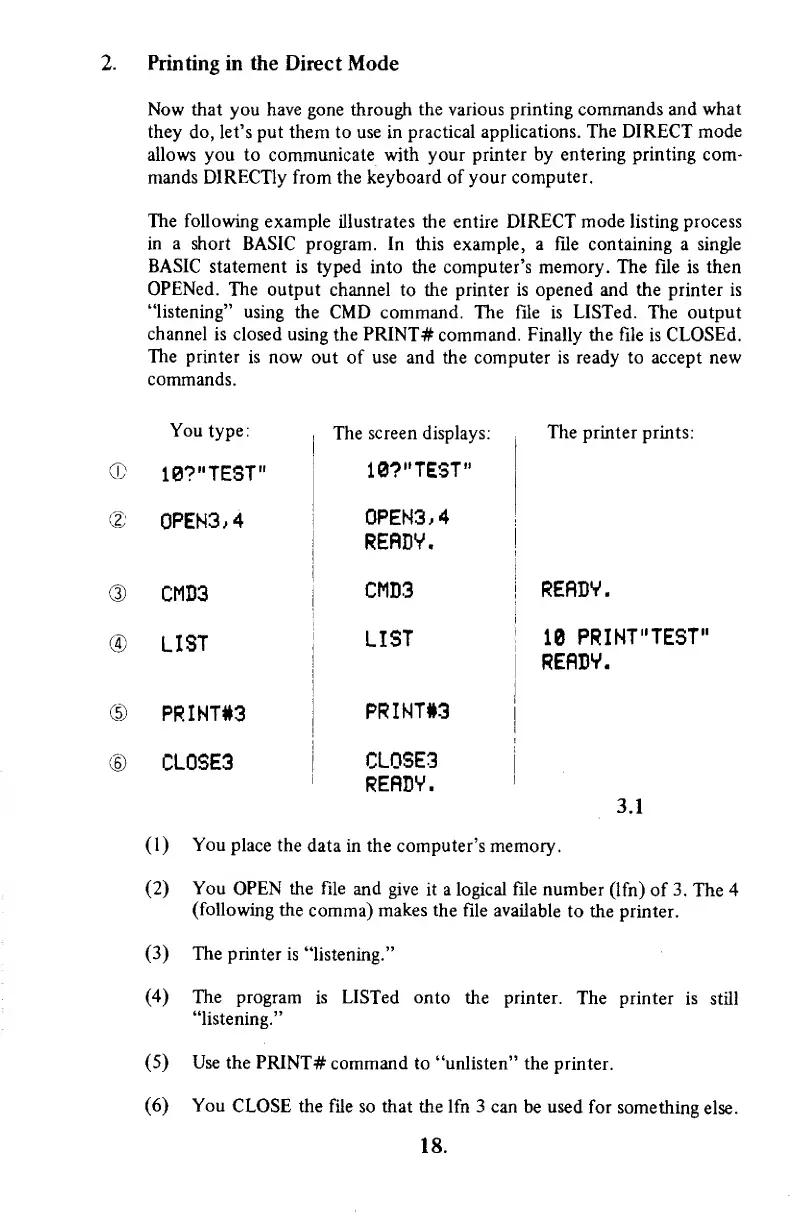
The following
example illustrates
the entire
DIRECT
mode
listing process
in
a
short BASIC program. In
this example, a file containing a single
BASIC
statement is typed
into the
computer's memory.
The file is then
OPENed.
The
output channel to the printer is opened and the printer is
"listening"
using the CMD
command. The file is
LISTed.
The
output
channel is closed using
the PRINT#
command. Finally
the
file
is
CLOSEd.
The
printer
is now out
of use and the computer is ready to accept new
commands.
You
type
:
The
screen displays:
The
printer prints:
CD
10?
"TEST"
10?
"TEST"
d;
0PEN3.4
0PEN3.4
RERDV.
®
CMD3
CMD3
RERDV.
®
LIST
LIST
18
PRINT"TEST"
RERDV.
© PRINT#3
PRINT#3
©
CL0SE3
CL0SE3
RERDV.
3.1
(1)
You
place
the
data in the computer's memory.
(2)
You
OPEN the file
and
give it
a
logical file number
(Ifn) of
3.
The 4
(following
the
comma)
makes the
file available
to the printer.
(3)
The
printer
is "listening."
(4)
The
program
is LISTed onto
the printer.
The printer
is
still
"listening."
(5)
Use the
PRINT#
command to
"unlisten" the
printer.
(6)
You
CLOSE the file
so that the lfn 3 can
be
used
for
something
else.
18.



 To Next Page