9
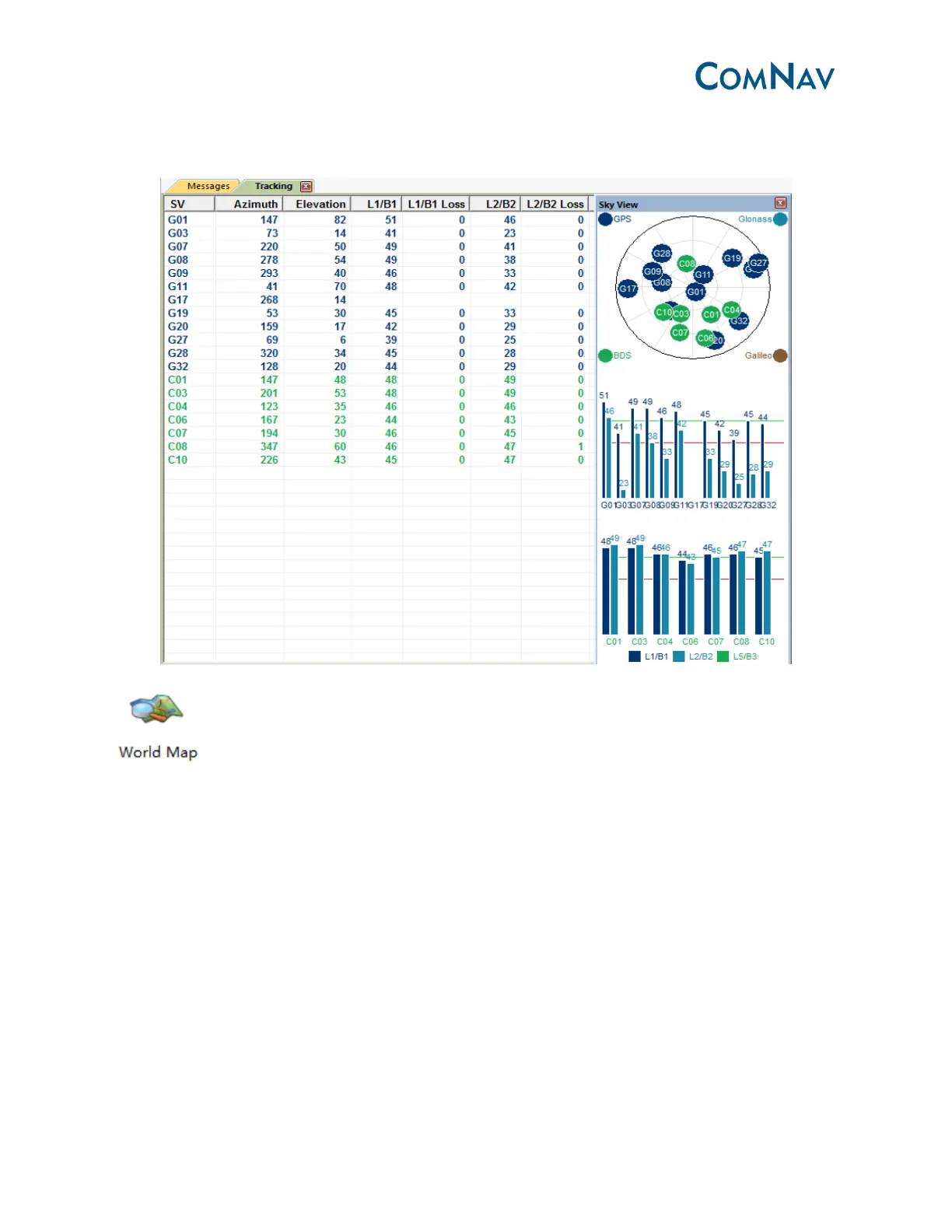
Sky View: You can go to main menu, View-> Sky view, to callout it. Click the constellation to
enable or disable the SV system.
: Make sure your PC logs on the internet. This will show the current position on the
global map.
3.3.2 RTK status indication
After the receiver receives correction message, the receiver will calculate the ambiguity and
turn to differential mode.
❶Position mode: SINGLE->Narrow Float ->NARROW INT (autonomous mode-> RTK Float->RTK
fixed)
❷Differential age: 99 (No correction message), 1 (received correction message).
❸Diff: Correction message data flow.



 To Next Page