4
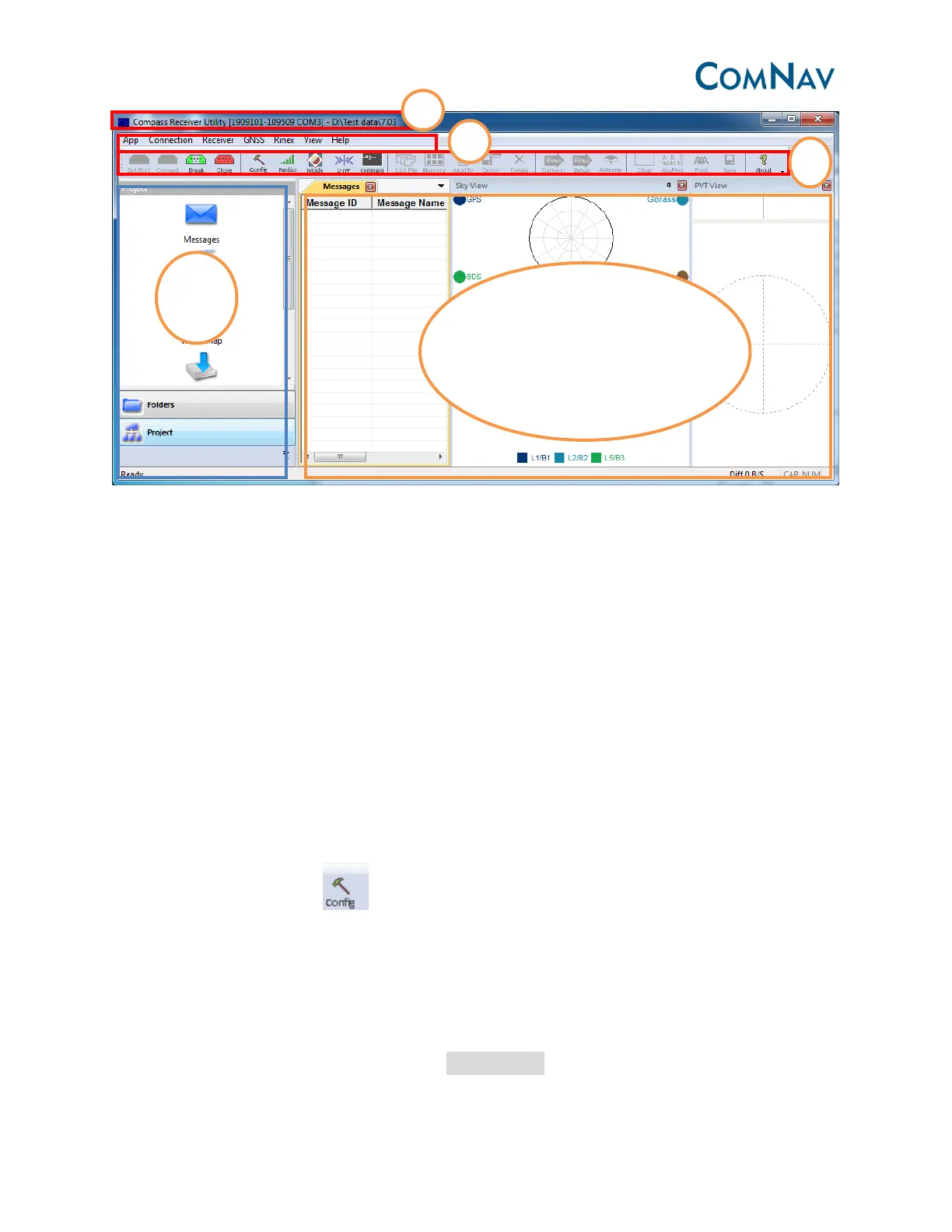
❶Connection status: SN No. of receiver, the data download path. You can select the data
download path from the left function bar-> Folders, then select the folder path.
❷Main menu: all the operation of software menu can be found here.
❸Shortcut bar: make it easy to access some frequently used operation.
❹Function bar: select the function, such as data download, convert to Rinex data.
❺Main window: show the information such as PVT view, SV sky plot view, and hyper terminal.
3.2 Receiver configuration
3.2.1 Raw data recording set up.
Go to the shortcut bar, click .
Satellites configuration:
Mask angle, GPS/Beidou/Glonass
Raw data sample interval, 1/2/5.
Data log: auto mode—save the raw data in the memory of OEM card (100MB memory card)
Tips, after do the configuration, please click apply setting, power off and power on the receiver



 To Next Page