28
Internet radio mode
Solo and Duetto can access thousands of radio stations and podcasts from around the world through a
broadband Internet connection.
When you select Internet radio mode, Solo and Duetto contact the Internet radio portal to get a list of
stations, organized into different categories like Country, Most popular, and Genre. Once you select a
station, the Solo or Duetto connect directly to that station.
The portal also enables multiple lists of favorite stations you can personalize, for example Peter’s stations,
Ray’s favorites, or Talk shows. To use the favorites feature, register your Solo or Duetto with the portal
website as described on Page 32. If you have several units, you can register them all on the same account
so that each has access to your favorites lists. It is possible to add favorites either by pressing the “Play” key
on the remote while playing the Internet station, or through any computer with a web browser.
To enter Internet Radio mode, rotate the Source knob until the Internet Radio icon is highlighted and
briefly press the Source knob in to select, or press and hold the Menu knob > Main menu > Internet
Radio.
Six diverse Internet radio stations have already been pre-set from the factory for your enjoyment. You can
override any or all of them by pressing and holding a Preset button when tuned to station or source.
Note: You may notice an obvious volume level difference when tuning different Internet stations or
switching between Internet radio and other sources. Even music track levels from the same station can vary.
Note: Como Audio is not responsible for broadcast content.
Note: The station list menu is provided from the Internet radio portal, so it, along with any Internet
stations saved to the Presets, are only accessible when Solo or Duetto is connected to the Internet.
Station lists and submenus may change from time to time.
There are several ways of selecting Internet stations:
Station list:
Press and hold the Menu knob > Station list >:
Location – Find a radio station based on its location in the world.
Genre – Search for stations broadcasting the type of music you like.
Search Stations – Search for a station name.
Popular Stations – Lists the most popular tuned stations on the
Internet.
New stations – Lists the latest stations broadcasting on the Internet.
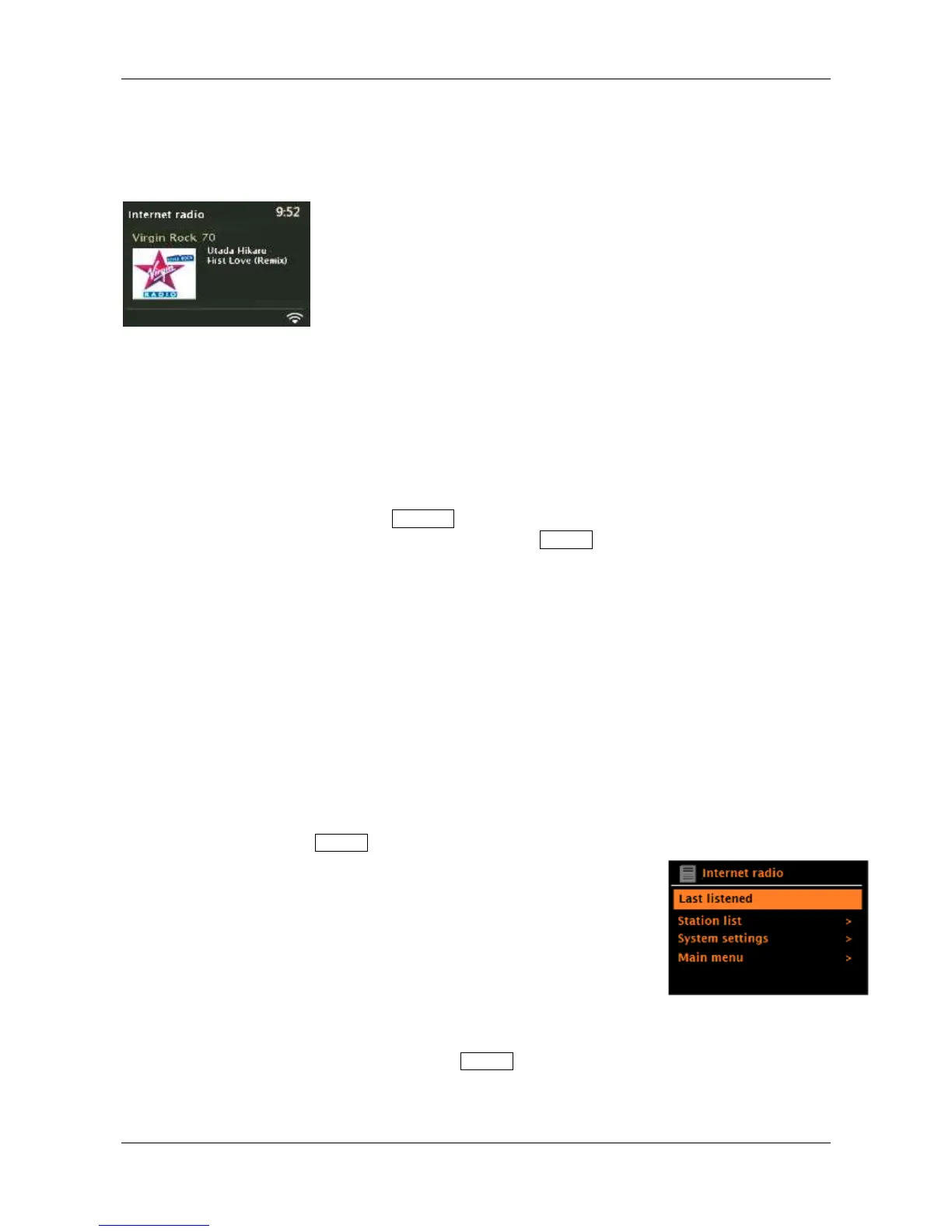
Last listened:
Whenever Internet radio mode is selected, the last-listened station is tuned. To select another
recently tuned station, press and hold the Menu knob > Last listened, then rotate and briefly
push in the Menu knob to tune one of the stations listed. Most recent stations appear at the top of
the list.


 To Next Page