EasyManua.ls Logo

COMO AUDIO Solo - User Manual

COMO AUDIO Solo
56 pages
Print Icon
To Next Page IconTo Next Page
Loading...
1
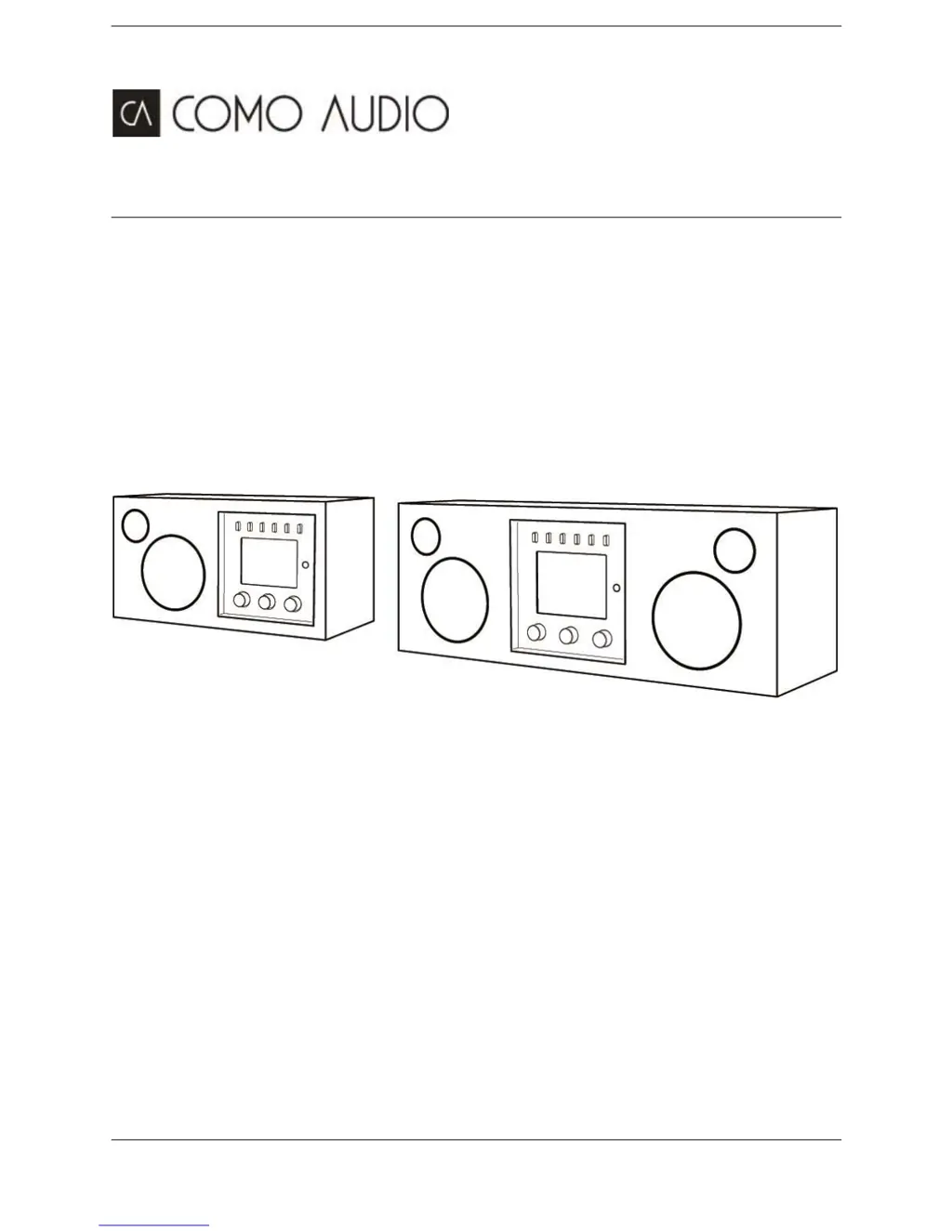
Solo and Duetto
Complete User Manual
Download the free Como Control iOS or Android App from iTunes or the Google Play store. The Como
Control App will allow you to control many functions along with multi-room.

Table of Contents

Other manuals for COMO AUDIO Solo

Questions and Answers

Summary

Como Audio Company Story

Founders Background

Details the background of Tom DeVesto, founder of Como Audio, and his prior experience in the audio industry.

Safety Instructions

General Safety Precautions

Lists essential safety guidelines for operating the Como Audio Solo and Duetto unit to prevent hazards and ensure safe usage.

Regulatory Compliance

FCC Part 15 Statement

Provides the FCC Part 15 compliance statement regarding device operation and potential radio interference.

Front Panel Controls Overview

Control Button Functions

Explains the purpose and operation of each button and knob located on the front panel of the Solo and Duetto units.

Remote Control Operations

Remote Button Functions

Details the specific functions assigned to each button on the remote control for comprehensive unit operation.

Remote Display Off Feature

Describes how to toggle the remote's display off and on, and its behavior when the unit is in standby mode.

Rear Panel Connections Guide

Input and Output Ports Explained

Details all available input and output ports on the rear panel, including power, audio, and antenna connections.

Display Screen Information

Understanding Display Types

Explains the various types of displays shown on the unit, including standby, now playing, and menu screens.

Display Off Functionality

Provides instructions on how to turn the unit's display off and on, and its behavior in standby mode.

Display Content and Artwork

Screen Displays and Artwork Expansion

Describes on-screen displays for playback, settings, and how to expand artwork using the Menu knob.

Initial Unit Setup

Setup Requirements by Mode

Outlines the specific requirements for various listening modes like Internet Radio, Multi-room, and Bluetooth.

Guided Setup Wizard Process

Guides the user through initial date/time and network configuration using the automated setup wizard.

Setup Wizard Configuration

Clock Format and Auto-Update

Explains how to set the clock format and configure automatic time updates from different sources.

Time Zone and Daylight Saving

Details setting the correct time zone and managing Daylight Saving Time adjustments for accurate time.

Network Connectivity Setup

Keep Network Connected and WLAN Region

Configures network connection in standby and sets the appropriate WLAN region for optimal performance.

WPS Wi-Fi Protected Setup

Provides methods for connecting to WPS-protected Wi-Fi networks, including Push Button and PIN options.

Wi-Fi Network Connection

Selecting and Connecting to Networks

Details how to select available Wi-Fi networks and connect, including open and encrypted types.

Entering Network Credentials

Explains the process of entering the network key or password for secure Wi-Fi connections using the menu knob.

Network Setup Completion

Web-Based Configuration Method

Guides users on configuring network settings via a web browser on a PC or smart device for advanced setup.

Web Interface for Network Settings

Configuring Wi-Fi and Network Parameters

Details configuring Wi-Fi region, selecting networks, entering passwords, and managing DHCP settings via the web interface.

Embedded Web Page Access

Viewing Unit Status and Settings

Explains how to access the unit's web page to view status information and change settings like Friendly Name.

Operating the Unit

Selecting Listening Modes

Explains how to switch between different listening modes using the Source knob and navigate menus.

Menu Navigation Techniques

Provides guidance on navigating menus and options using the Menu rotary control and Source knob.

System Settings Management

Equalizer and Sound Settings

Details how to adjust equalizer settings, including bass, treble, balance, and loudness for optimal sound.

Network Settings Configuration

Network Wizard and WPS Setup

Guides through connecting to networks using the Network wizard and setting up WPS for secure connections.

Viewing and Manual Network Settings

Explains how to view current network details and manually configure advanced network settings.

Advanced Network Options

PIN Setup, Network Profile, and Clearing Settings

Covers setting a remote PIN, viewing saved networks, and clearing network settings.

Keep Network Connected Setting

Details the option to maintain network connectivity in standby mode for uninterrupted service.

Time and Date Configuration

Setting Manual Time and Date

Guides on manually setting the date and time, including format options like 12/24 hour display.

Auto-Update and Time Format

Explains the auto-update feature for time and how to set the preferred time format.

System Configuration Options

Clock, Language, and Reset

Configures standby clock, selects user interface language, and performs factory resets.

Software Update and System Info

Manages software updates and accesses system information like version and radio ID.

Display and Multi-room Settings

Backlight Adjustment and Off Feature

Adjusts display brightness for active and standby modes and enables backlight off functionality.

Multi-room Setup and Management

Explains how to set up and manage multi-room groups, acting as server or client with other radios.

Multi-room Group Management

Group Creation and Control Options

Provides options for creating, adding to, listing, leaving, and dissolving multi-room groups.

Listening Mode Functionality

Auto Standby Control

Enables or disables auto standby for energy conservation, particularly in Auxiliary mode.

Internet Radio Mode

Accessing and Browsing Stations

Guides on entering Internet Radio mode and browsing stations by category like location and genre.

Station Lists and Favorites Management

Explains viewing station lists and personalizing favorites via the portal for quick access.

Internet Radio Station Features

Browsing and Searching for Content

Details methods for browsing stations by genre, location, and searching for specific broadcasts.

Managing Favorites and Added Stations

Explains how to store, recall, and manage favorite stations and custom added stations.

Searching Internet Radio Content

Keyword Search Functionality

Describes how to search for specific stations or podcasts using keywords via an interactive search interface.

Internet Radio Playback Details

Added Stations and Now Playing Info

Explains adding custom stations and viewing detailed 'now playing' information like artist and track.

Station Categories and Status Messages

Details station categories (HDi, Local, Highlighted, Popular) and explains common status messages.

Internet Radio Portal Registration

Portal Account Setup and Management

Guides on registering the unit with the portal to manage favorites and added stations.

Spotify Connect Integration

Spotify Connect Overview and Usage

Introduces Spotify Connect, enabling wireless speaker functionality for Spotify music streaming.

Connecting and Controlling Spotify

Step-by-step guide to connect to Spotify and control playback from smart devices or PCs.

Spotify Connect User Interface

Smart Device Integration and Artwork

Illustrates Spotify Connect on smart devices and how to expand artwork display on the unit.

Spotify Playback Control

Remote Control of Spotify Playback

Explains controlling Spotify playback (volume, play/pause, skip) using the unit's remote control.

Spotify Info Messages and Presets

Describes Spotify information messages and saving playlists as Presets for quick access.

Music Player Mode Operations

Selecting Music Sources (UPnP;USB)

Details entering Music Player mode and selecting sources like shared media (UPnP) or USB playback.

Music Player Source Details

Shared Media Server Setup (UPnP)

Guides setting up shared media servers like Windows Media Player for music playback via UPnP.

Wake-on-LAN and USB Playback

Explains Wake-on-LAN features and how to connect and play audio from USB devices.

Music Player Navigation and Playlists

Browsing Folders and Managing Playlists

Describes navigating USB folders and managing music playlists for playback.

Track Metadata and Playback Info

Explains viewing track metadata and 'now playing' information using the remote's Info key.

Music Playback Features

Repeat, Shuffle, and Now Playing Info

Details using Repeat/Shuffle modes and viewing 'Now Playing' information for UPnP and USB sources.

UPnP Media Sharing Setup (WMP)

Provides steps for setting up Windows Media Player for UPnP media sharing.

Media Sharing Configuration in Windows

Windows Media Player Sharing Options

Explains configuring media streaming options in WMP to allow access to the Solo or Duetto.

Windows Media Player Play To Feature

Streaming Media via Play To

Guides on using the 'Play To' feature in Windows 7 Media Player to stream music to the unit.

DLNA Media Renderer Capabilities

DLNA Compliance and Network Playback

Describes the unit's DLNA support and its ability to 'Play To' other devices on the network.

DAB;DAB+ Radio Mode

Scanning and Selecting DAB Stations

Guides on scanning for available DAB stations and selecting them from the list.

Pruning Invalid DAB Stations

Explains how to remove unavailable or invalid entries from the DAB station list.

DAB Radio Features

DAB Slideshow and Dynamic Range

Covers DAB slideshow display and adjusting dynamic range compression (DRC) for audio.

Station Order and Presets for DAB

Explains setting the DAB station list order and storing/recalling DAB stations using Presets.

FM Radio Mode Operations

Selecting and Tuning FM Stations

Guides on selecting FM stations, including scanning, manual tuning, and signal strength settings.

FM Information and Settings

Explains RDS/RBDS information display and configuring scan settings and audio output.

Bluetooth Connectivity

Pairing and Connecting Bluetooth Devices

Provides instructions for pairing Bluetooth-enabled devices with the Solo or Duetto.

Managing Paired Devices and Track Control

Details switching devices, clearing paired devices, and controlling music playback via Bluetooth.

Bluetooth Advanced Features

NFC Pairing and aptX Audio

Explains using NFC for simplified Bluetooth pairing and the benefits of aptX audio quality.

External Audio Input Modes

Auxiliary (Aux 1 & 2) Input

Guides on playing audio from external sources via the 3.5mm Auxiliary inputs.

Optical Input Mode Usage

Explains using the Optical input for connecting external sources like TVs or CD players.

Alarm and Snooze Functions

Setting and Configuring Alarms

Details setting and configuring alarms, including time, mode, and volume parameters.

Stopping and Snoozing Alarms

Explains how to stop sounding alarms or use the Snooze function, including changing snooze periods.

Power and Sleep Timers

Power Failure Handling and Memory

Describes how the unit retains settings and alarm times after a power interruption.

Sleep Timer Operation

Guides on setting and cancelling the sleep timer for automatic unit shut-off.

Troubleshooting and Error Messages

Common Error Messages Explained

Lists common error messages, their descriptions, and potential causes for troubleshooting.

Troubleshooting Guide

Problem Diagnosis and Solutions

Provides diagnostic steps and solutions for common issues with FM, DAB, Network, and Internet Radio.

Product Information and Care

Wood Finishes, Sound Quality, Placement

Discusses wood cabinet finishes, sound quality, and ideal placement for optimal performance.

Warranty and Service Information

Details the product warranty terms, coverage limitations, and procedures for obtaining service.

Specifications and Licensing

Technical Specifications

Provides detailed technical specifications for Solo and Duetto, including power, dimensions, and transducers.

Software Licenses and Trademarks

Lists third-party software licenses and trademarks used in the product.

Contact and Support Resources

Additional Information and Contact Details

Provides contact information for Como Audio and resources for further help, FAQs, and videos.

Declaration of Conformity

Compliance Standards and Directives

Declares conformity with Council Directives and lists specific standards the equipment adheres to.

COMO AUDIO Solo Specifications

General IconGeneral
ConnectivityWi-Fi, Bluetooth, Ethernet
Power Output30 Watts RMS
Multi-RoomYes
Internet RadioYes
Alarm ClockYes
Remote ControlYes
Power SourceAC Power
Inputs3.5mm Aux
Streaming ServicesSpotify, Tidal, Deezer, Napster
Headphone Output3.5mm
Drivers3" Woofer
Color OptionsWalnut, Piano Black, Piano White
Display2.8" TFT Color Display