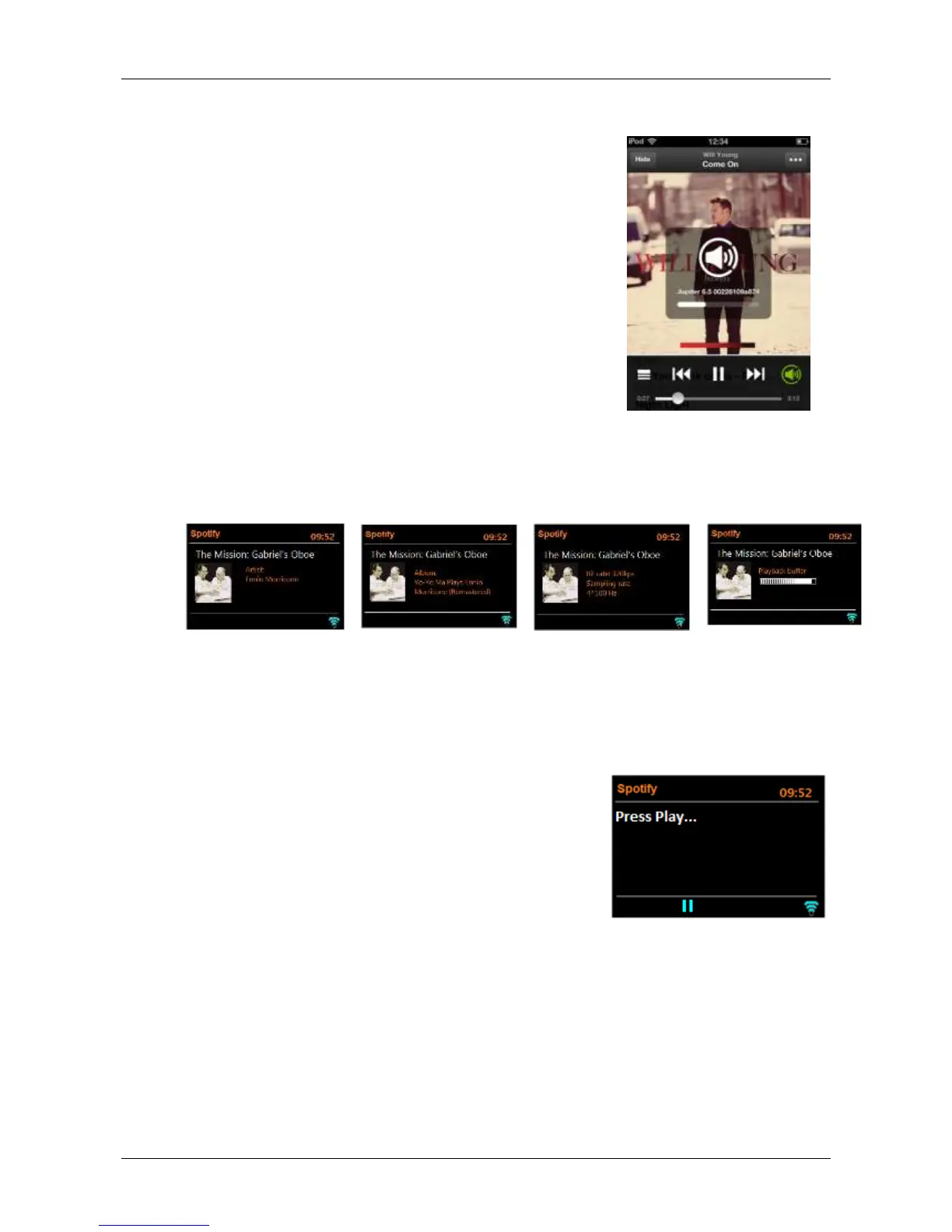
Controlling Spotify from Solo and Duetto
You can change volume, play/pause the audio, and jump
forwards and backwards through your playlist using the remote
control.
Changes made by the remote are reflected on the Spotify
Connect App and the unit.
As long as the Spotify App is connected to the Solo or Duetto
on the same network, and “Keep network connected” has
been selected in Solo or Duetto, you can usually power on
Solo or Duetto when you start playing from the Spotify App.
Pressing the Info button on the remote cycles through extra information in the following sequence:
Messages are displayed on Solo and Duetto when appropriate
to show the current play status. For example, should the audio
stream from Spotify Connect be interrupted or stopped (for
example, when the audio playback is moved by the Spotify
App to a different audio speaker or the smart device itself), the
message ‘Press Play…’ is displayed. This refers to pressing
play on your smart device (i.e. phone/tablet), not the
remote control.
Shuffle and Repeat icons are also displayed when appropriate
along the bottom of the screen.
Presets
Spotify can be stored and recalled as a Preset as described in front panel controls. The Presets will
also turn on Solo/Duetto from standby if a station or source has been save to that Preset. Note
when going to Spotify Playlist from a Preset it usually starts playing at the beginning of the Playlist.


 To Next Page